

Set your SPF record
Let cPanel generate the correct SPF record for your account, rather than copying one from documentation that may name the wrong relay.
Publish an SPF record so receiving servers accept mail from your domain. Applies to shared, reseller and Premium hosting.
SPF lists which servers may send as your domain. Without a correct one, your mail is treated as unauthenticated and filtered.
Use cPanel's generator
Do not copy an SPF record out of documentation, including this page.
Outbound mail is routed through a relay, and the correct include: depends on
which relay your account uses. A record naming the wrong one fails SPF for
every message you send.
cPanel knows what your server actually uses. Let it generate the record.
-
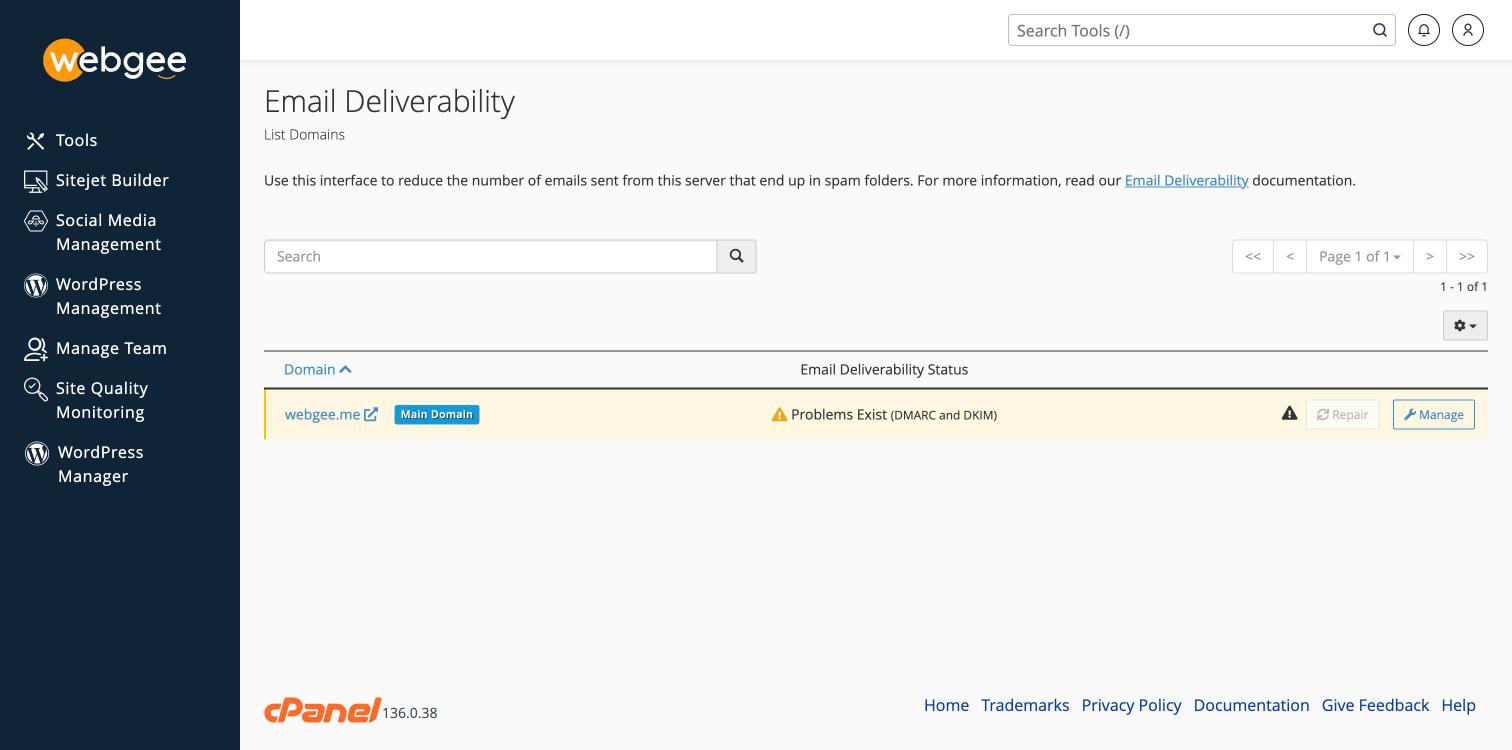
In cPanel, open Email Deliverability under Email.
-
Find your domain and select Manage.
-
cPanel shows the current SPF record, or the one it recommends.
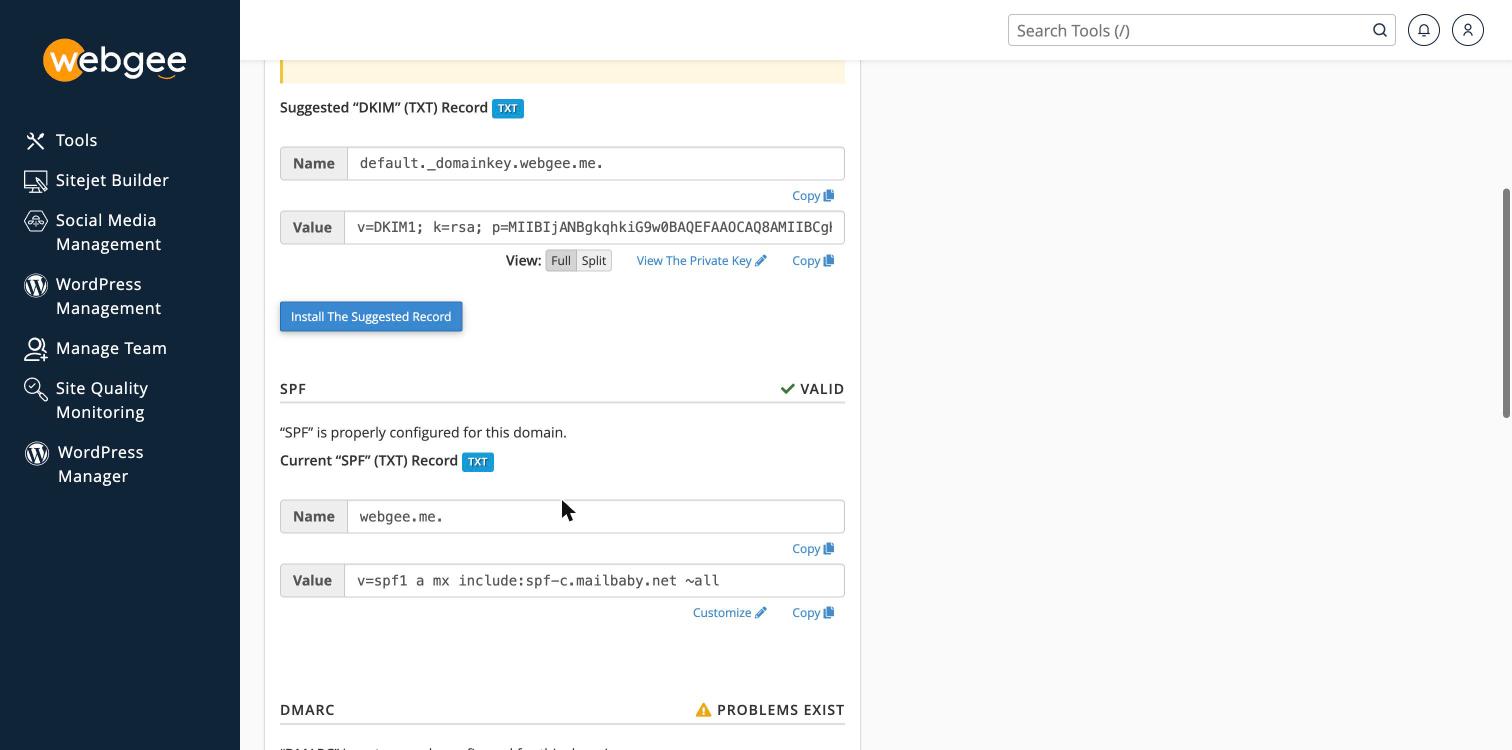
Where your DNS is hosted in cPanel, select Install The Suggested Record.
Where DNS is hosted elsewhere — Cloudflare, or a registrar — copy the
suggested value and create a TXT record for your domain there.
If your nameservers are not WebGee's, cPanel says so explicitly: "This system does not control DNS for the domain... If you install this record, this change will not be effective." Installing it anyway appears to succeed and changes nothing, because the record is written to a zone no resolver consults. Add the record wherever your nameservers actually are.
Reading the record
A WebGee SPF record looks like this:
v=spf1 a mx include:spf-c.mailbaby.net ~all| Part | Meaning |
|---|---|
a | The domain's own A record may send |
mx | Its mail servers may send |
include: | The outbound relay's servers may send |
~all | Anything else is a soft fail |
The include: names WebGee's outbound relay. Take the exact value from your own
Email Deliverability page rather than copying it from here — the relay
hostname can differ between servers, and a record naming the wrong one fails SPF
for every message you send.
If you also send from elsewhere
Add each additional sender to the same record. A domain must have exactly one SPF record — two records is a permanent error, and receiving servers treat it as no SPF at all.
v=spf1 a mx include:spf-c.mailbaby.net include:_spf.google.com ~allSPF allows a maximum of 10 DNS lookups. Each include: costs at least one.
Exceeding it produces permerror, which fails exactly like having no record —
a common outcome for domains that have accumulated marketing platforms over
time.
Check with dmarcian's SPF survey or MXToolbox.
Check it worked
dig +short TXT example.com | grep spf1Email Deliverability in cPanel validates SPF, DKIM and reverse DNS together, and is the quickest confirmation that all three are right.
Then add DKIM and DMARC
SPF alone is no longer sufficient for reliable delivery. Enable DKIM on the same Email Deliverability page, then publish DMARC — see Publish a DMARC record.
Related
Use Google Workspace for your email
Point your domain's email at Google Workspace by setting cPanel to remote mail exchanger and replacing the MX records.
Publish a DMARC record
Add a DMARC TXT record to your domain so receiving servers know what to do with mail that fails SPF and DKIM, and so you get reports about it.