

Configure MailScanner
Set spam and virus scanning thresholds per domain in cPanel, whitelist and blacklist senders, and release legitimate mail that was held.
MailScanner filters spam and viruses out of inbound mail before it reaches your mailboxes. Applies to all cPanel hosting accounts, including reseller accounts.
It combines several engines: MailScanner itself as the processing core, SpamAssassin for spam scoring, ClamAV for virus detection, and the DCC and Vipul's Razor networks for collaborative spam identification.
Open MailScanner
-
Log in to cPanel.
-
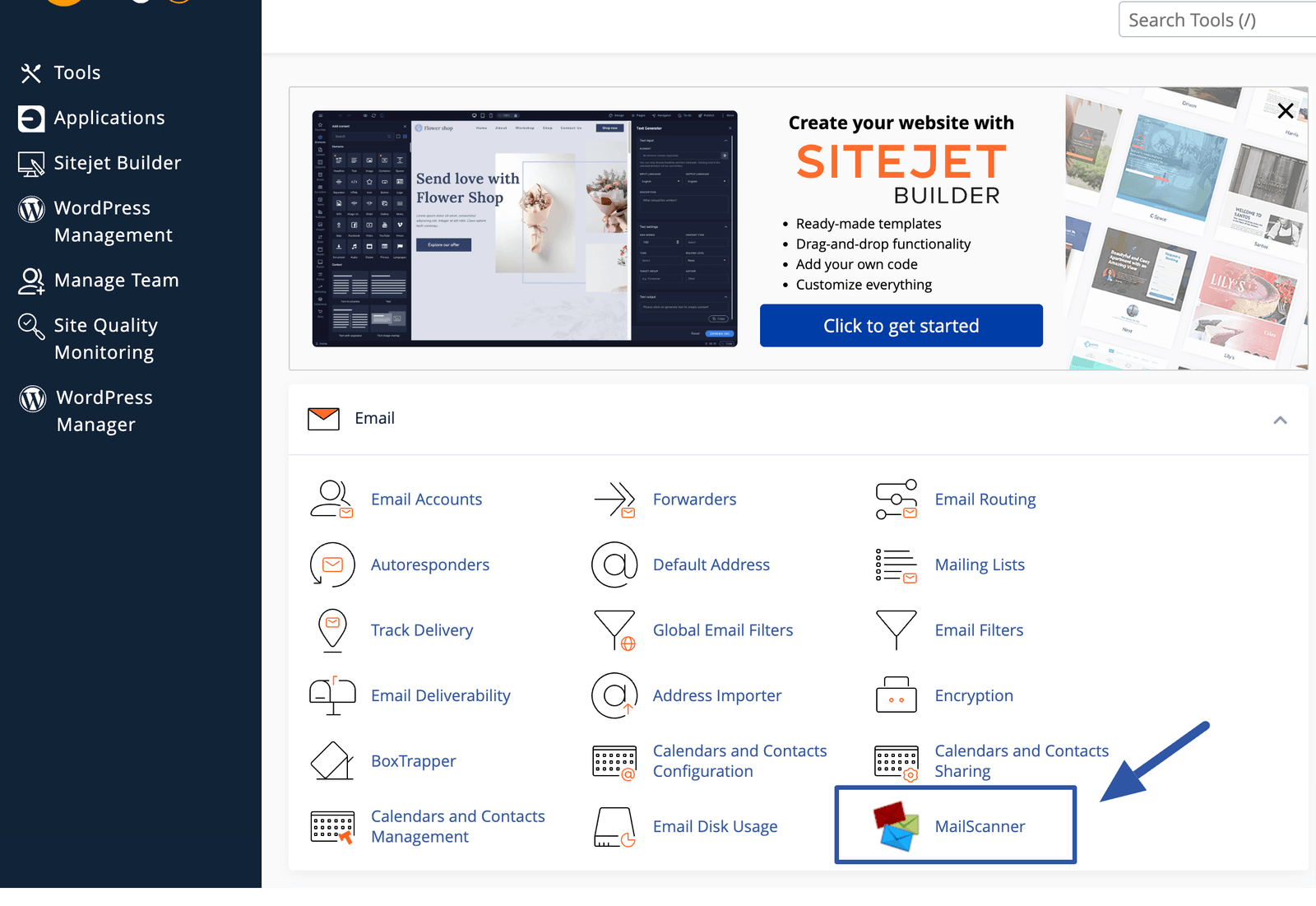
In the Mail section, select MailScanner.
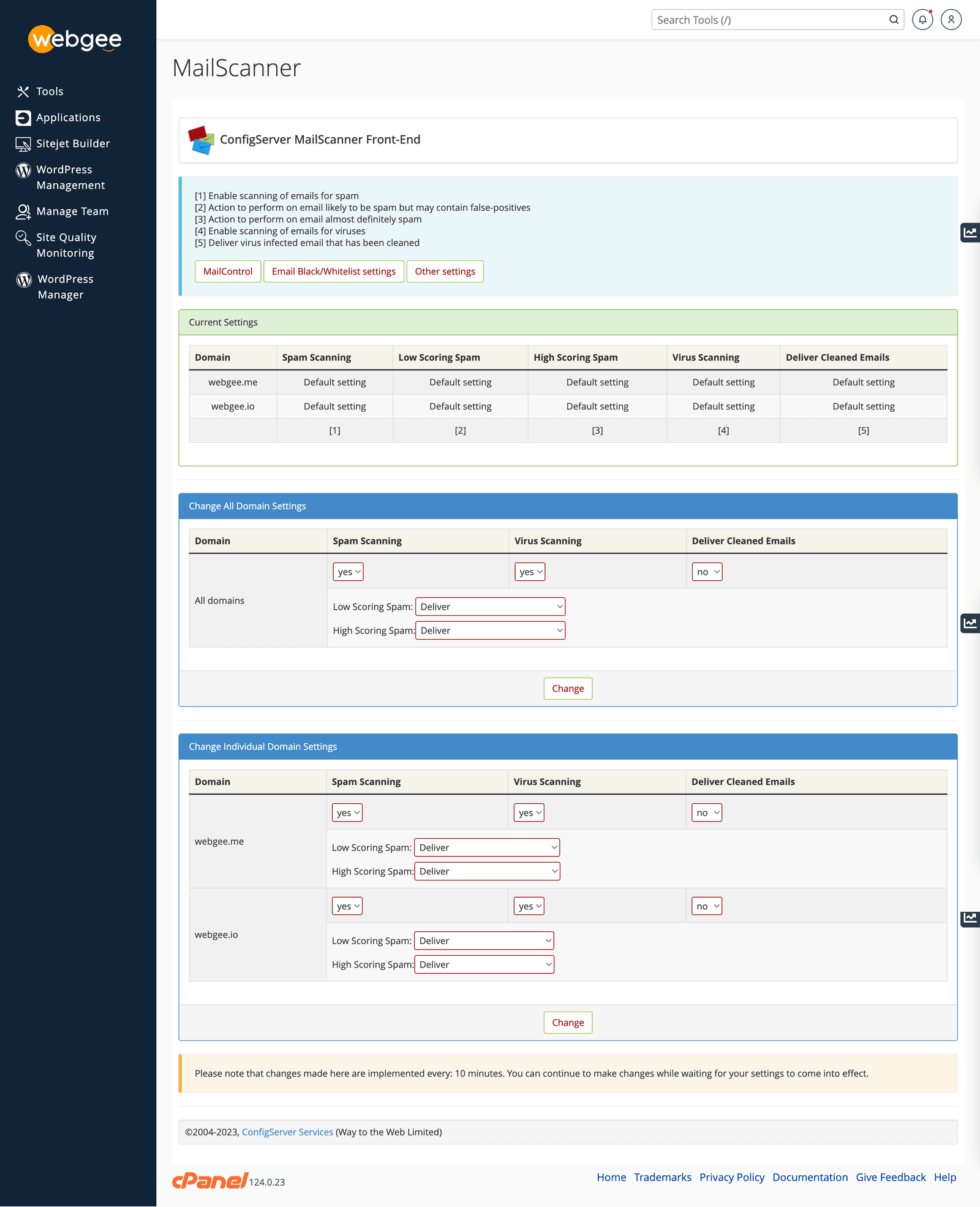
The screen has two parts: Current Settings, showing what is active now, and Change Individual Domain Settings, where you configure each domain separately.
How spam scoring works
Every message is given a score. Two thresholds decide what happens to it:
| Score | Treated as |
|---|---|
| Below the low threshold | Normal mail, delivered |
| Between the two thresholds | Low-scoring spam |
| At or above the high threshold | High-scoring spam |
With a low threshold of 5 and a high threshold of 10, a message scoring 7 is
low-scoring spam and one scoring 12 is high-scoring spam.
You choose separately what happens to each band: Deliver, Delete, or
Forward to an address such as spam@yourdomain.com.
Do not set either band to Delete. Deleted mail is gone — there is nothing to release and no way to discover a false positive. Deliver low-scoring spam so it lands in the Spam folder, and forward high-scoring spam to a review address if you want it out of the way.
Settings
| Setting | What it does |
|---|---|
| Spam Scanning | Turns spam scoring on or off |
| Virus Scanning | Turns ClamAV scanning on or off |
| Deliver Cleaned Emails | Whether to deliver a message after a virus has been stripped from it |
| Low Scoring Spam | Deliver, delete or forward |
| High Scoring Spam | Deliver, delete or forward |
Leave Virus Scanning on. There is no reasonable case for turning it off.
Whitelist and blacklist
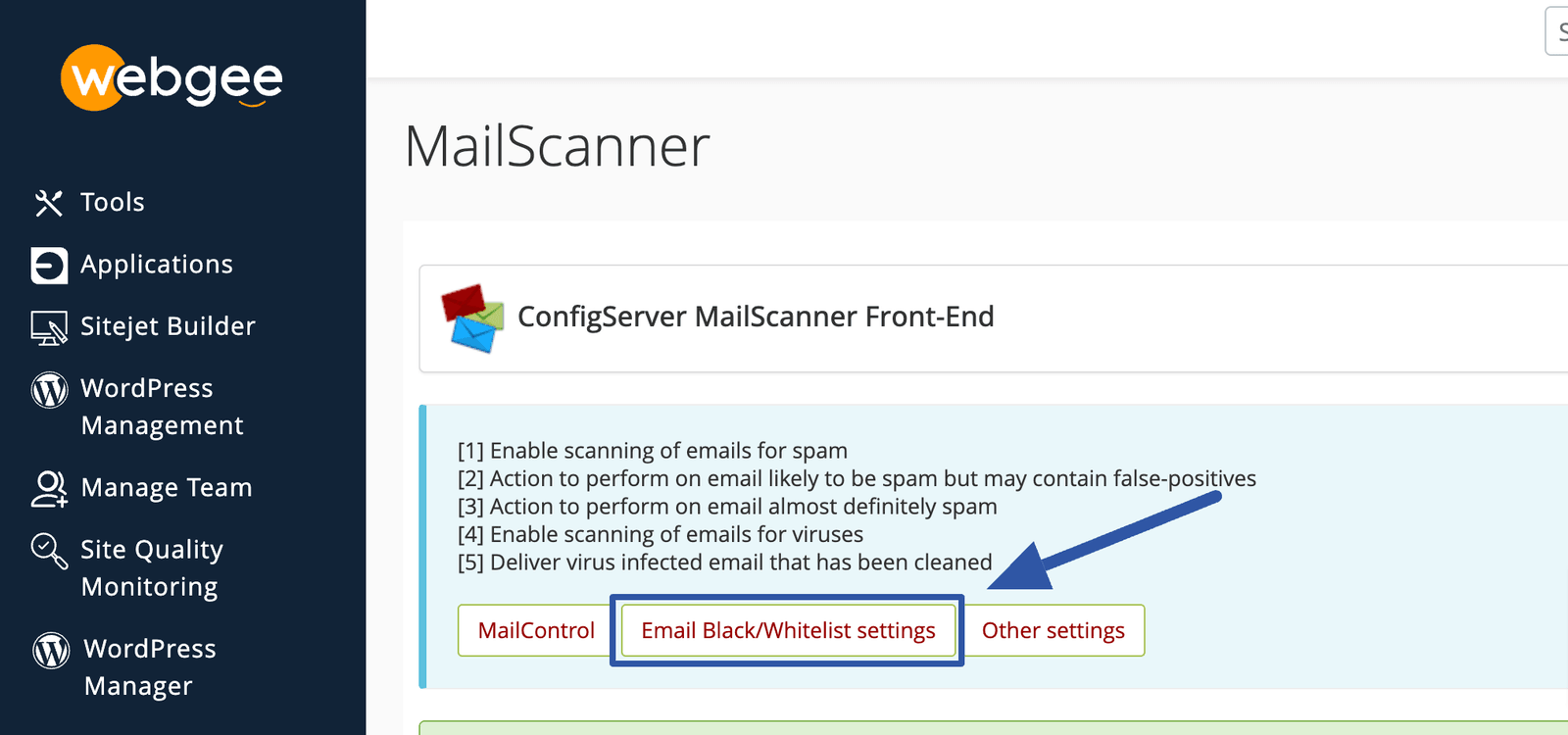
- Whitelist — always deliver, regardless of score.
- Blacklist — always block.
Both accept a single address, name@domain.com, or a whole domain,
*@domain.com.
Whitelisting a whole domain, especially a large provider like
*@gmail.com, disables filtering for every sender there. Spammers forge
addresses at exactly those domains. Whitelist individual addresses instead.
Reach for the whitelist when a specific supplier, client or automated system is being caught repeatedly. Raising the thresholds is the blunt alternative and lets everything else through too.
Advanced settings
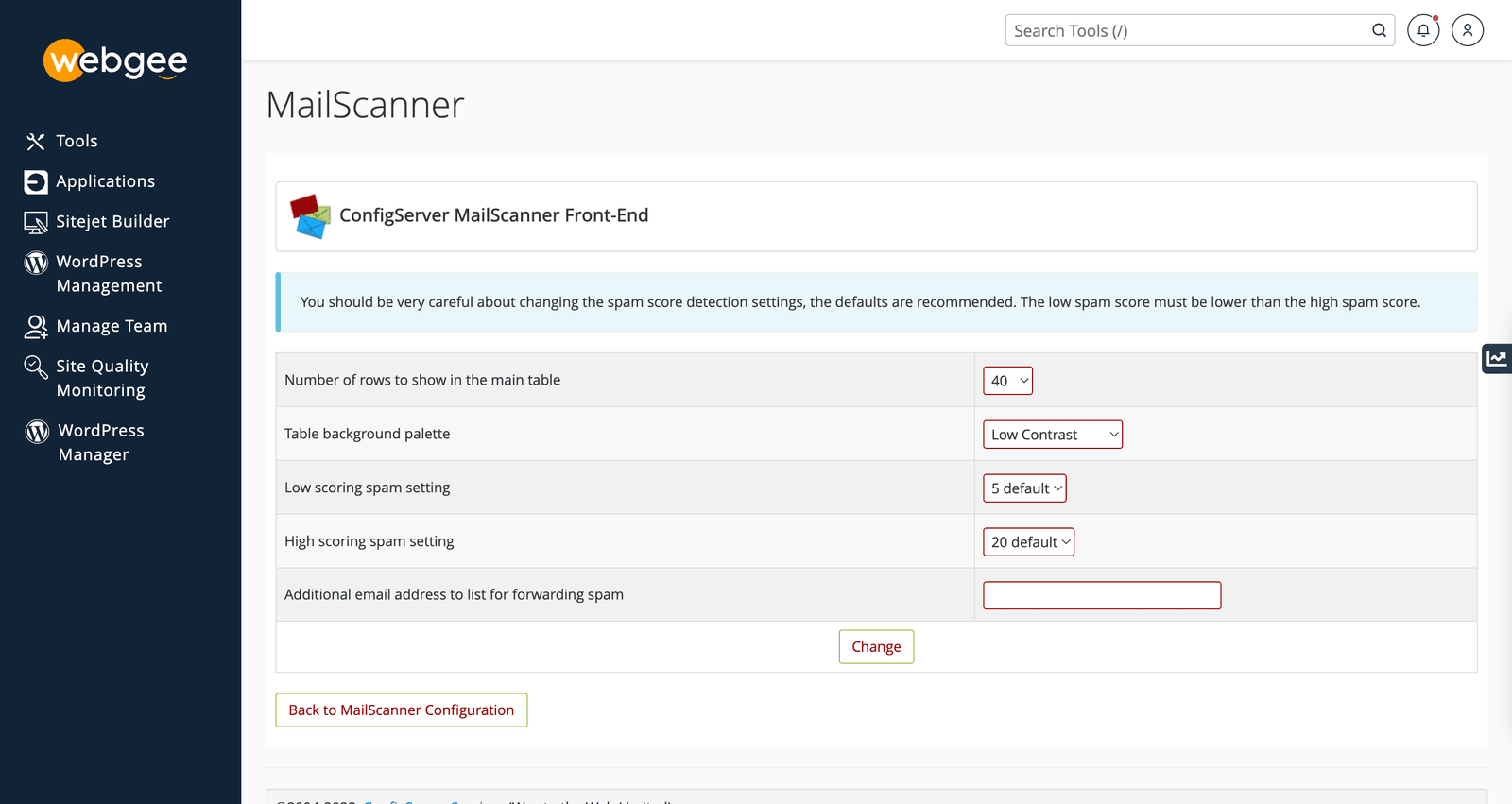
Set the low and high thresholds and, optionally, an additional address to receive forwarded spam.
Lower numbers are stricter. Moving the low threshold from 5 to 3 catches more spam and also more legitimate mail. Change one threshold at a time and give it a few days before judging the effect.
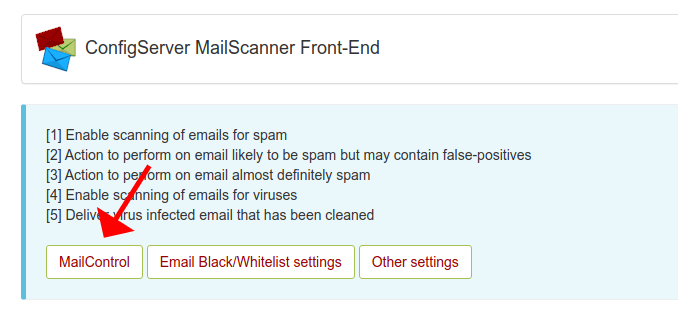
Release held mail with MailControl
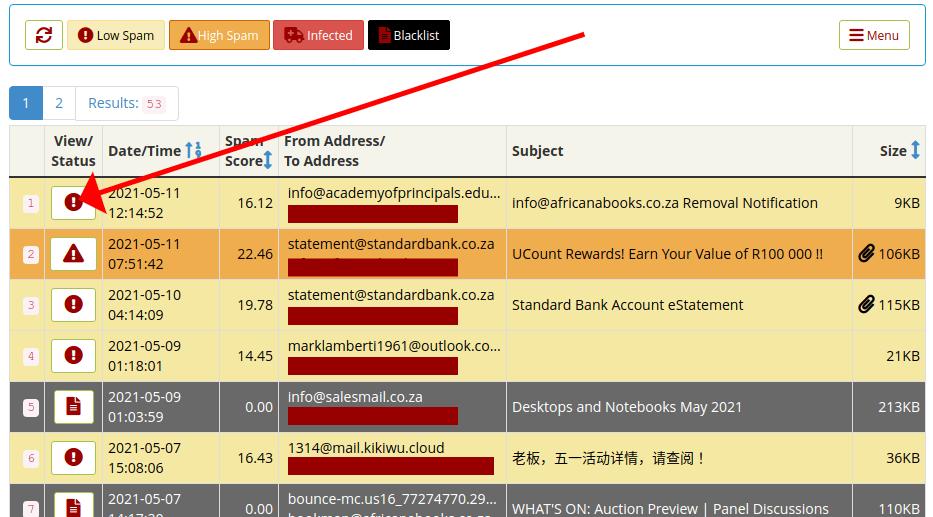
MailControl lists messages that were flagged and not delivered.
Messages are sorted into Low Spam, High Spam, Infected and Blacklist.
-
Select View/Status on a message to examine it.
-
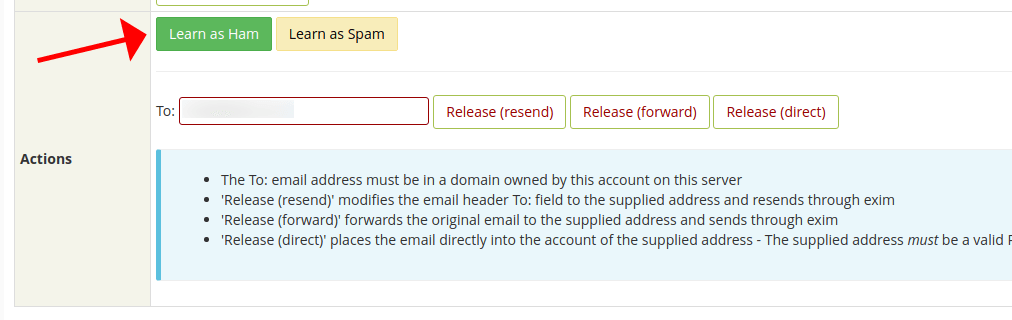
If it is not spam, select Learn as Ham to teach the filter.
-
To deliver it to the original recipient, select Release (Direct).
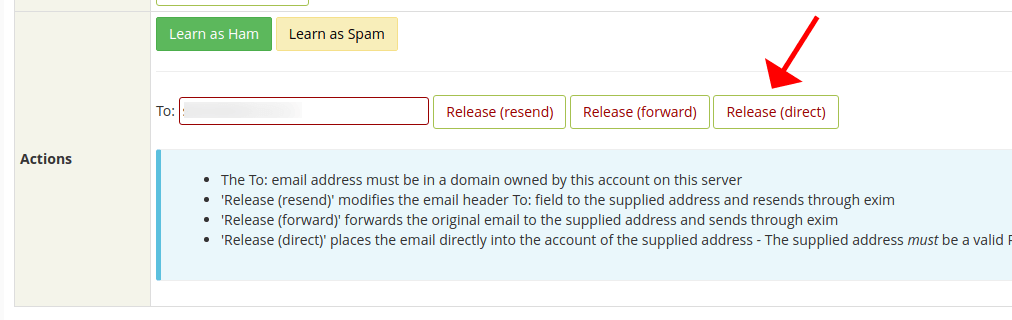
Use Learn as Ham as well as releasing. Releasing delivers this one message; teaching the filter reduces how often the same sender is caught again.
Never release a message from the Infected category. It was held because it contains malware, not because it scored badly.
Verify
- Send yourself a message from an outside address and confirm it arrives.
- Check MailControl after a day or two for false positives, and whitelist or teach as needed.
- If genuine mail is consistently caught, raise the low threshold slightly rather than whitelisting broadly.
Related
Spam and virus filtering
How WebGee filters inbound mail with MailScanner and SpamAssassin, what the Spam and Disarmed subject tags mean, and which attachments are blocked.
Report a false positive
Legitimate mail rejected or filtered — what to gather, and what to check first, since most rejections have a cause you can fix.