

Sign in and find your way around
Where the WordPress Cloud control panel lives, what each part of the navigation does, and what the dashboard tells you.
The WordPress Cloud control panel is at cp.webgee.cloud. Sign in with the email address and password for your WebGee organisation. Applies to all WordPress Cloud packages.
This is a different panel from the Cloud Console at console.webgee.cloud,
which manages VPS and dedicated servers. See
The WebGee Cloud Console if you are looking for
that.
The dashboard
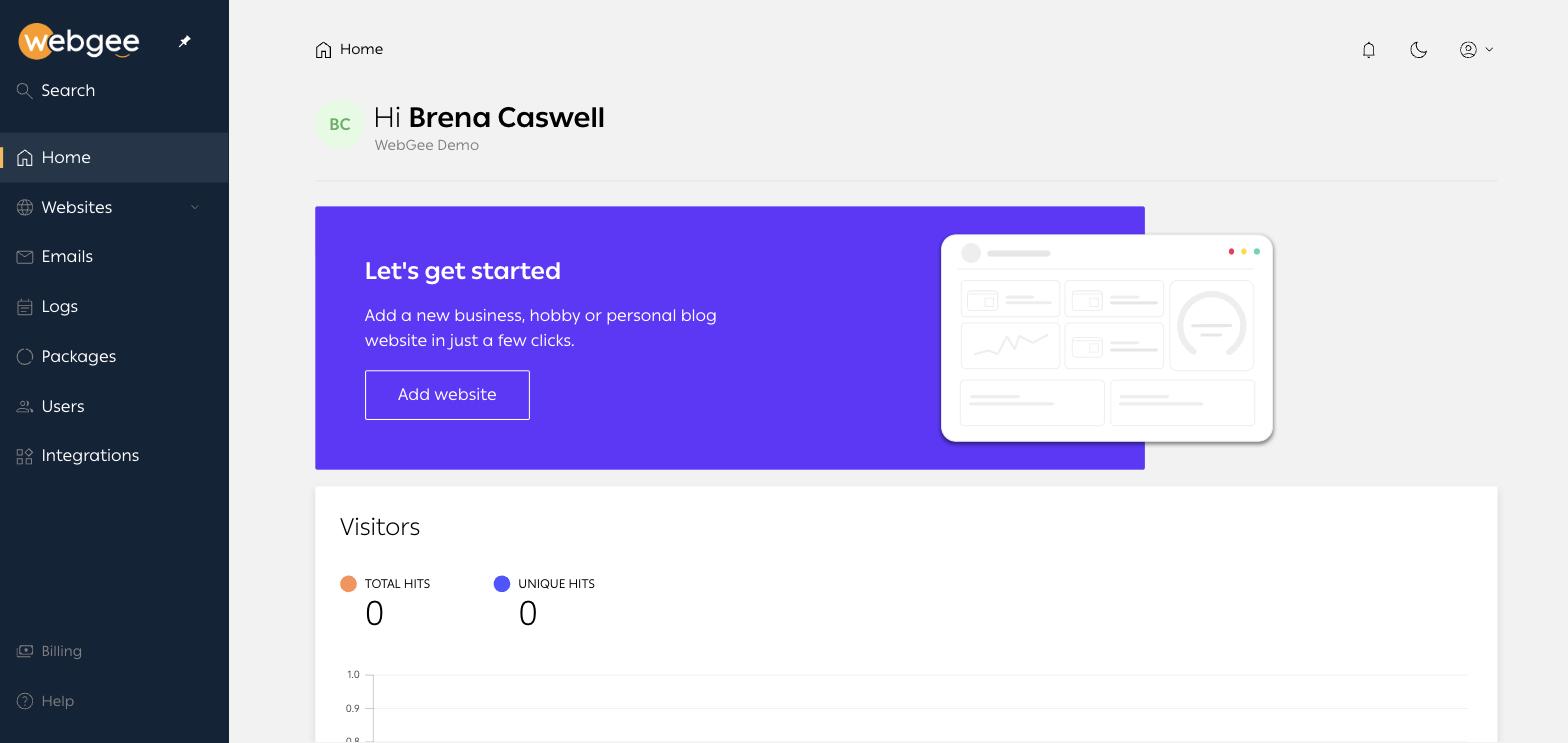
Until you add your first website the dashboard shows a Let's get started banner. Once sites exist it shows aggregate visitor numbers — total and unique hits — across the organisation.
The navigation
| Item | What it covers |
|---|---|
| Home | Dashboard and organisation-wide visitor figures |
| Websites | Every site you own; the submenu holds Import website |
| Emails | Mailboxes on your production domains |
| Logs | Every action taken in the panel, with the account that took it |
| Packages | Quotas and usage for each package you hold |
| Users | People with access to the organisation |
| Integrations | Cloudflare and Slack connections |
| Billing | Invoices and payment |
| Help | Support entry point |
Per-site navigation
Selecting a website replaces the top bar with that site's own tabs — Apps, Files, Databases, Emails, Domains, Analytics, Backups, Security and an Advanced menu.
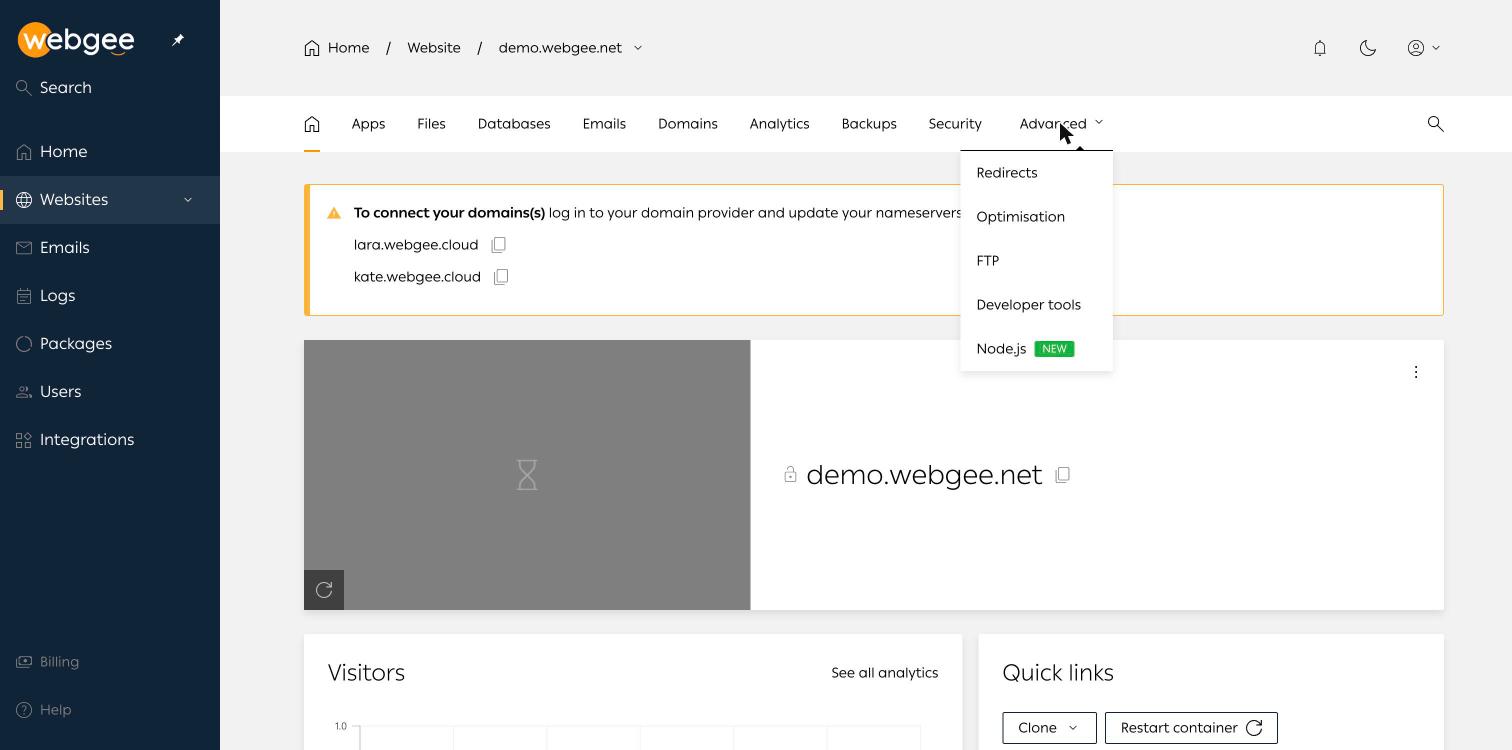
The tabs differ slightly by site type. Staging sites have no Emails tab and show Redirects as a top-level tab; production sites have Emails and move Redirects into Advanced.
Use the domain name in the breadcrumb to switch between sites without going back to the list.
Set the panel language
The panel interface is available in over forty languages, many marked Beta. Set yours under the account menu → My account → Language.
العربية (EG) is among them, marked Beta. Being a beta translation, some strings may still appear in English.
Related
WordPress Cloud
Managed WordPress hosting on containerised OpenLiteSpeed, with its own control panel at cp.webgee.cloud — sites, staging, backups, SSL and developer tooling.
Add a website
Create a production or staging WordPress site in the WordPress Cloud panel, including the domain rules and what the installer sets up for you.