

WordPress Cloud
Moving from another host? We migrate your site free — and back it with 30 days money-back.Free migration + 30-day money-backSee how
Activity logs
Review every action taken in the panel — what changed, who changed it and when — and filter down to a specific operation or date range.
The panel records the actions taken across your organisation. Select Logs in the left navigation.
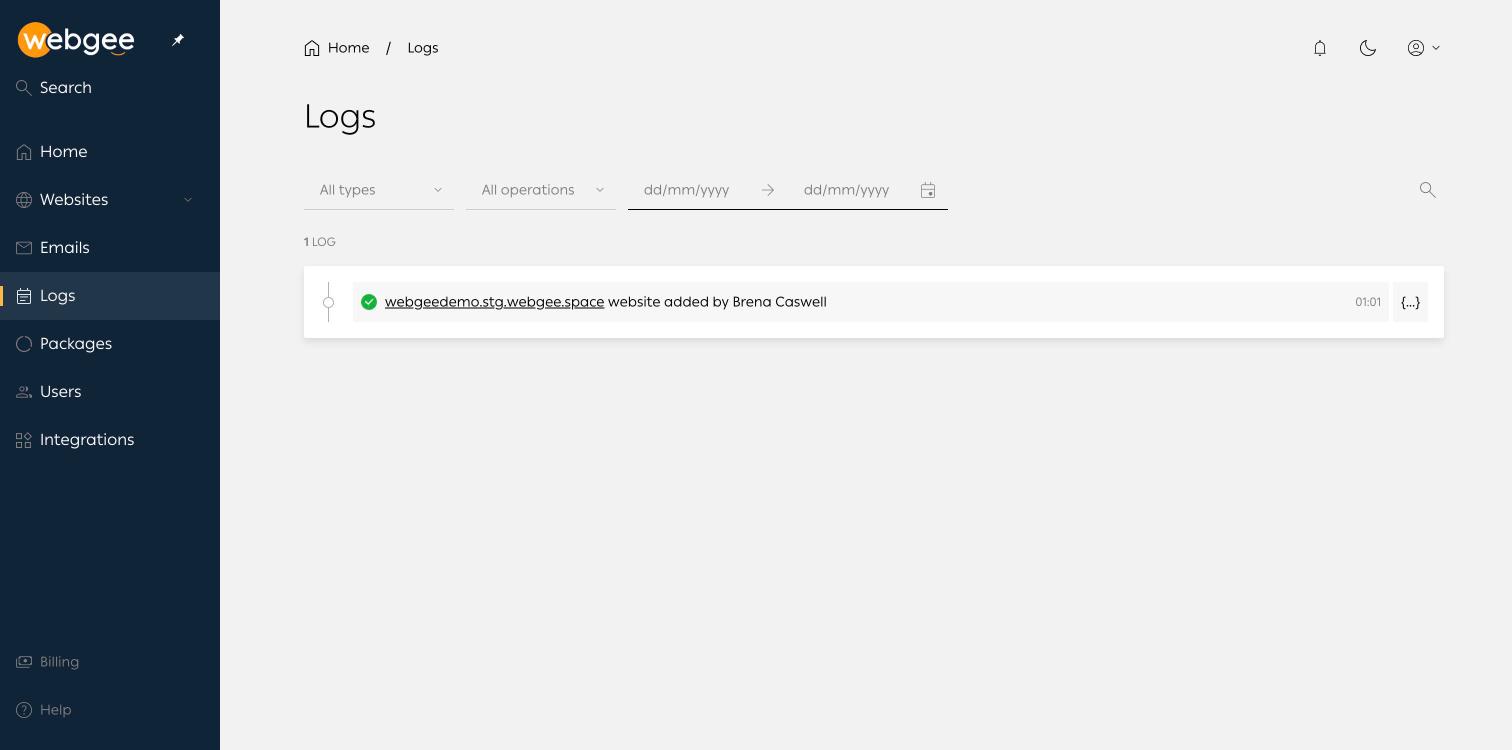
Each entry names the object acted on, the action, the account responsible and
the time. The {...} control on the right expands the full record for that
event.
Filters
- All types — narrow to a category of object.
- All operations — narrow to a kind of action, such as creation or deletion.
- Date range — a start and end date.
- Search — free text.
What to use it for
- Something changed and nobody admits to it. The log names the account.
- A site broke at a known time. Filter to that window and see what preceded it.
- Reviewing access. Combined with Users and roles, the log shows what invited accounts have actually done.
Because the only invitable role is Super admin, the log is the main record of who did what. It is worth checking after adding someone to the organisation.