

Redis object caching
Turn on the per-site Redis daemon, connect WordPress to it, and know where its config and log files live.
Redis caches the results of database queries in memory, so repeated queries do not hit MariaDB. On a busy WordPress site — particularly WooCommerce — it is the single most effective change available here. Applies to all WordPress Cloud packages.
Each website gets its own Redis daemon inside its own PHP container. It is not shared with anyone else.
Enable it
Go to Advanced → Developer tools → Redis and turn the toggle on.
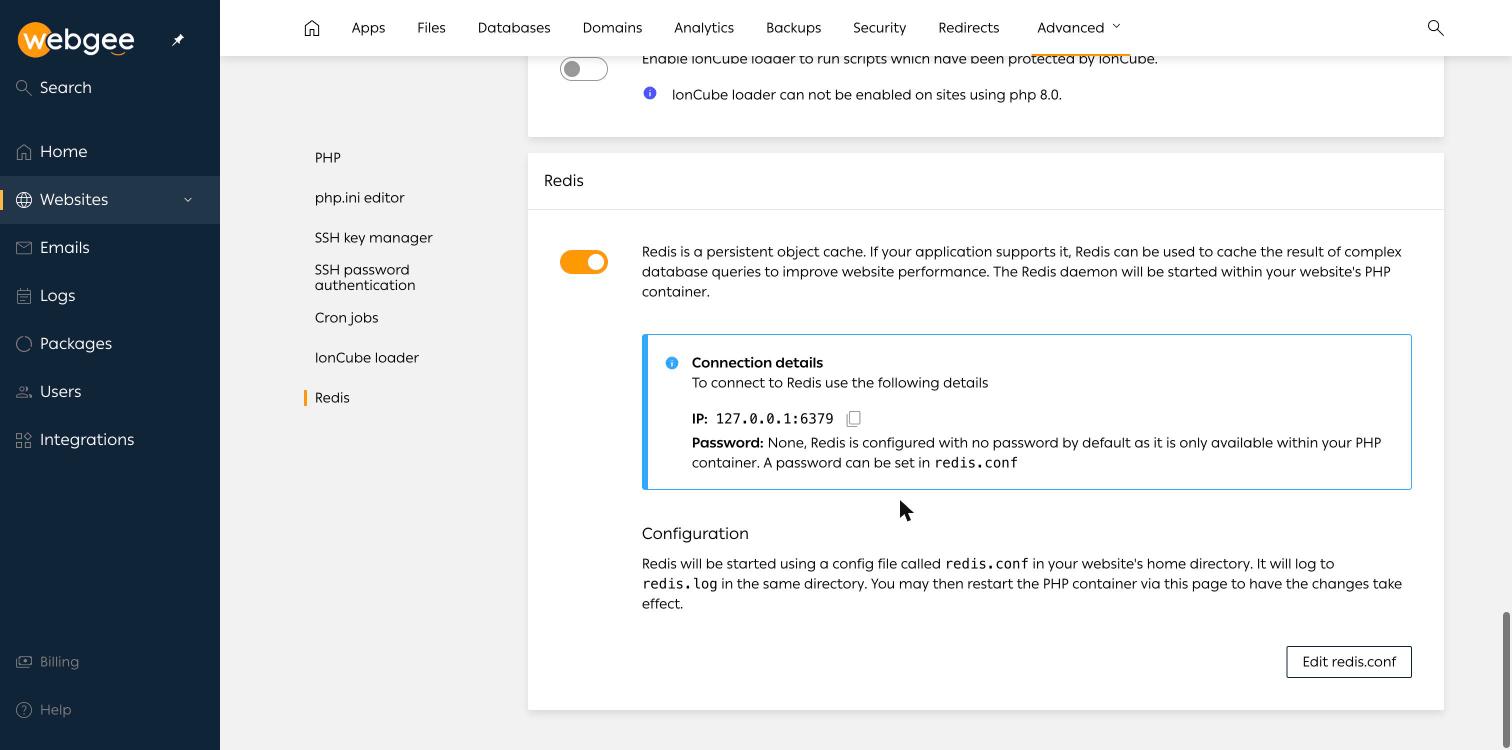
The connection details appear immediately:
| Setting | Value |
|---|---|
| Host and port | 127.0.0.1:6379 |
| Password | None by default |
Redis listens only on the loopback address inside your container, so it is not
reachable from outside and needs no password to be safe. If you want one anyway,
set it in redis.conf.
Connect WordPress to it
WordPress does not use Redis on its own. Install an object cache plugin — Redis Object Cache is the usual choice — and enable it. With the defaults above it will find the server without any configuration.
Confirm it is working from the plugin's status page, which should report a live connection rather than "Not connected".
Configuration and logs
Redis starts from redis.conf in the website's home directory and logs to
redis.log beside it. Both are visible in the
file manager.
Edit redis.conf opens the file from the Redis panel. Restart the PHP container from Developer tools → PHP → Restart for changes to apply.
Redis holds the cache in memory, and that memory counts against your
container. If you set maxmemory too high in redis.conf, PHP itself can be
starved. Leave it at the default unless you are measuring the effect.
When it does not help
Redis caches database queries. It does nothing for slow PHP, slow external API calls or unoptimised images. If a page is slow with an empty cache and slow with a warm one, the problem is elsewhere.
Related
PHP versions and settings
Change the PHP version for a website, review its extensions, add php.ini directives, and control opcode caching and the IonCube loader.
Cron jobs
How WordPress Cloud replaces WP-Cron with a real scheduled task, how to add your own jobs, and why editing crontab from the container is off by default.