

Team access and account security
Invite people to your organisation, and secure your own account with two-factor authentication and device management.
Access is managed at the organisation level. Select Users in the left navigation.
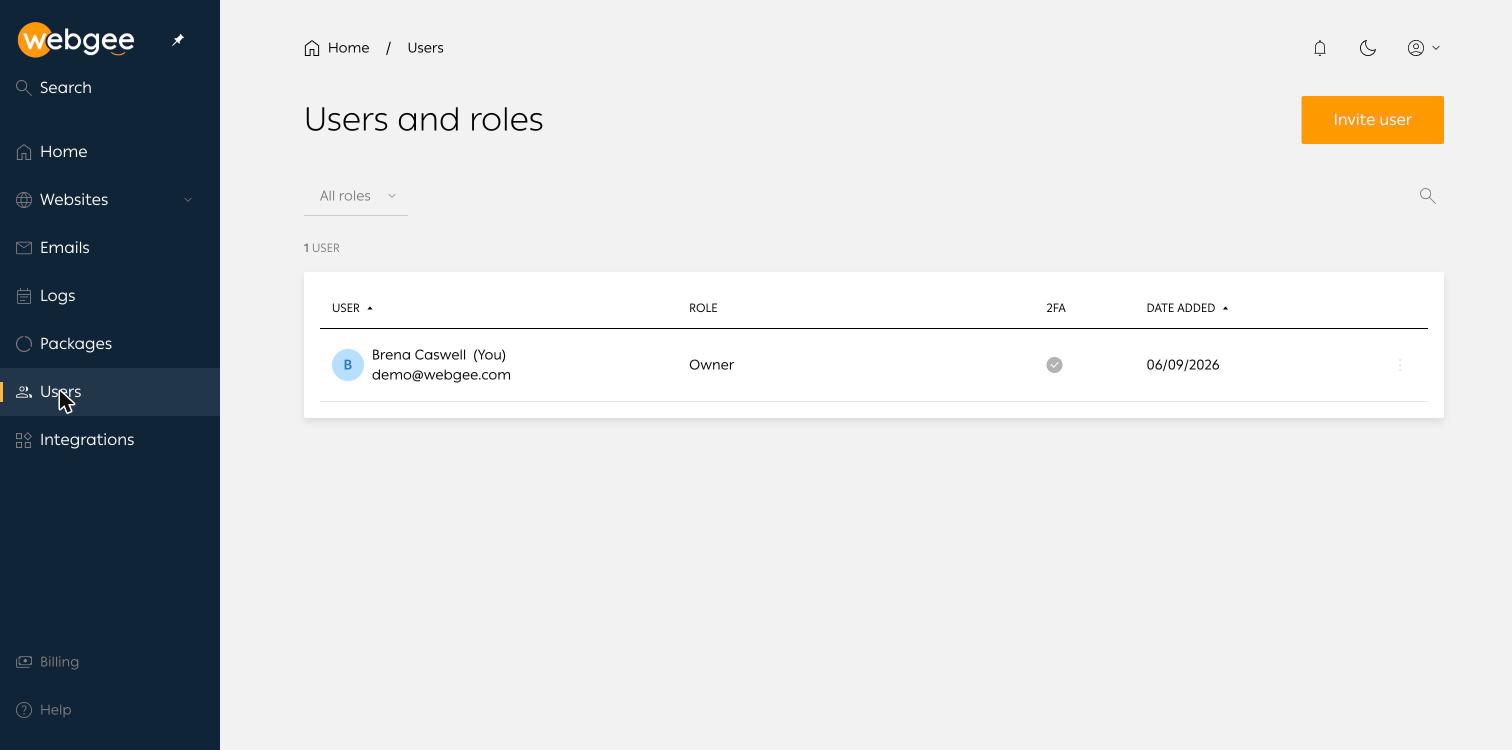
The table shows each person, their role, whether two-factor authentication is active, and when they were added. Filter by role or search for a name.
Invite someone
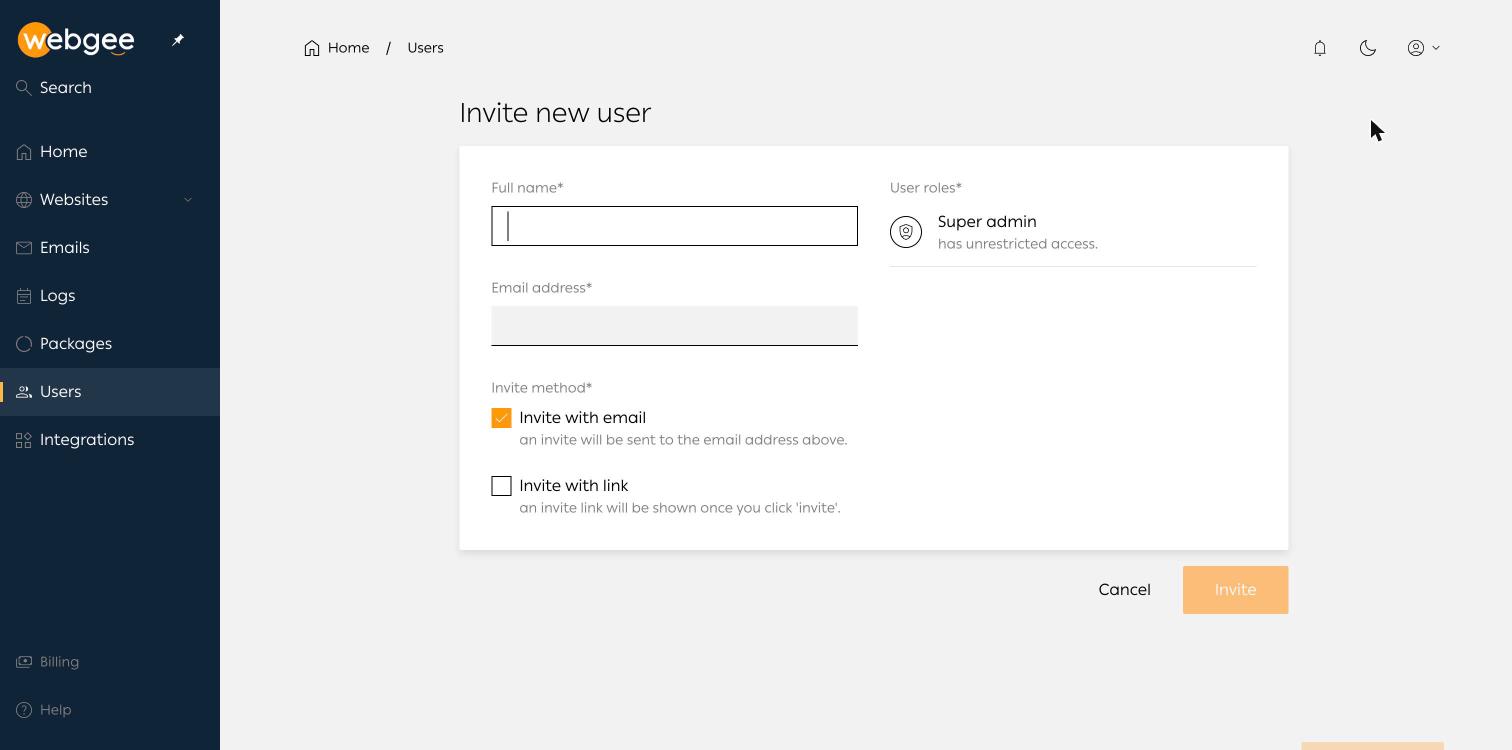
Select Invite user, then supply a name, an email address and an invite method:
- Invite with email — an invitation is sent to the address.
- Invite with link — a link is shown once you select Invite, for you to pass on yourself.
The available role is Super admin, which has unrestricted access. The account that created the organisation holds Owner.
Super admin is unrestricted — it can delete websites, restore backups over live data and remove other users. There is no read-only or per-site role, so invite only people you would trust with all of that.
For giving someone access to a single website rather than the whole organisation, use Collaborators on that website's overview page instead.
Secure your own account
Go to the account menu, top right, then My account.
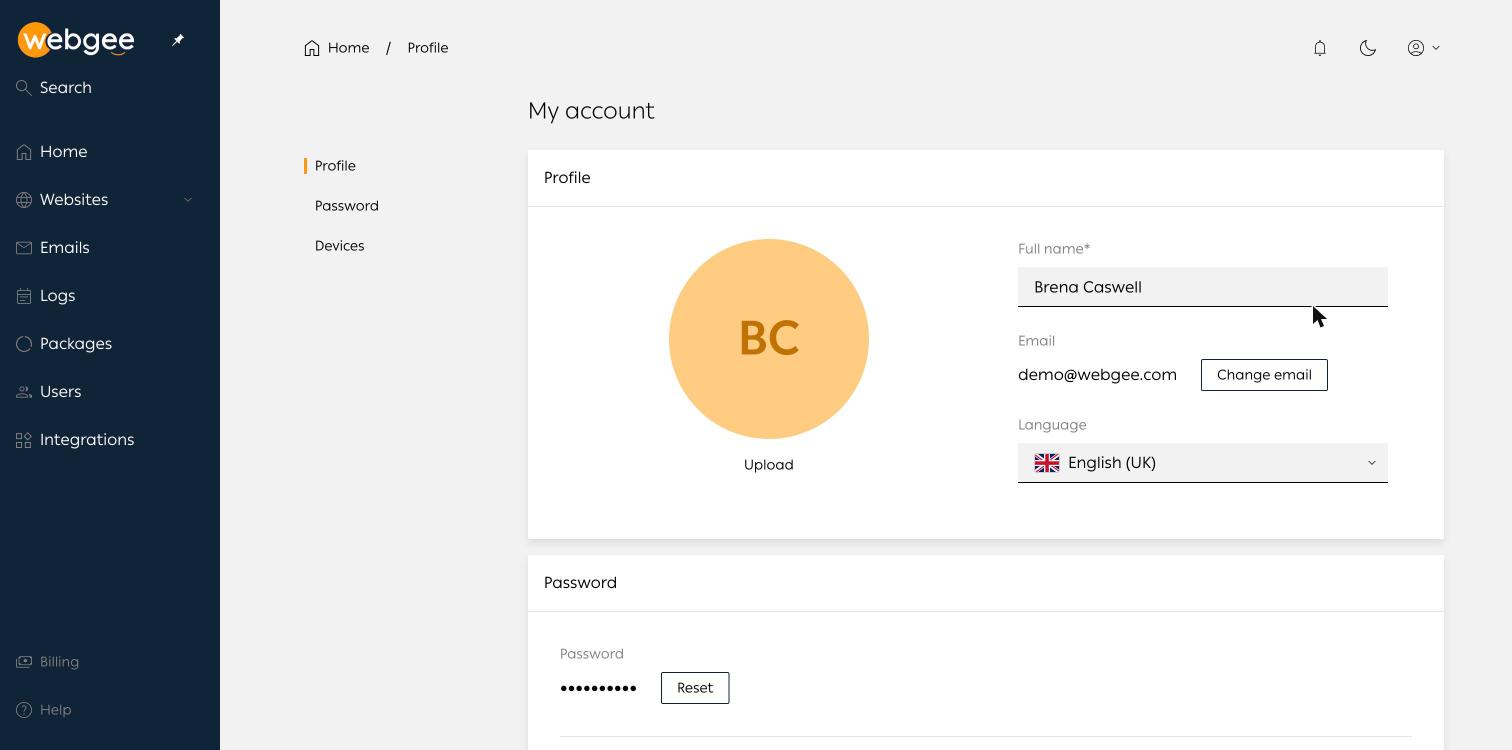
- Profile — display name, email address and panel language.
- Password — Reset changes it.
- Two-factor authentication — off by default. Turn it on; it pairs with any authenticator app.
- Devices — everything signed in or active in the last 30 days, with Log out of all devices.
Enable two-factor authentication before inviting anyone else. This panel can delete every website in the organisation, and a password alone is the only thing standing in the way.
If you see a device you do not recognise, use Log out of all devices and then change your password — in that order, so the reset invalidates the session rather than the other way round.