

The WebGee Cloud Console
What the Cloud Console does, how to sign in, and how it differs from the server page in your client area.
The Cloud Console at console.webgee.cloud is where you manage a WebGee cloud server: power state, operating system, backups, networking, SSH keys and console access. Applies to all VPS and dedicated servers.
Two places, different jobs
There are two interfaces, and knowing which does what saves time:
Client area (my.webgee.com) | Cloud Console (console.webgee.cloud) | |
|---|---|---|
| Billing, renewals, cancellation | Yes | No |
| Live resource usage | Summary | Full detail and history |
| Power controls | Yes | Yes |
| Rebuild the OS | Yes | Yes |
| Rescue mode, boot media, boot order | No | Yes |
| Reverse DNS, DNS resolvers | No | Yes |
| Backups and schedules | Yes | Yes |
| Sharing access with someone else | No | Yes |
Everyday tasks are available in both. Anything involving the server's configuration rather than your account lives in the Cloud Console.
Sign in
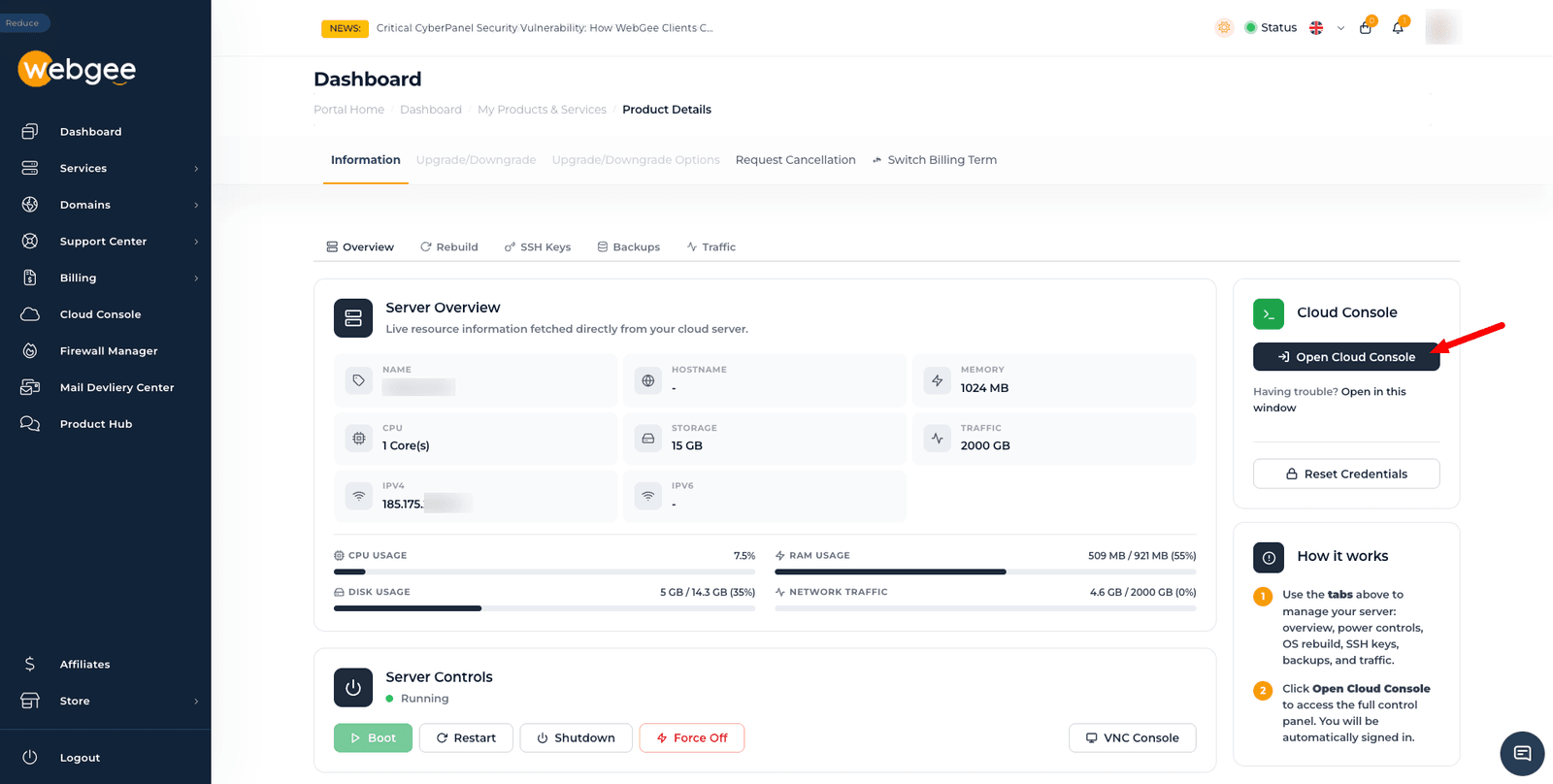
From the client area, which is the easier route — you are signed in automatically:
- Sign in to my.webgee.com.
- Go to Services and select your server.
- Select Open Cloud Console.
Directly, at console.webgee.cloud, using your client area email address and password.
If Open Cloud Console does not work — usually a popup blocker — use the Open in this window link beneath it, or sign in directly. If your password is not accepted, select Reset Credentials on the client area page.
The dashboard
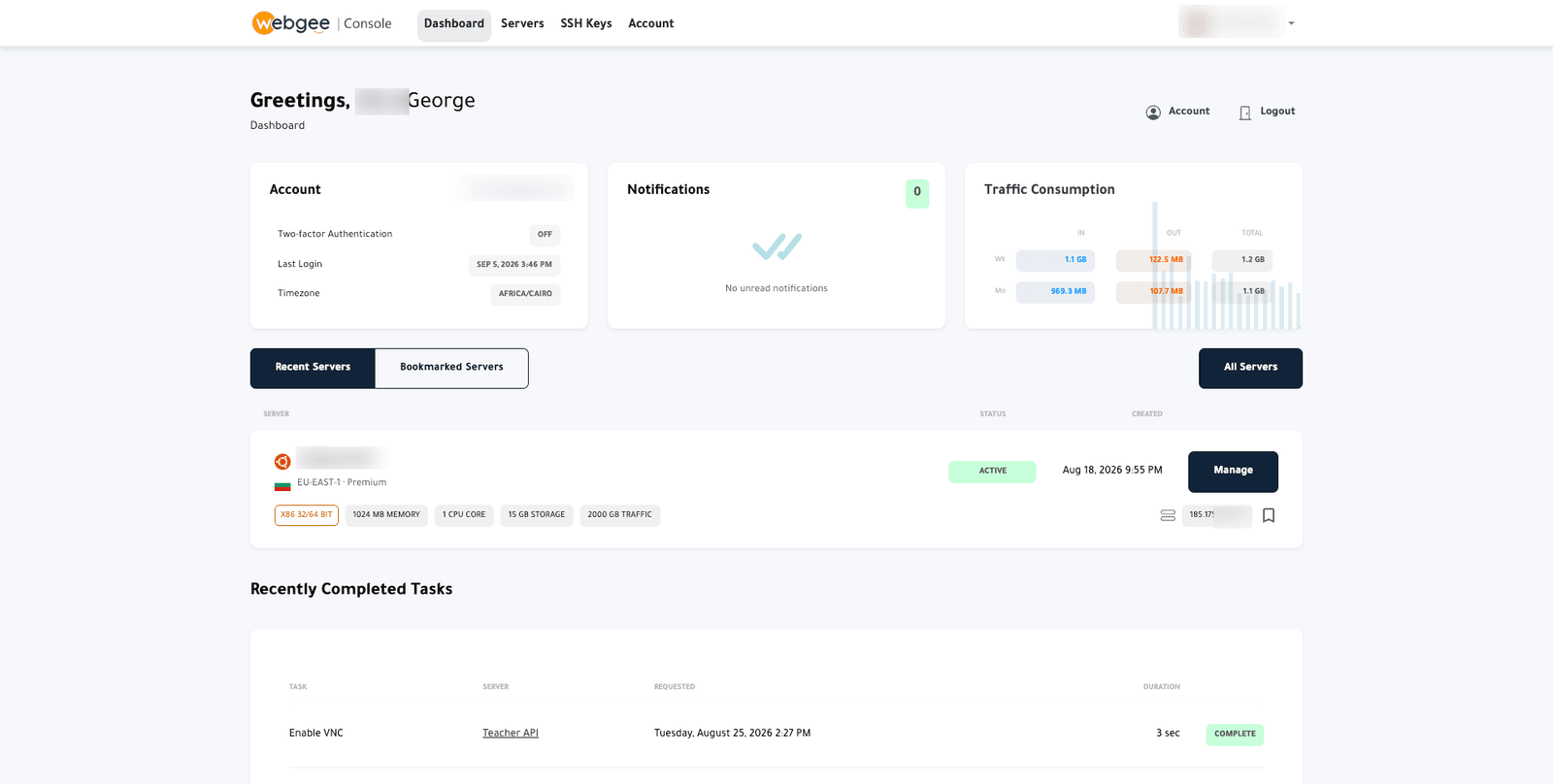
- Account — two-factor status, last login and timezone. Turn on two-factor
authentication if it shows
OFF; this console can rebuild and destroy servers. - Notifications — service messages relating to your servers.
- Traffic Consumption — inbound, outbound and total, weekly and monthly.
- Recent Servers / Bookmarked Servers — select Manage on a server to open it. Bookmark the ones you use often.
- Recently Completed Tasks — every action taken on your servers, with duration and outcome. This is where to look when something did not appear to work.