

Check your disk usage
Find what is consuming your disk space in cPanel, and the four things that account for nearly every unexplained figure.
See how much disk space you are using and what is consuming it. Applies to shared, reseller and Premium hosting.
Disk space is the limit most accounts reach without noticing, and the effects are disruptive: uploads fail, backups fail, and mail delivery stops once the account is full.
Check it
In cPanel, open Disk Usage under Files. It shows every directory in your home directory by size, including hidden ones, plus an Other Usage figure for things stored outside it.
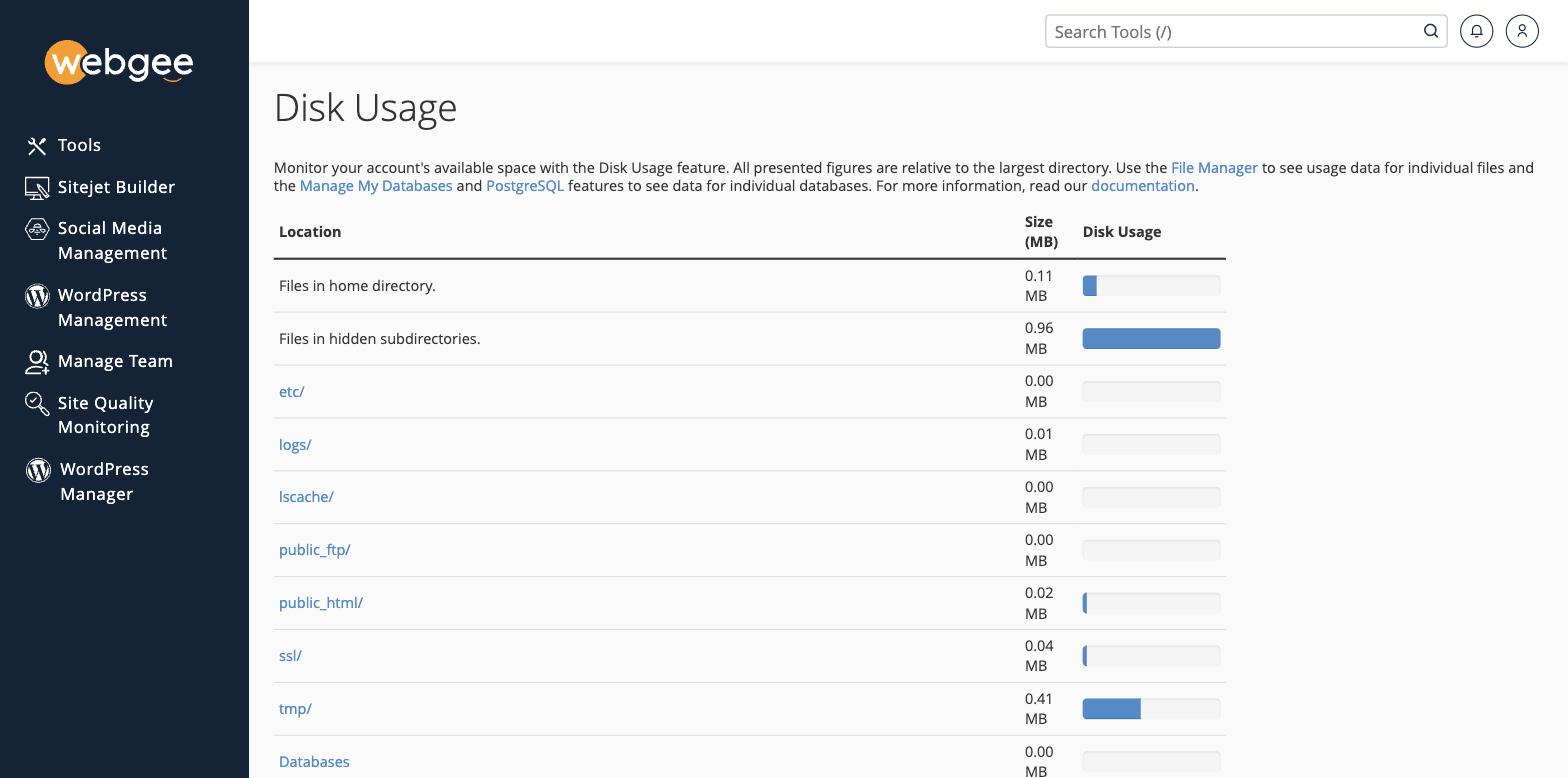
The bars are relative to the largest directory, not to your quota — a full bar means "biggest thing here", not "you are out of space". Read the MB column for the actual figures.
Files in hidden subdirectories is the row people miss. It covers dotfile directories such as caches and trash, and on a full account it is often the largest single entry.
The home screen sidebar shows the headline number against your allowance.
What is usually consuming it
Four things account for nearly every surprise:
Email. Mailboxes live in mail/ and count against the same quota as your
website. A single mailbox that has never been cleared out can hold years of
messages and attachments. This is the most common cause by far.
Backups you made yourself. Plugin backups and cPanel archives are full copies written into your own account, and they accumulate. They are also excluded from JetBackup, so they consume space without providing recoverable backups — see What is excluded from daily backups.
Logs and caches. logs/ and tmp/ grow steadily. Caching plugins can
generate very large cache directories on a busy site.
Old installations. A staging copy, a previous site, or an abandoned subdirectory from a migration. Easy to forget and often larger than the live site.
Free up space
- Clear old mail. Empty Trash, Junk and Spam folders, and delete large attachments. Check every mailbox, not just your own.
- Delete self-made backups once downloaded — see Download a backup of your account.
- Clear caches from your caching plugin.
- Remove old installations you no longer serve.
- Move large media to object storage or a CDN rather than the account.
Note also that WebGee's periodic cleanup removes some of these automatically — see Files WebGee automatically removes.
Inodes matter too
Your plan also limits the number of files, not only their total size. A site with hundreds of thousands of tiny cache files can hit the inode limit while using very little space — with the same symptoms.
cPanel → Disk Usage shows the inode count. Caching plugins and mail are the usual causes.
If the numbers do not add up
Other Usage covers things outside your home directory — databases, principally. A large database shows there rather than in the directory listing.