

Email deliverability
Compare delivery performance across your domains and over time, to tell a domain-specific problem from an account-wide one.
Email Deliverability shows how well your mail is being delivered, broken down by domain and plotted over time. Applies to all plans that send through the outbound relay.
Where Email Logs answers questions about one message, this page answers questions about a pattern.
What it tells you
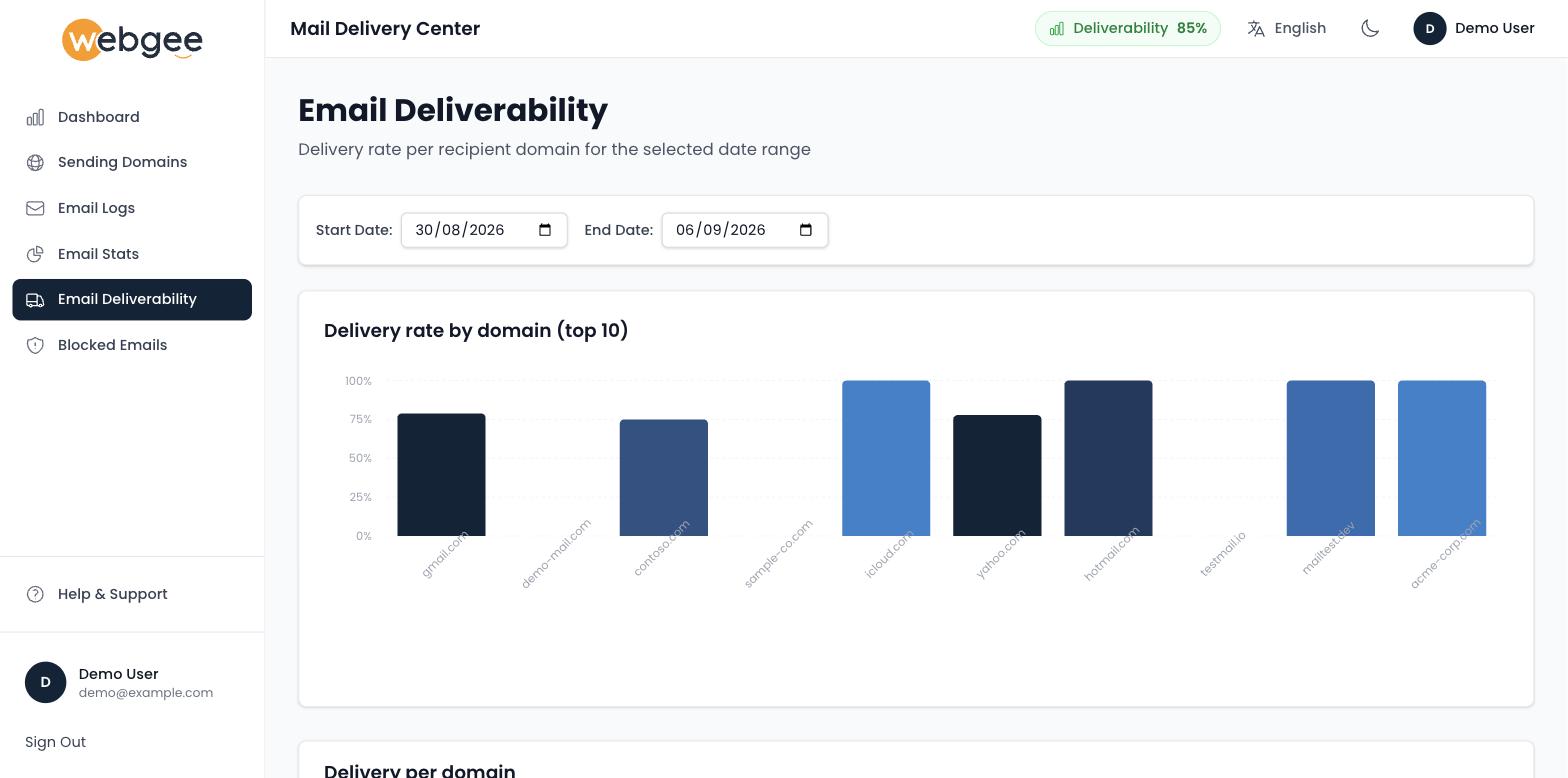
Choose a start and end date, and the page ranks your top 10 recipient domains by delivery rate:
Beneath it, Delivery per domain gives the numbers behind the chart — total, delivered, failed, pending and the delivery rate:
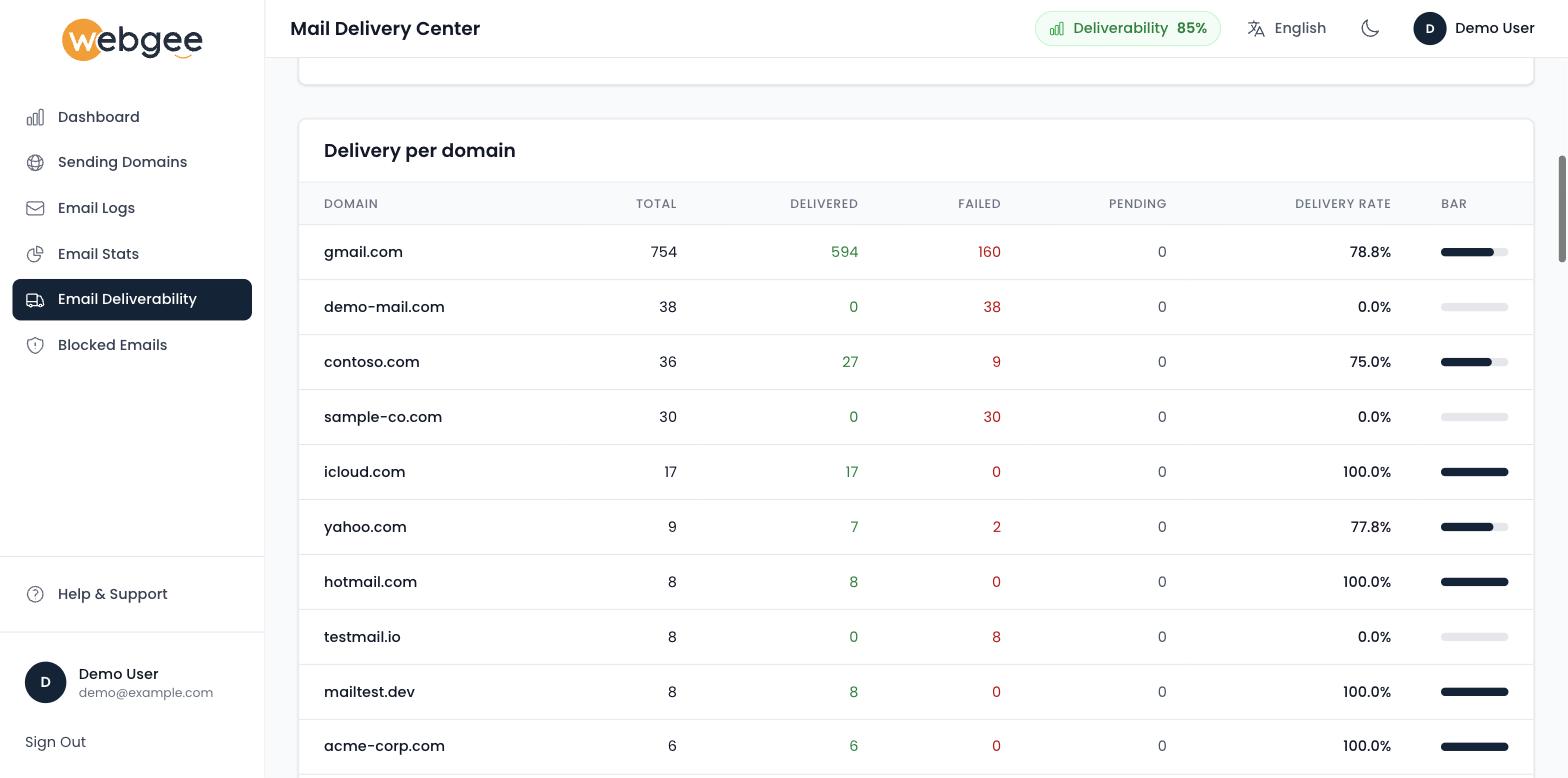
Read the two together. A domain at 0.0% with 38 messages is a real problem; a domain at 0.0% with one message is noise.
The per-domain breakdown is the point. It separates two very different situations:
- One domain underperforming, the rest healthy. The problem is with that receiving domain — how it judges your mail, or whether those addresses still exist. Check the failures in Email Logs.
- Every domain declining together. The problem is yours — authentication, reputation, or a change in how you are sending. Start with Sending Domains.
This page groups by recipient domain, not by your sending domain. It tells you which mailbox providers are rejecting you — a 0% rate against one provider and 100% against the rest is a reputation problem with that provider specifically.
Reading the trend
Move the date range rather than reading one window. A gradual decline across weeks usually means reputation, and reputation problems build slowly and recover slowly. A sudden drop on a specific day points at a change: a new sending application, a bought list, a compromised mailbox, or a configuration change made that day.
Line up the date of a drop against what changed. That is normally faster than investigating the mail itself.
A high bounce rate is not just a delivery problem, it is a reputation problem. Mailbox providers treat repeated sending to dead addresses as a signal of a purchased or stale list, and they apply that judgement to everything you send afterwards. Remove bouncing addresses rather than continuing to send to them.
Improving it
- Fix authentication first. SPF, DKIM and DMARC together are the largest single factor. See Set your SPF record and Publish a DMARC record.
- Send transactional mail only. Campaigns belong on a marketing platform — see Email sending limits.
- Clean your recipients. Bounces cost more than the individual message.