

Email logs
Find a single message and read what the receiving server said about it — the fastest way to answer "why didn't they get my email?"
Email Logs is a searchable record of individual messages: who sent them, who they went to, and what happened. Applies to all plans that send through the outbound relay.
This is the page that answers "they say they never got it".
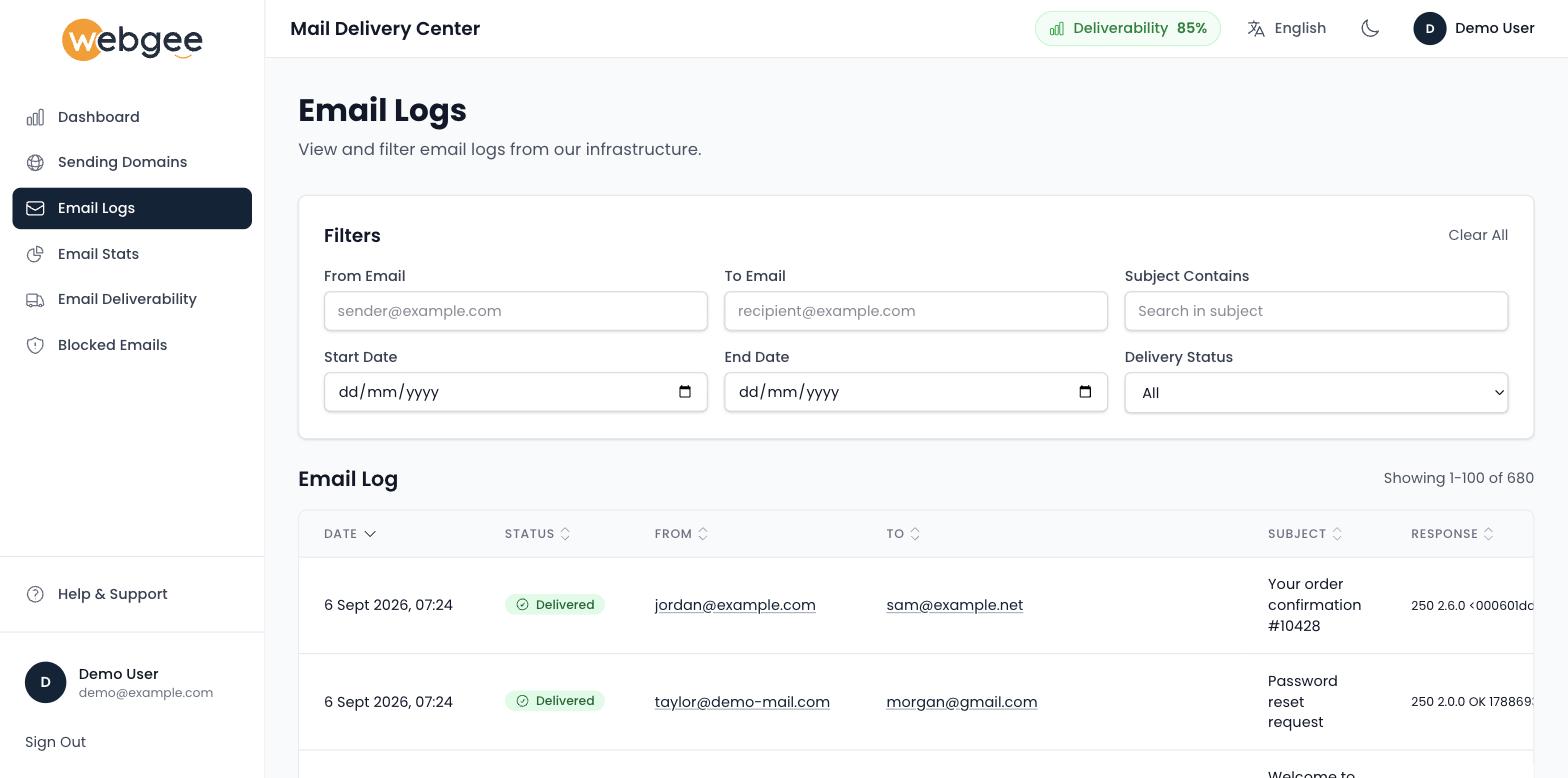
Filters
| Filter | Use |
|---|---|
| From Email | Narrow to one sender |
| To Email | Narrow to one recipient |
| Subject Contains | Find a message by subject text |
| Start Date / End Date | Bound the search |
| Delivery Status | All, or one outcome |
Clear All resets them.
Filter by recipient and date first. It is the fastest route to a single message, and it avoids reading a table of a hundred rows to find one.
Reading a row
| Column | Meaning |
|---|---|
| Date | When the relay handled the message |
| Status | Delivered, Failed or Unknown |
| From / To | Envelope sender and recipient |
| Subject | The message subject |
| Response | The receiving server's own reply, verbatim |
| Origin | The relay IP the message left from |
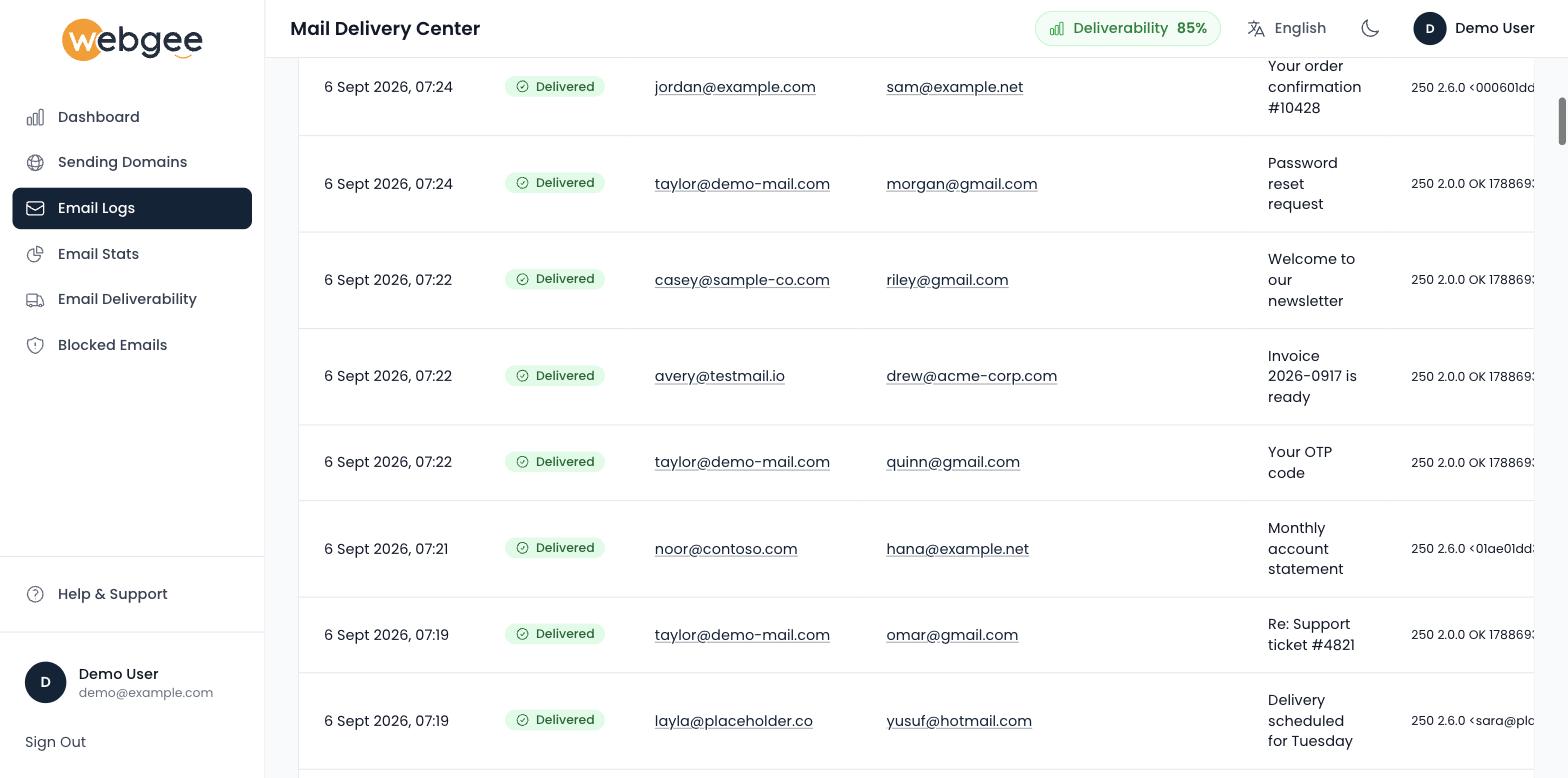
The Response column is the useful part, because it is the receiving server's
own words about why. Delivery Status filters to Delivered, Failed or
Unknown; the last covers messages the relay accepted but has no final outcome
for yet.
A Delivered status means accepted by the recipient's server — not that it reached their inbox. A message can be delivered and still be filed as spam at the far end.
That distinction matters when someone insists they never received a message that shows as delivered. The next place to look is their spam folder, not this page. See Why your email is marked as spam.
Reading a failure
Filter Delivery Status to Failed and the Response column names the cause:
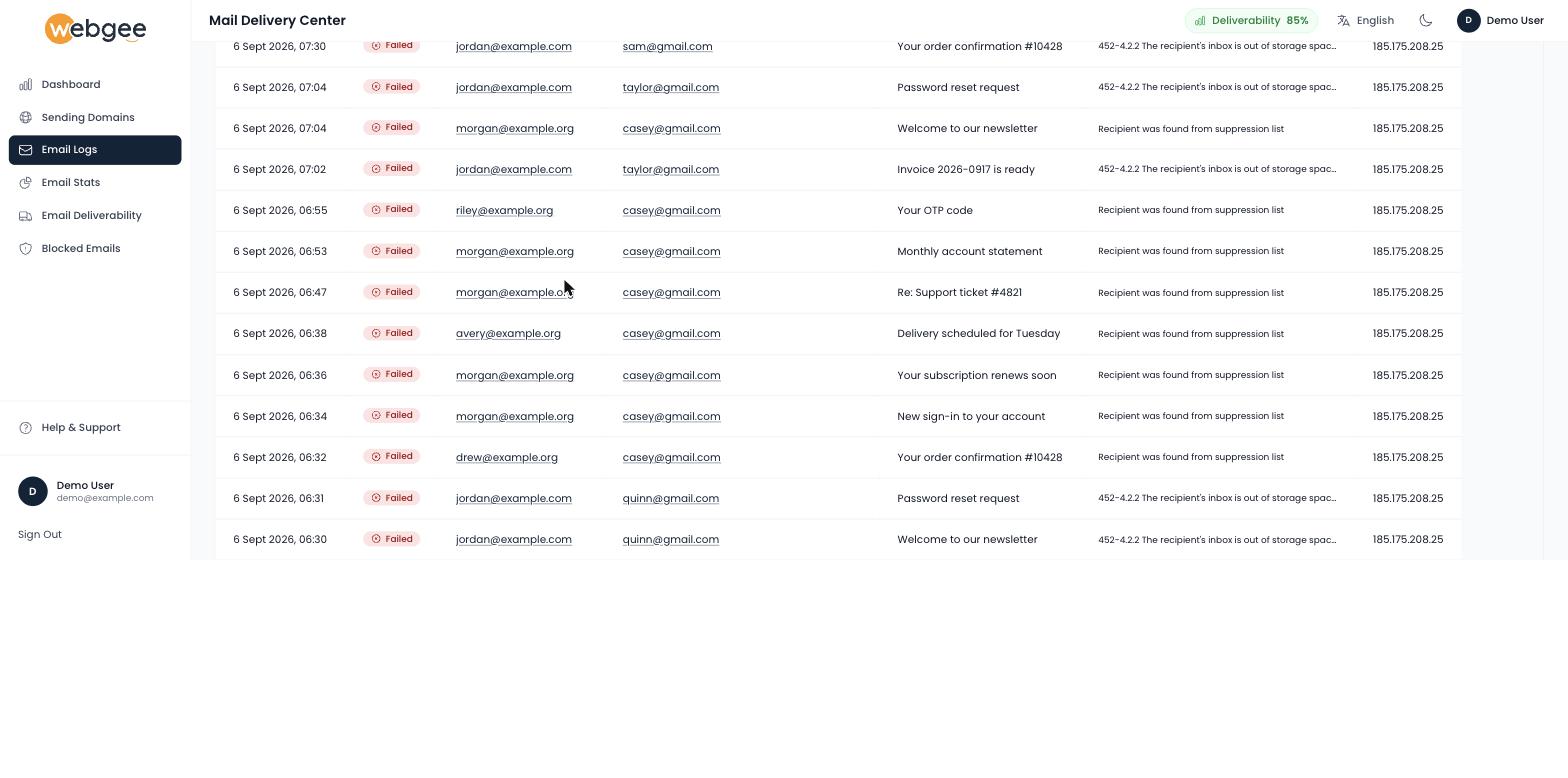
Two responses account for most failures:
| Response | What it means | What to do |
|---|---|---|
452-4.2.2 The recipient's inbox is out of storage space | The mailbox at the far end is full | Nothing at your end. Tell the recipient, or wait and retry |
Recipient was found from suppression list | The address bounced before and is now suppressed | Confirm the address is real, then release it in Blocked emails |
The first is the recipient's problem. The second is yours: it means you kept sending to an address that already failed, which is the pattern mailbox providers read as a stale list.
Details and Not Spam
Some delivery responses carry Details and Not Spam links, which open the receiving provider's own page in a new tab — to see why a message was flagged, or to report it as legitimate.
Use Not Spam when a provider has wrongly filtered you. It is a signal to that provider, not to WebGee, and it is one of the few direct ways to influence how a large mailbox provider treats your domain.
Working through a delivery complaint
- Filter by the recipient's address and the date they expected it.
- No row at all — the message never reached the relay. The problem is in your application or mail client, not delivery. See Why mail from your PHP script fails.
- Failed — read the response. It usually names the reason: unknown address, full mailbox, or a spam rejection.
- Delivered — it reached their server. Ask them to check spam, and look at Email Deliverability if it is happening repeatedly.