

Sending domains
Check which domains are authorised to send through the relay, confirm their SPF is valid, and know what to do when a new domain is missing.
Sending Domains lists the domains allowed to send email through WebGee's infrastructure, with the SPF status of each. Applies to all plans that send through the outbound relay.
A domain that is not on this list cannot send. That is the first thing to check when mail from a newly added domain is not going out.
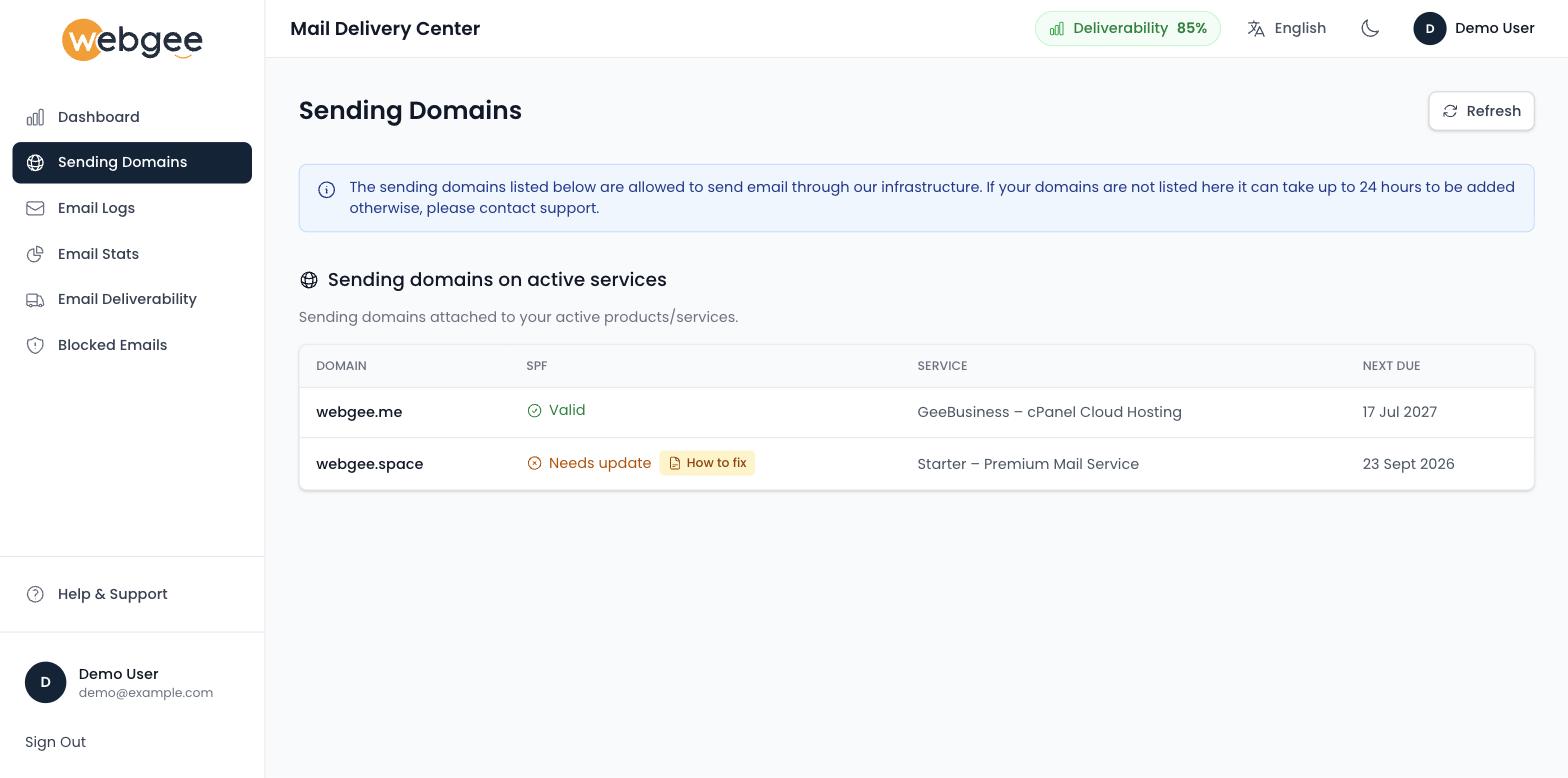
What the table shows
| Column | Meaning |
|---|---|
| Domain | The sending domain |
| SPF | Whether the domain's SPF record authorises the relay |
| Service | The product the domain is attached to |
| Next Due | Renewal date, where the domain is tied to a billable service |
Domains appear under Sending domains on active services — they are derived from the services on your account, not added by hand.
A new domain is missing
A newly added domain can take up to 24 hours to appear. If it is still missing after that, contact support — it is not something you can add yourself from this page.
Use Refresh to reload the list after adding a service, rather than assuming the page is current.
SPF status
Valid means the domain's SPF record authorises WebGee's relay to send on its behalf.
Needs update means it does not, and the row carries a How to fix button. Select it and the panel shows the domain's current TXT record alongside the one it should be, ready to copy:
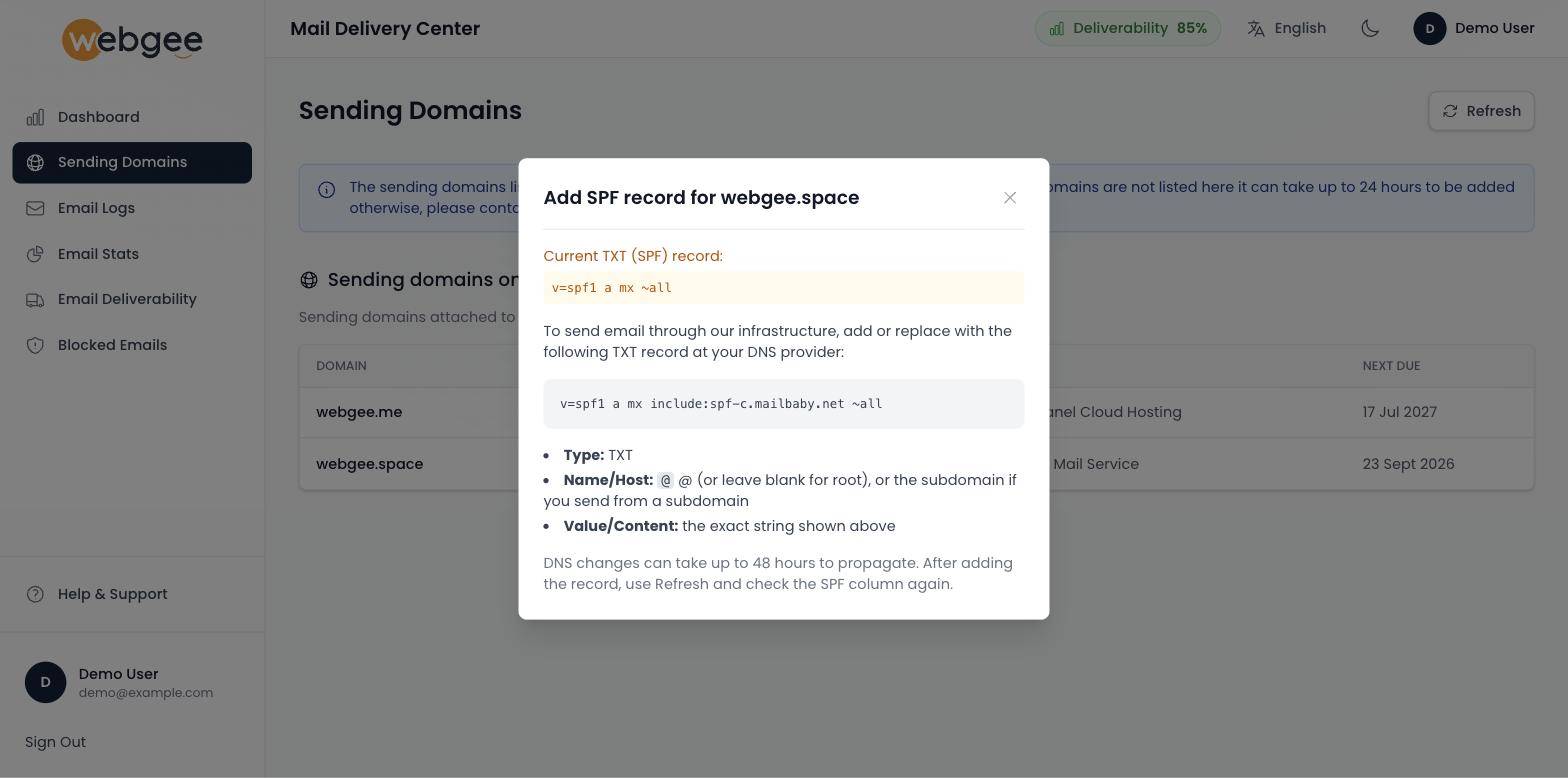
Publish it at your DNS provider as a TXT record with the name @ — or the
subdomain, if you send from one:
v=spf1 a mx include:spf-c.mailbaby.net ~allDNS changes take up to 48 hours to propagate. After publishing, use Refresh and check the SPF column again.
Publish the record at whichever DNS provider your nameservers actually point to. Adding it in cPanel while your nameservers are elsewhere changes nothing — see Set your SPF record.
SPF is checked against the domain in the message's envelope sender. A domain showing Valid here can still fail SPF at the receiving end if your application sends with a different From address than the one it authenticates as — see Why mail from your PHP script fails.
Resellers
If you resell hosting, this page lists your clients' domains alongside your own, because they send through the same relay. Their delivery problems therefore affect the reputation your other domains send under — which is why a single client sending spam is everyone's problem. See Email sending limits.