

Blocked emails
See which addresses are currently blocked, understand why a block exists, and release one when it was applied in error.
Blocked Emails lists addresses that are currently blocked from sending or being sent to. Applies to all plans that send through the outbound relay.
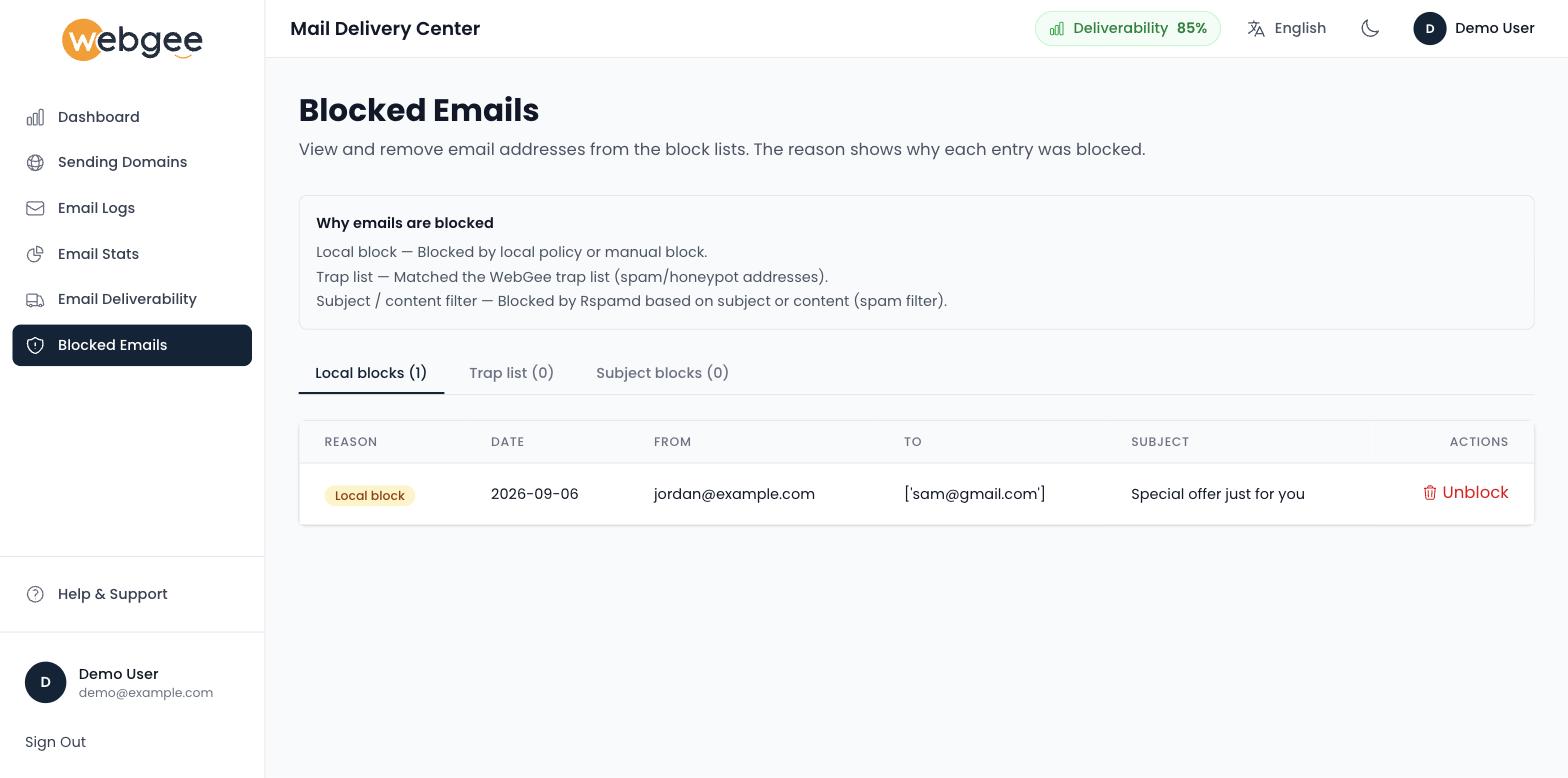
The three tabs
Entries are separated by why they were blocked, and the count on each tab tells you where to look:
| Tab | Reason |
|---|---|
| Local blocks | Blocked by local policy, or blocked by hand |
| Trap list | The address matched WebGee's trap list — a spam or honeypot address |
| Subject blocks | Rspamd rejected the message on its subject or content |
A trap list hit is the one worth stopping over. Trap addresses are not real recipients; they exist to catch senders working from purchased or scraped lists. Landing on one means an address in your list came from somewhere you did not verify.
A block is a protection, not a punishment. It exists to stop one bad recipient or one bad message pattern from affecting delivery for everything else you send.
Releasing one
Find the entry and use Unblock. The row disappears and delivery to that address resumes on the next send.
Confirm the address is real before releasing it. Unblocking a genuinely dead address means resuming delivery attempts to it, the bounces resume, and your reputation takes the damage the block was preventing. If you cannot verify the address exists, leave it blocked.
For a subject block, read the reason before releasing. If your own legitimate mail matched a spam pattern, the better fix is usually to change the content — because Rspamd will keep matching the same pattern, and you will be back here.
For a trap list entry, do not unblock and resend. Remove the address from your list instead, and find out where it came from.
When a customer says they are blocked
- Check this page for their address.
- Present — decide whether the address is genuinely valid. If it is, release it and ask them to confirm receipt.
- Not present — the block is not ours. Check Email Logs for the rejection response; the receiving server may be blocking you at their end, which is a deliverability problem rather than a block.
Blocks on your own account
A block on your sending is different and more serious — see Fix "550 5.7.1 [ESA] Sender Blocked". Treat it as a possible compromise before requesting removal.
Review it periodically
Blocks accumulate quietly. Checking the list occasionally catches legitimate addresses that were blocked after a temporary problem at their end — a mail server that was down for a day, for example — and that nobody thought to report.