

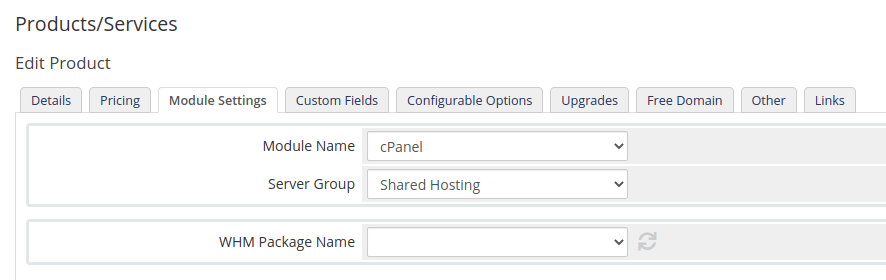
WHM packages not showing in WHMCS
Packages whose resource limits exceed your reseller allowance are never created, so WHMCS finds nothing to list.
Your WHMCS server connection works, but no WHM packages appear when you try to provision. Applies to reseller accounts.
Why
The package was never created. WHM refuses to create a package whose resource limits exceed what your reseller plan allows, so there is nothing for WHMCS to list.
The Entry plan includes 50 GB of storage in total. A package with a disk
quota above that — or unlimited — cannot be created, because a single account
on it could consume more than the plan holds.
Bandwidth works the same way.
Fix it
- In WHM, open Packages → Edit a Package.
- Set Disk Quota to a value within your plan's total — not
unlimited. - Set Bandwidth likewise.
- Save.
- In WHMCS, go to the product's Module Settings and re-fetch the package list.
The package now appears.
Divide by how many accounts you intend to sell, not by how many you have. A 50 GB plan sold as ten 5 GB accounts is fully committed; sold as ten 20 GB accounts it is oversold, and WHM will not let you create it.
Check it worked
In WHM, Packages → List Packages should show yours. If it is missing there, it was not created — the problem is still in WHM, not WHMCS.
If it still does not appear in WHMCS
- The server connection uses a different account. Packages are per reseller, so WHMCS must connect as the same reseller that owns them — see Add a server to WHMCS.
- WHMCS has cached the list. Re-fetch from Module Settings.
- The API token lacks package permissions. Regenerate it with the right privileges.