

ووردبريس كلاود
تنتقل من استضافة أخرى؟ ننقل موقعك مجانًا، مع ضمان استرداد المال خلال 30 يومًا.ترحيل مجاني وضمان 30 يومًااعرف كيف
الباقات والحدود
اقرأ استهلاك باقتك — المواقع والمواقع التجريبية والمساحة والنطاق الترددي وصناديق البريد وقواعد البيانات — واعرف ما الذي يُحتسب على ماذا.
الباقة هي الحصة التي تسحب منها مواقعك. اختر الحزم من القائمة الجانبية.
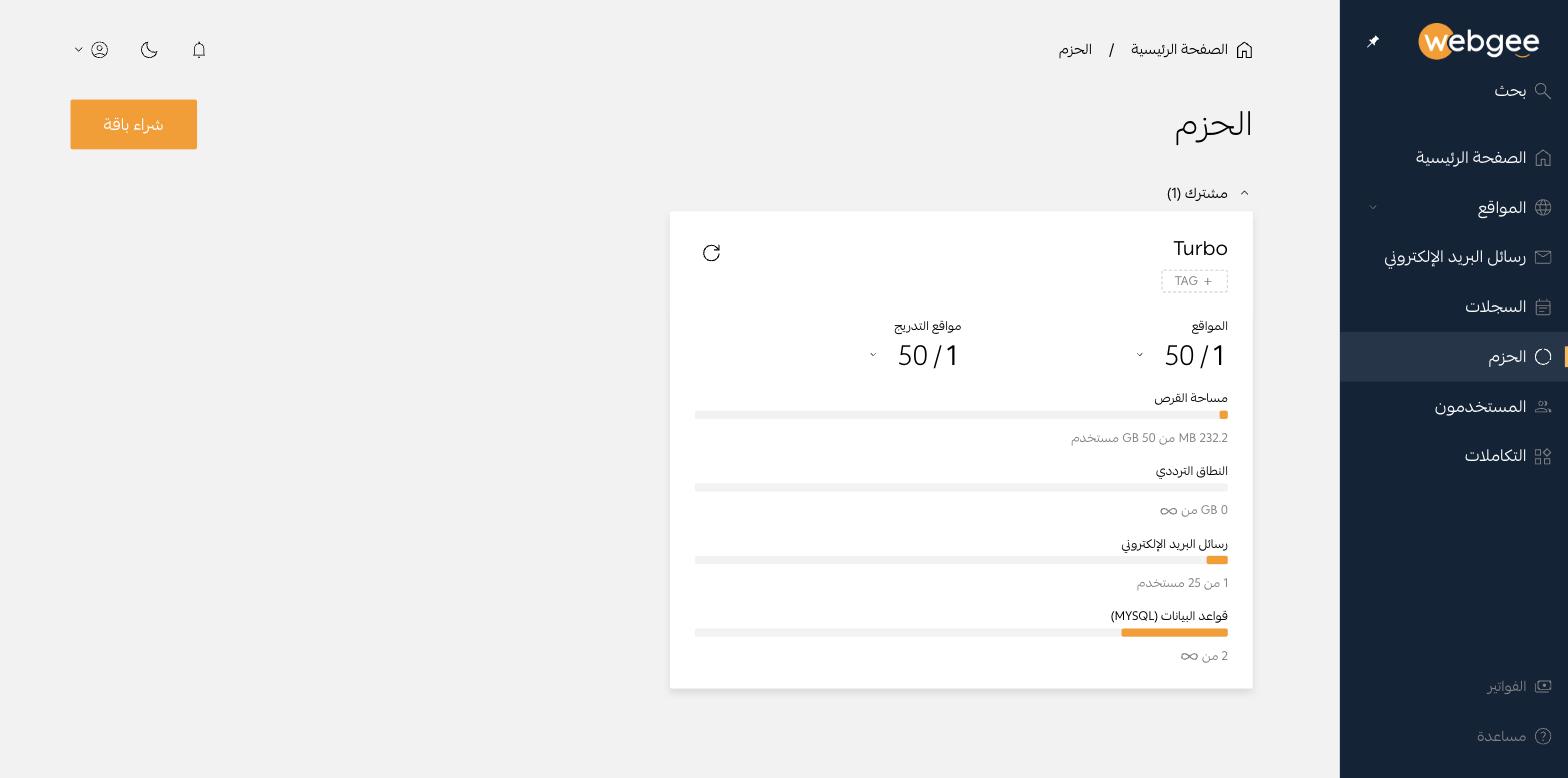
تُجمَّع الباقات حسب النوع، مثل مشترك. وتعرض كل بطاقة اسم الباقة واستهلاكها الحالي.
ما الذي يُحتسب
| المورد | ملاحظات |
|---|---|
| المواقع | مواقع الإنتاج |
| مواقع التدريج | تُحتسب بشكل منفصل، فالموقع التجريبي لا يستهلك حصة إنتاج |
| مساحة القرص | الملفات وقواعد البيانات لكل المواقع على الباقة |
| النطاق الترددي | حجم البيانات المنقولة |
| رسائل البريد | صناديق البريد. المحوّلات لا تُحتسب عادةً |
| قواعد البيانات (MySQL) | قواعد بيانات MariaDB |
تظهر الحصص غير المحدودة برمز اللانهاية بدلًا من رقم.
أين يظهر الاستهلاك أيضًا
تتكرر اللوحة نفسها في صفحة كل موقع تحت استخدام الباقة، لترى أثر الموقع دون مغادرته.
ما الذي يغيّر الأرقام
- نشر موقع تجريبي مباشرةً يحوّل حصة تجريبية إلى موقع إنتاجي.
- حذف موقع يحرّر حصته، لكن المساحة لا تُسترد إلا بعد إزالة الحاوية.
- تثبيت تطبيق ثانٍ على موقع قائم يُنشئ قاعدة بيانات إضافية تُحتسب، دون أن يُحتسب كموقع جديد.
الوسوم
زر TAG يضيف تسمية للباقة. وعلى الحسابات التي تضم عدة باقات، الوسوم هي وسيلتك لمعرفة أي باقة تخص أي عميل أو مشروع.
شراء المزيد
زر شراء باقة يضيف باقة جديدة. حدّث الأرقام بأيقونة السهم الدائري على البطاقة — فالقيم مخزَّنة مؤقتًا وليست لحظية.