

تثبيت التطبيقات
ثبّت ووردبريس أو WooCommerce أو Joomla أو OpenClaw على موقع قائم، في جذر الموقع أو في مجلد فرعي.
يمكن أن يحوي الموقع أكثر من التطبيق الذي أُنشئ به. استخدم تثبيت تطبيق لإضافة تطبيق آخر، أو لتثبيت إصدار محدد من ووردبريس. ينطبق على جميع باقات ووردبريس كلاود.
افتح موقعًا واذهب إلى تطبيقات.
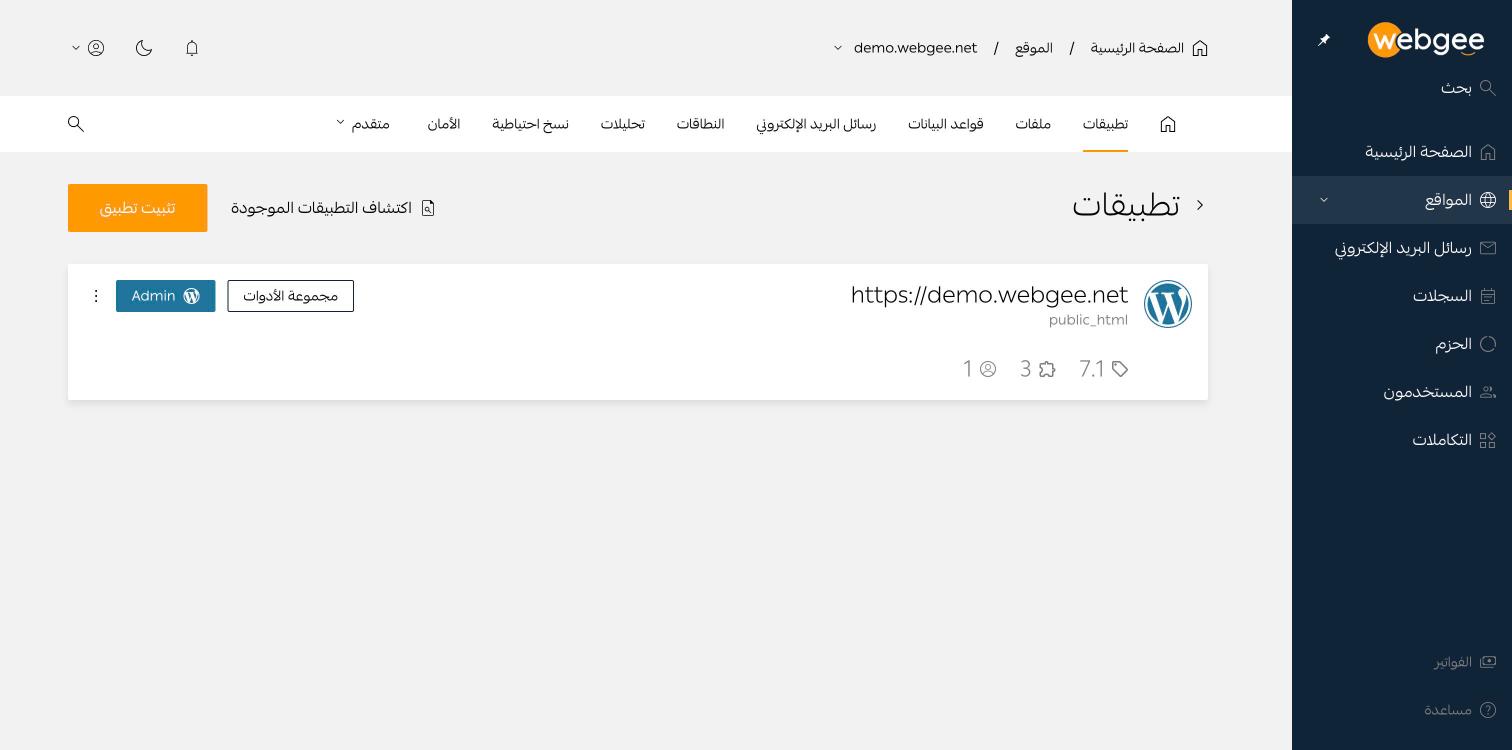
يعرض كل تثبيت إصداره وعدد إضافاته وعدد مستخدميه، مع زرَّي مجموعة الأدوات وAdmin. وزر اكتشاف التطبيقات الموجودة يعيد فحص القرص — وهو مفيد بعد رفع موقع عبر FTP دون أن تلاحظه اللوحة.
ثبّت تطبيقًا جديدًا
اضغط تثبيت تطبيق ثم اختر:
| التطبيق | ملاحظات |
|---|---|
| WordPress | تثبيت عادي |
| WooCommerce + WordPress | ووردبريس مع WooCommerce مثبّتًا مسبقًا |
| Joomla | نظام إدارة المحتوى Joomla |
| OpenClaw | بعلامة BETA |
اختر الإصدار
تمتد قائمة الإصدارات من الإصدار الحالي إلى عدة إصدارات أقدم، والأحدث بعلامة LATEST. اختر الأحدث ما لم تكن تعيد إنتاج مشكلة أو تطابق موقعًا قائمًا.
اختر الموقع
حقل النطاق يحدّد أي نطاقات الموقع يخدم التطبيق، والحقل المجاور يقبل مجلدًا فرعيًا اختياريًا.
- اتركه فارغًا للتثبيت في جذر الموقع.
- أدخل
shopللتثبيت علىexample.com/shop.
التثبيت في مجلد فرعي لموقع يحوي ووردبريس في جذره مدعوم، لكن التثبيتين مستقلان — قاعدتا بيانات منفصلتان وتحديثات وإضافات منفصلة.
اضبط حساب المدير
نفس حقول حساب المدير في إضافة موقع: اسم المستخدم والبريد وكلمة مرور تستوفي قواعد التعقيد. استخدم أيقونة التوليد بدل ابتكار كلمة بنفسك.
تحقّق
- يظهر التثبيت الجديد تحت تطبيقات مع إصداره.
- يُفتح رابطه ويعرض حالة التشغيل الأولى للتطبيق.
- يعرض تبويب قواعد البيانات القاعدة الإضافية التي أُنشئت له.