

Unblock an IP address from the firewall
Check whether your IP is firewall-blocked and remove the block yourself from the client area, without opening a ticket.
Check whether an IP address is blocked by the server firewall, and unblock it. Applies to shared, reseller and Premium hosting.
You can do this yourself — a firewall block does not need a support ticket.
Why you get blocked
The firewall blocks an IP automatically after repeated failed logins — cPanel, FTP, SMTP or IMAP. The usual causes are innocent:
- A mail client left configured with an old password, retrying every few minutes
- An FTP client with saved wrong credentials
- Several failed cPanel logins
- Someone else on your network triggering it, since the block is by IP
Check and unblock
- Sign in to the WebGee client area.
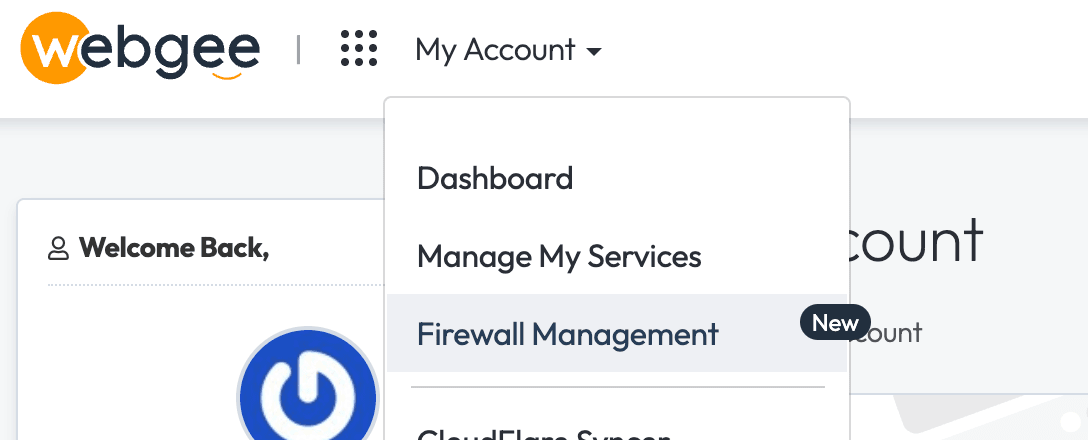
- Go to My Account → Firewall Management.
- Search for the IP address. The page shows whether it is blocked and why.
- Select the option to remove the block.
To find your own address, visit any "what is my IP" service, or run:
curl -s https://ifconfig.meThe reason shown matters. If it says repeated SMTP or IMAP failures, unblocking alone is not enough — whatever is retrying with the wrong password will trigger the block again within minutes. Fix the client first, then unblock.
If you cannot reach the client area
The client area is on a different system from your hosting, so a firewall block on your web server does not affect it. If you cannot reach either, the problem is your own connection.
Failing that, use mobile data — a different IP — or ask someone else to open a ticket on your behalf with your support PIN.
Whitelisting a client's IP
Resellers can whitelist addresses from the same page. Useful for a client whose office IP is repeatedly caught by failed-login limits.
Whitelist sparingly, and only static addresses. A whitelisted IP is exempt from brute-force protection, so if that address is later compromised the firewall will not stop attempts from it.
If it keeps happening
- A mail client with an old password. The most common cause by far. Check every device, including phones.
- A dynamic IP. Your address changes and the new one is blocked too.
- A compromised device on your network attempting logins. Worth ruling out if it recurs with no obvious cause.
Related
Install a wildcard certificate with Let's Encrypt
AutoSSL cannot issue wildcards. Use the Let's Encrypt tool in cPanel for *.example.com, and know the two prerequisites that block issuance.
Clean malware from your website
Remove an infection and close the hole it came through, in the order that stops it returning within days.