

Install a free SSL certificate
Issue a free certificate for your domains with AutoSSL — including the step most people miss, where domains must be included before AutoSSL will secure them.
WebGee issues and renews free SSL certificates through AutoSSL at no cost for the lifetime of the account. Applies to shared and reseller hosting.
New domains are excluded from AutoSSL by default. Running AutoSSL without including them first does nothing. This is the step most people miss, and the reason a site sits without a certificate indefinitely.
Issue your first certificate
-
In cPanel, open SSL/TLS Status in the Security section.
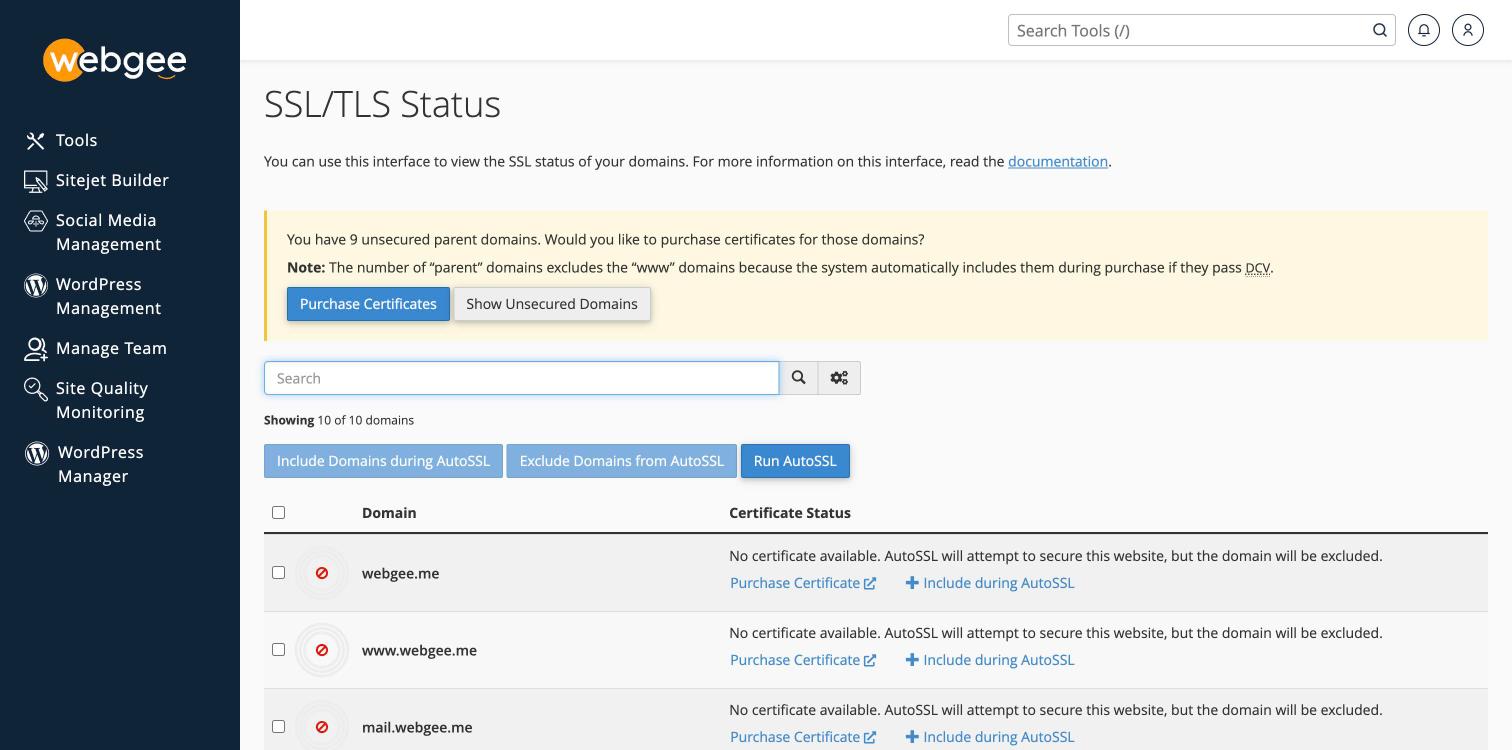
Every domain reads "No certificate available. AutoSSL will attempt to secure this website, but the domain will be excluded." That last clause is the problem.
-
Tick the checkbox in the table header to select every domain at once.
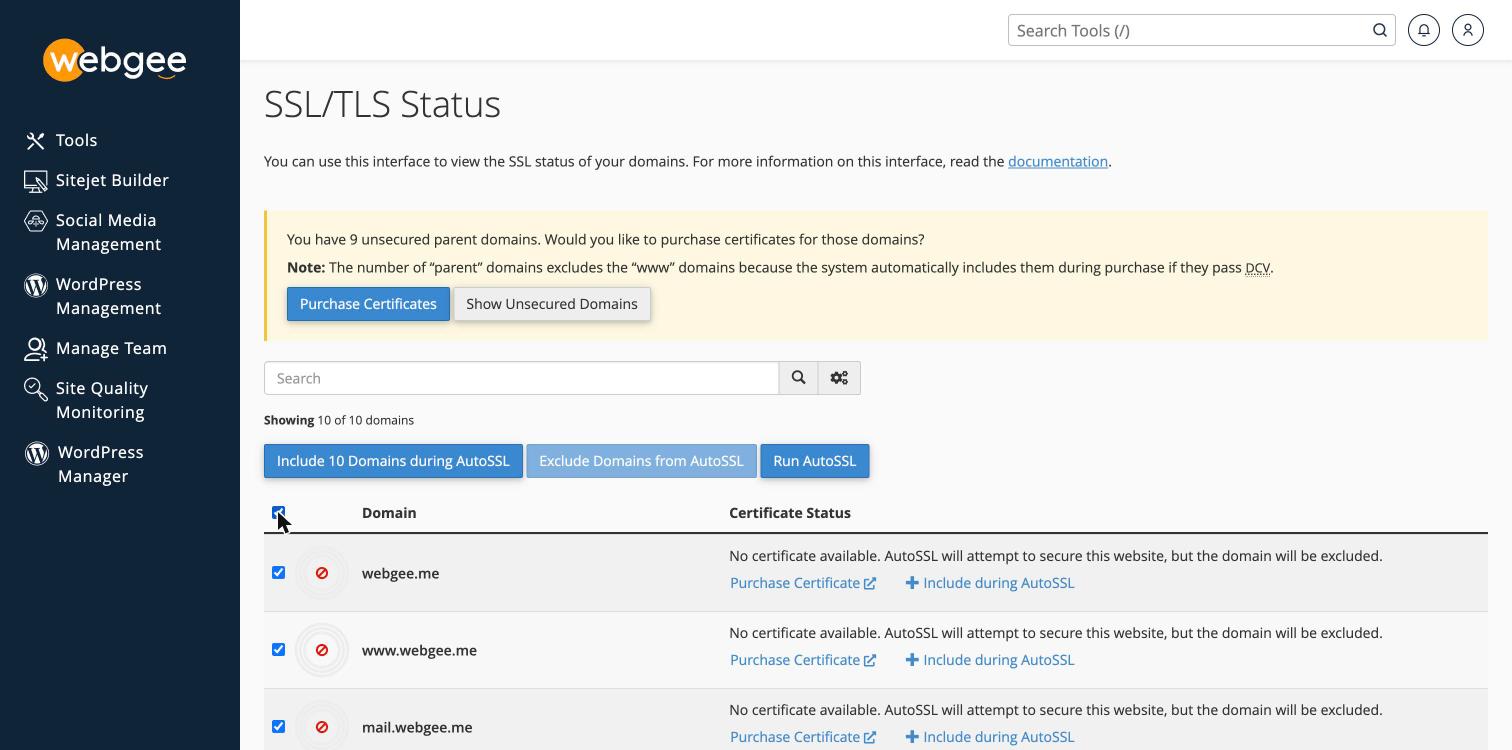
The button changes to show how many are selected.
-
Select Include Domains during AutoSSL.
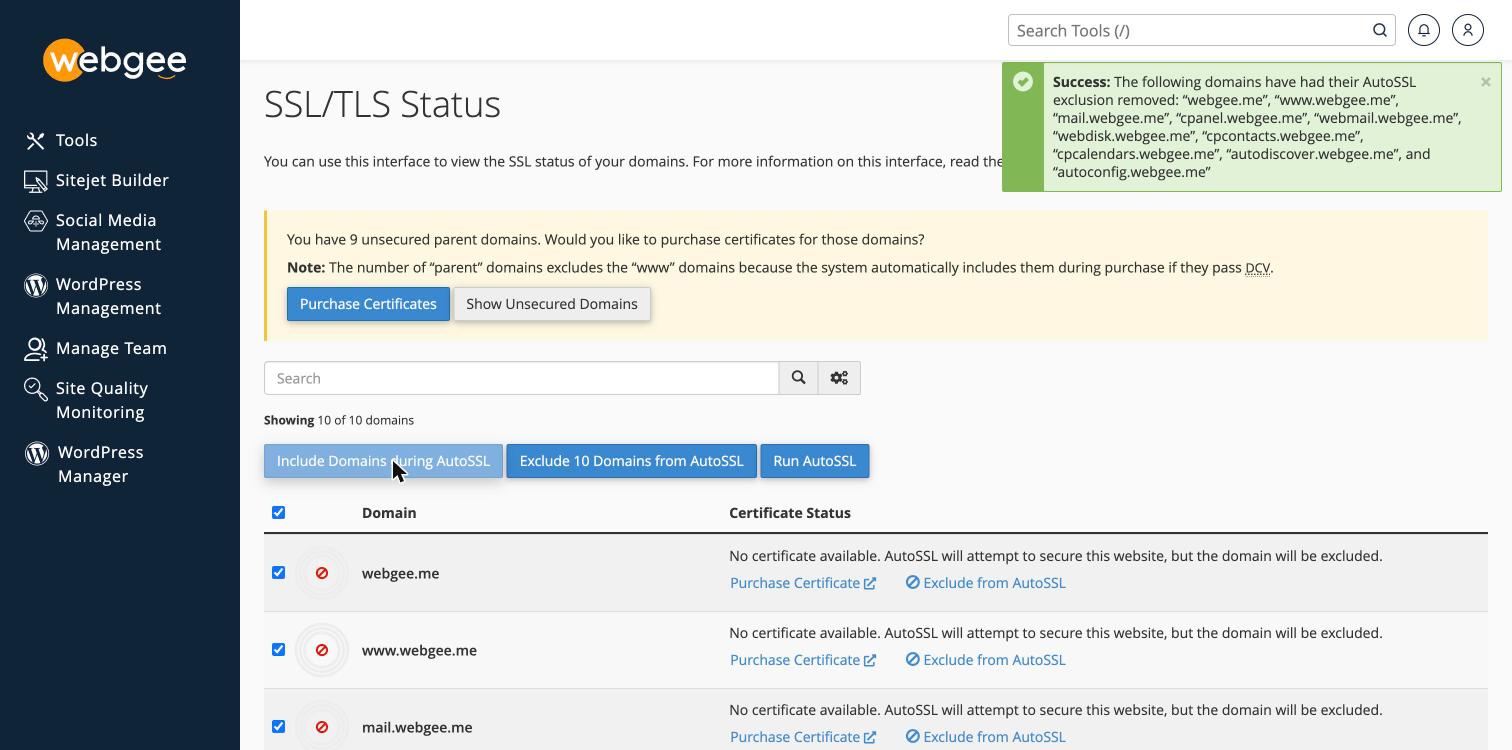
You should see confirmation naming each domain whose exclusion was removed.
-
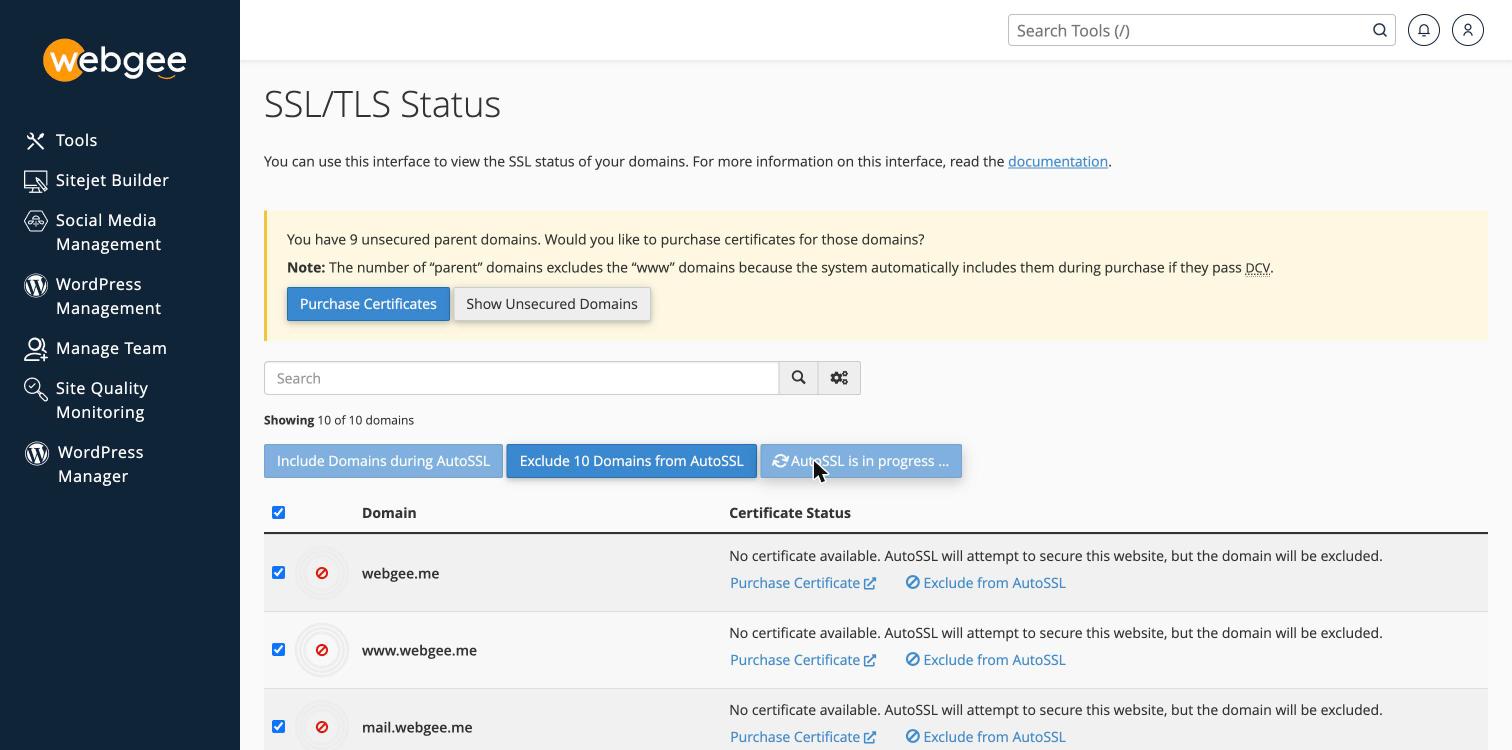
Select Run AutoSSL.
-
Wait for the check to complete, then reload the page.
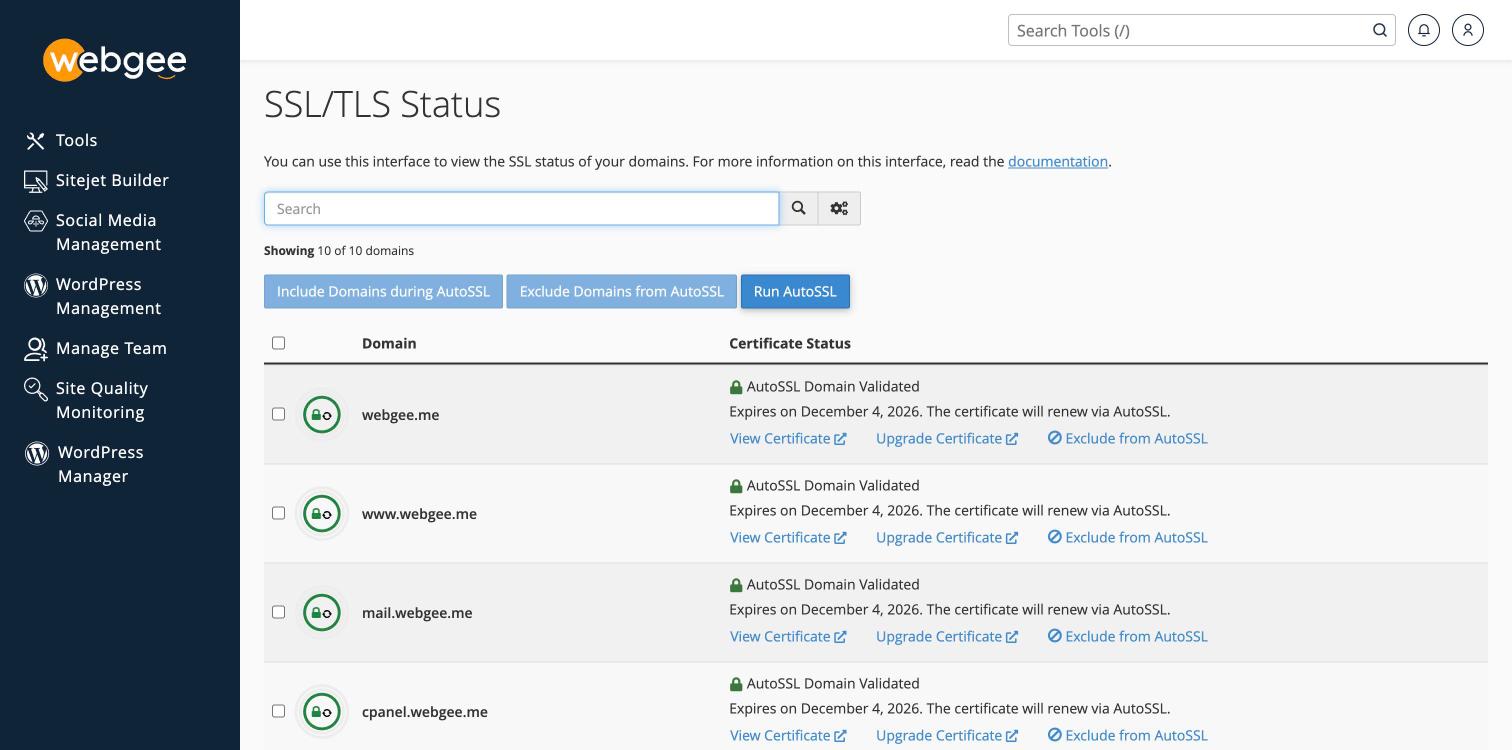
Each domain should now show a green padlock, AutoSSL Domain Validated, and a renewal note. The banner about unsecured domains disappears.
Issuance normally takes a couple of minutes.
Include everything, not just your main domain
Select all the domains rather than only the one your website uses. The list includes the service subdomains cPanel creates:
mail. · cpanel. · webmail. · webdisk. · cpcontacts. · cpcalendars. ·
autodiscover. · autoconfig.
These matter more than they look. mail. is what mail clients connect to, and
autodiscover. and autoconfig. are what let Outlook and Apple Mail configure
themselves. Without certificates, those connections produce security warnings
even though the website itself is fine.
After it is issued
Installing a certificate does not send visitors to the secure version of your site — that is a separate setting. See Force HTTPS on your site.
Check it worked
Visit https://example.com and confirm there is no browser warning. Or from a
terminal:
curl -sI https://example.com | head -n 1SSL/TLS Status also shows each domain's certificate and expiry date.
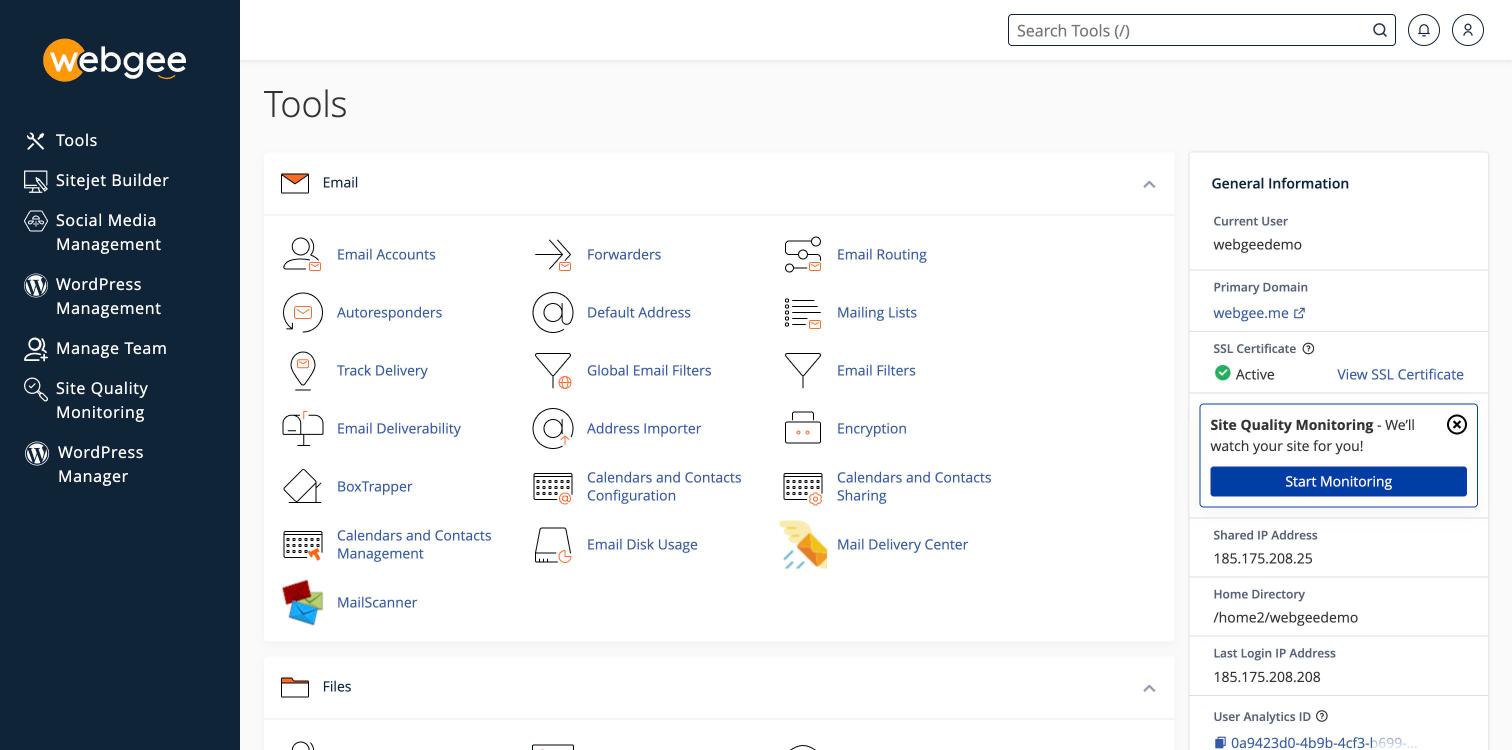
The cPanel dashboard sidebar is the quickest confirmation. Before issuance it reads Inactive, with "Your domain is at risk!"; afterwards it reads Active with a link to view the certificate.
About the certificates
- Issued by Sectigo, with 256-bit encryption.
- Valid for 90 days and renewed automatically before expiry, so in practice they do not lapse.
- Free for the lifetime of the account.
Once a domain is included, renewals need no further action — the inclusion is a one-off.
If AutoSSL cannot issue
The domain does not resolve to your account
AutoSSL proves you control the domain by fetching a file from it over HTTP. If the domain points elsewhere, or DNS has not propagated, validation fails. Check with what nameservers your domain uses.
This is the second most common cause after exclusion, and the two look identical in the interface — both leave the domain without a certificate.
The domain is subject to export restrictions
Sectigo cannot issue to domains in certain jurisdictions under US export law: Afghanistan, Cuba, Eritrea, Guinea, Iran, Liberia, North Korea, Northern Cyprus, Sudan, Sierra Leone, South Sudan, Syria and Zimbabwe.
Let's Encrypt has no such restriction. Select it as the provider in SSL/TLS Status, or see Install a wildcard certificate via Let's Encrypt.
You need a wildcard certificate
AutoSSL issues per-hostname certificates, not wildcards. For *.example.com
see
Install a wildcard certificate via Let's Encrypt.
Service subdomains on alias domains
AutoSSL does not cover service subdomains such as mail. or cpanel. on alias
domains. See
Why AutoSSL doesn't cover service subdomains.