

Find your support PIN
Generate the PIN that verifies your identity when you contact WebGee support, and understand when you will be asked for it.
Find the PIN that proves you are the account holder when you contact WebGee support. Applies to every WebGee account.
The PIN lets our support team confirm your identity without asking for your password — which we will never do.
Find your PIN
-
Sign in to the WebGee client area.
-
Go to Support Center → Support PIN.

-
Copy the PIN shown.
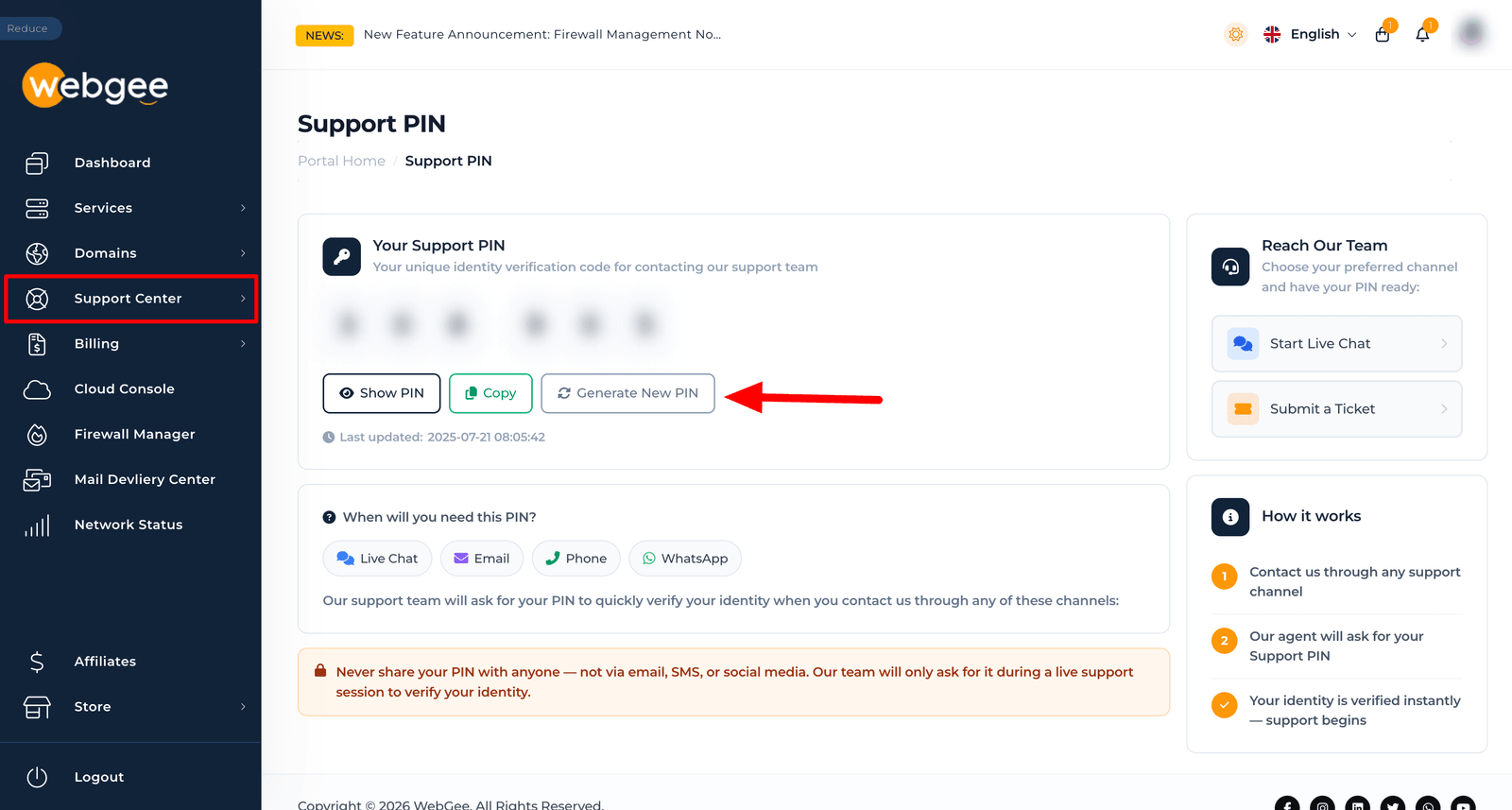
The PIN rotates regularly, so generate a fresh one when you contact us rather than saving an old one.
When you will be asked for it
Provide the PIN when you contact support by phone or live chat, or when a ticket asks us to make a change that affects the account itself — a password reset, a billing change, a domain transfer.
A WebGee agent will never ask for your account password, and never asks for card details over chat or email. If someone does, they are not from WebGee. Report it to us via a ticket raised from inside the client area.
If you cannot sign in to get the PIN
Open a ticket from the email address on file. We can verify you by other means — but expect it to take longer, which is exactly what the PIN is there to avoid.