

Join the affiliate programme
Earn 10% recurring commission on every WebGee service you refer, find your referral link, and withdraw your balance.
Earn commission for referring customers to WebGee. Open to anyone, including existing customers.
You earn 10% of recurring revenue on every service referred through your link — on the initial sale and on every renewal, for as long as the service stays active.
Get your referral link
-
Sign in to the WebGee client area. Create an account first if you do not have one.
-
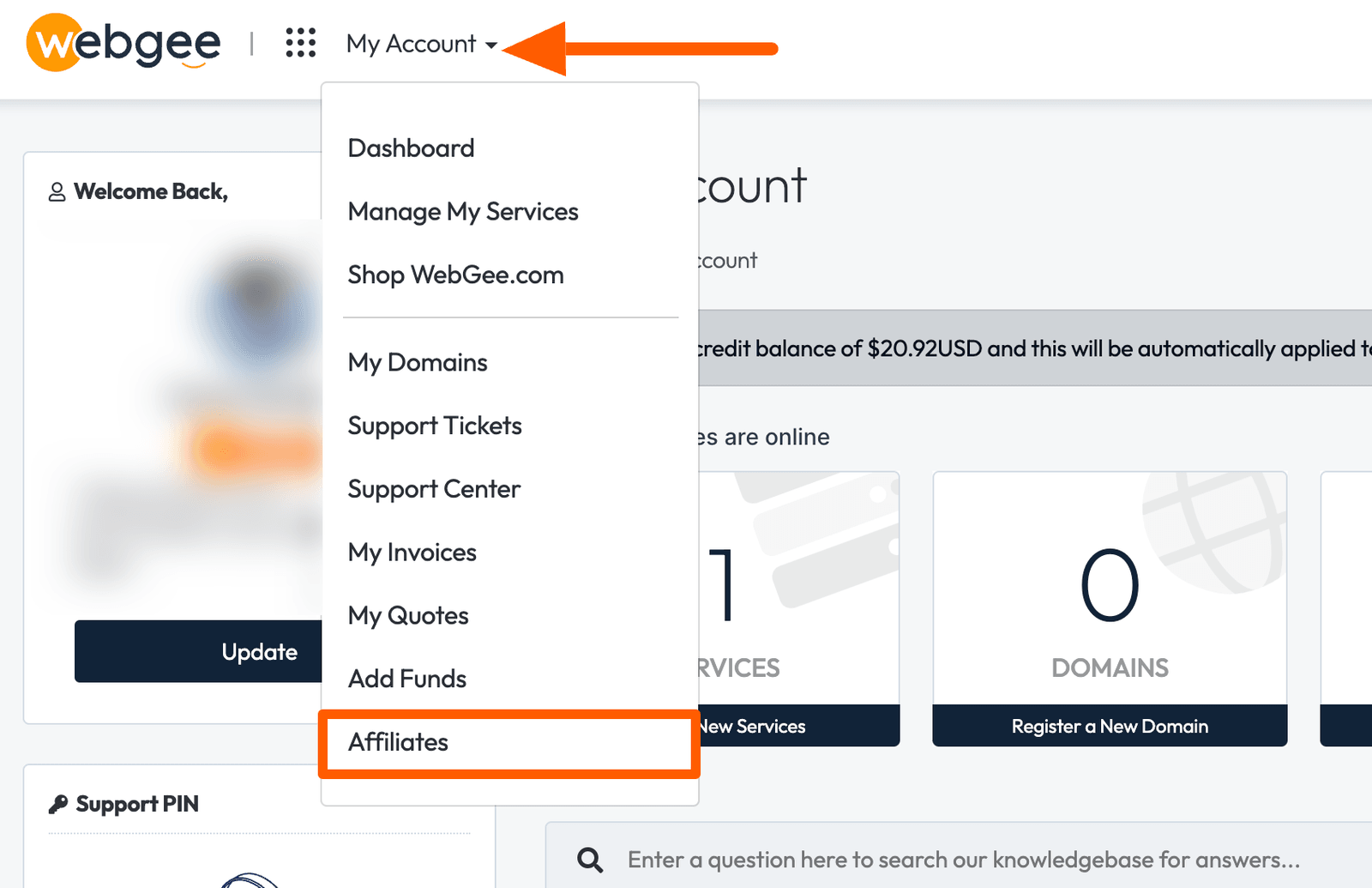
Select Affiliates in the left-hand navigation.
-
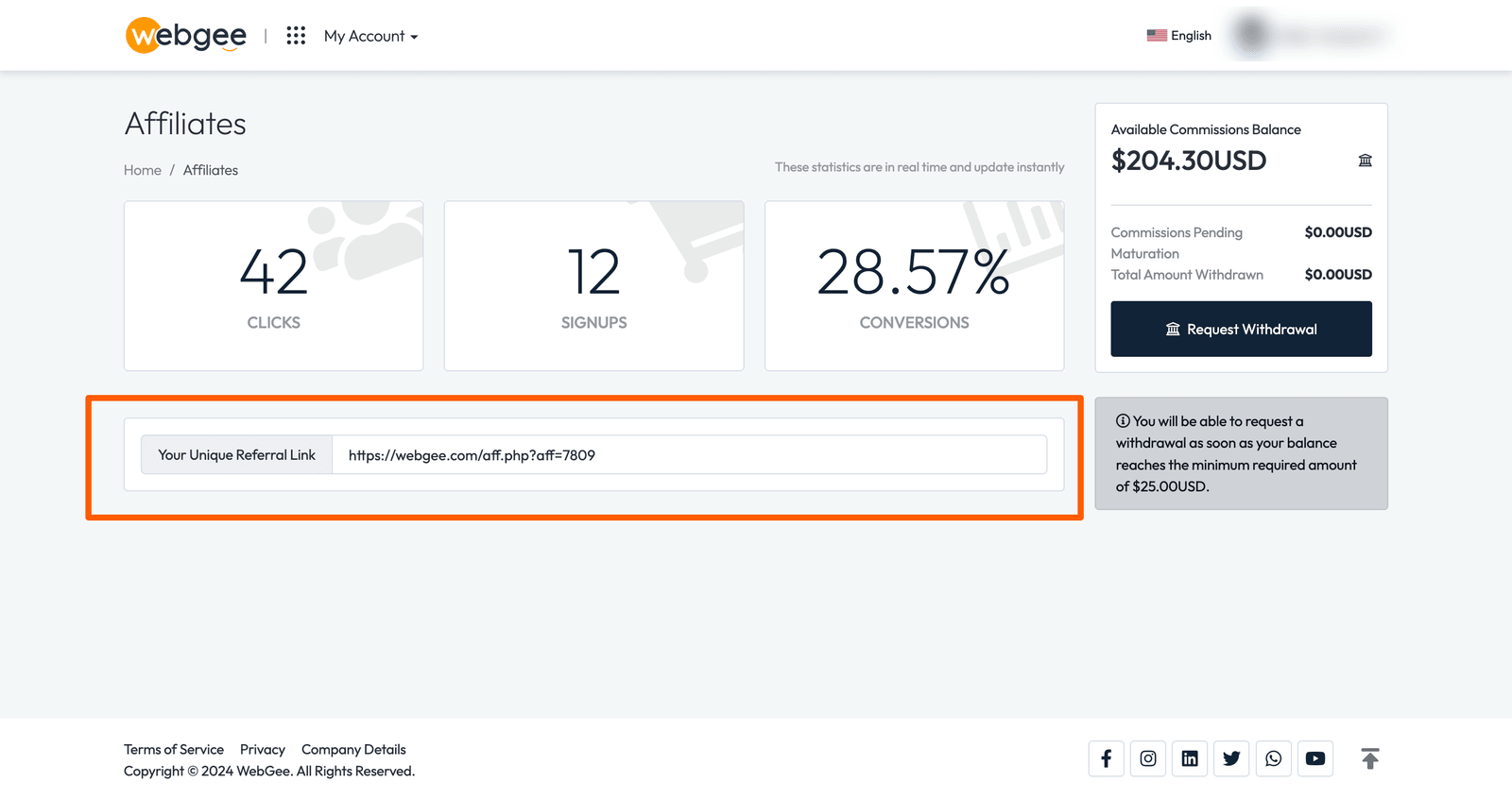
Your referral link is shown on the dashboard. Copy it and share it.
Track your referrals
The affiliate dashboard shows clicks, signups, conversions and your commission balance.
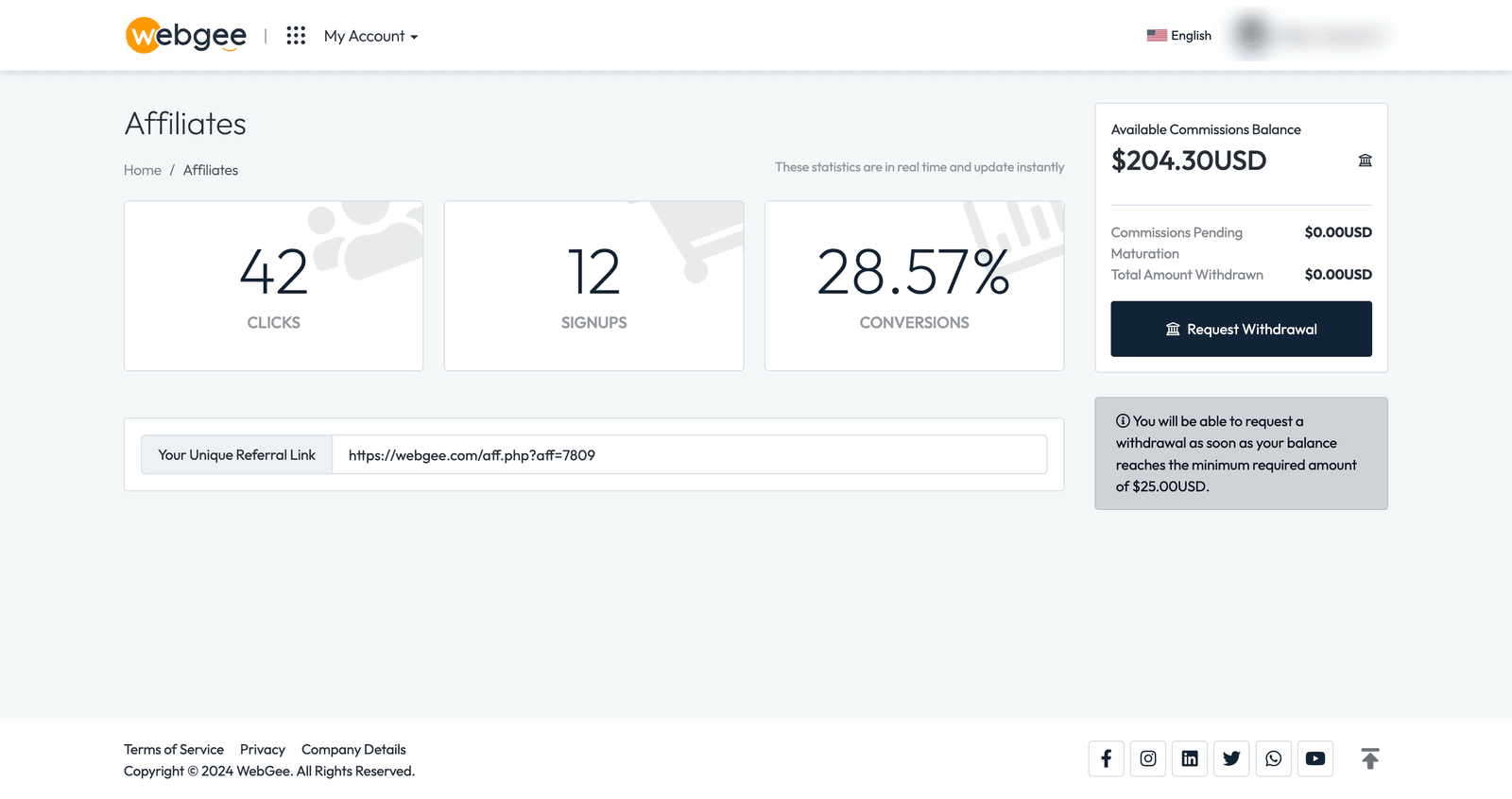
Commission is credited when a referred service is paid for, and continues on each renewal.
Withdraw your balance
New affiliates start with $5 credit as a goodwill gesture. The minimum withdrawal threshold is $25.
Once you reach it, withdraw as:
- Account credit, to spend on WebGee services
- PayPal
- Bank transfer
The $5 starting credit counts towards your balance but cannot be withdrawn on its own — you need $25 in total before a withdrawal can be made.