

تنزيل نسخة احتياطية من حسابك
أنشئ نسخة احتياطية كاملة من cPanel ونزّلها، أو قاعدة بيانات أو محوّلات بريد فقط، لتحتفظ بنسخة خارج بنية WebGee.
أنشئ نسخة احتياطية يمكنك تنزيلها والاحتفاظ بها بنفسك. ينطبق على الاستضافة المشتركة والموزِّعة والمميّزة.
تنسخ WebGee كل حساب احتياطيًا تلقائيًا — يوميًا، أو كل ساعة في بعض الباقات — وتلك قابلة للاستعادة عبر JetBackup. وهذه مختلفة: نسخة تحتفظ أنت بها، خارج بنيتنا، وهي ما تريده قبل تغيير كبير أو قبل الانتقال إلى جهة أخرى.
للتراجع عن تغيير أنت على وشك إجرائه، فلقطة JetBackup أسرع ولا تحتاج تنزيلًا — راجع أخذ لقطة احتياطية.
استخدم Backup Wizard
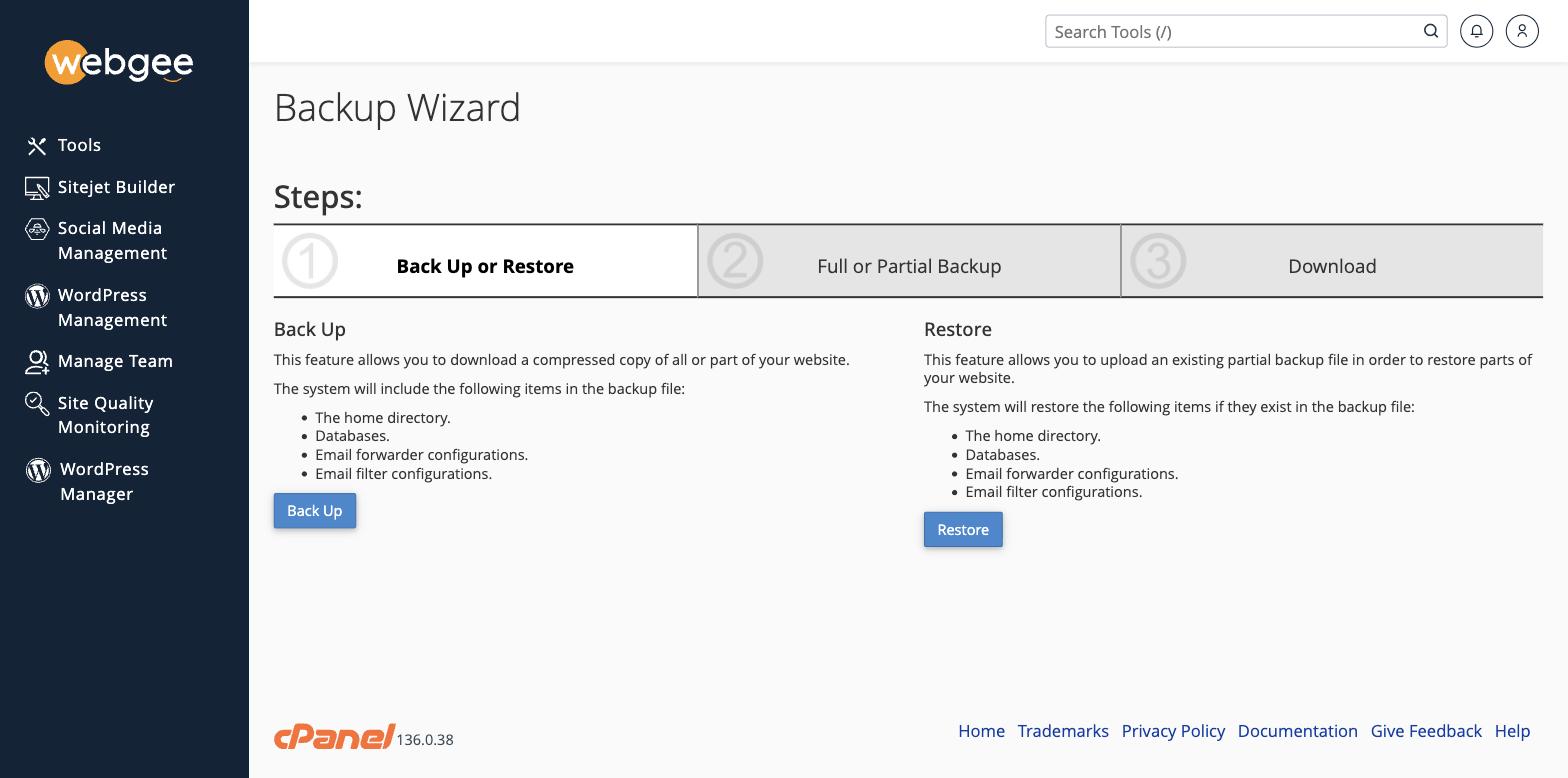
يمرّ Backup Wizard بالعملية في ثلاث خطوات — اختر النسخ أو الاستعادة، ثم كامل أو جزئي، ثم التنزيل. وتقدّم Backup الشيء نفسه في صفحة واحدة إن كنت تعرف ما تريد.
ماذا تضم النسخة الكاملة
- كل ملفات الحساب
- كل قواعد البيانات
- حسابات البريد ومحتوياتها
- فلاتر البريد ومحوّلاته
- إعدادات cPanel
تنزيل نسخة كاملة
-
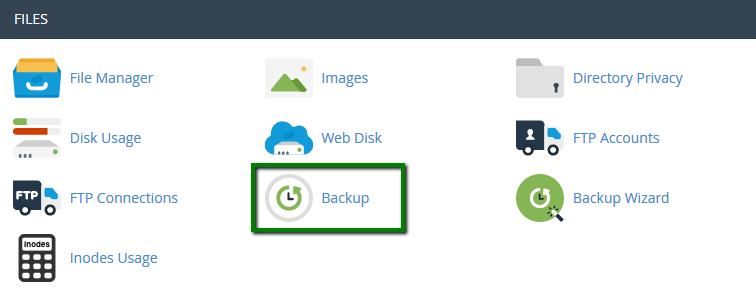
في cPanel، افتح Backup ضمن Files.
-
اختر Download a Full Website Backup.
-
اختر Home Directory وجهةً.
-
اختر Generate Backup.
يُبنى الأرشيف في الخلفية. ويرسل لك cPanel بريدًا حين يجهز، ثم تنزّله من الصفحة نفسها.
حجم النسخة الكاملة قريب من حجم حسابك، وهي تُكتب داخل حصة قرصك أثناء إنشائها. فإن كنت قريبًا من حدّك فقد تفشل النسخة، أو تدفعك فوق الحد. راجع cPanel ← Disk Usage أولًا، واحذف الأرشيف بعد تنزيله.
تنزيل جزء منها فقط
تقدّم صفحة Backup نفسها نسخًا جزئية، وهي أصغر وأسرع بكثير:
- Home Directory — ملفاتك فقط
- MySQL Databases — قاعدة بيانات واحدة في كل مرة
- Email Forwarders وEmail Filters
وهذه تُنزَّل فورًا بدل أن تُدرَج في طابور.
ولقاعدة بيانات تحديدًا، يمنحك التصدير من phpMyAdmin تحكّمًا أكبر — راجع إنشاء قواعد بيانات MySQL وإدارتها.
تأكّد أنها نجحت
افتح الأرشيف المنزَّل محليًا وتأكّد أنه يحتوي مجلد homedir ومجلد mysql فيه
ملف .sql لكل قاعدة بيانات. فأرشيف حجمه بضعة كيلوبايتات فقط يعني فشل الإنشاء —
وغالبًا بسبب مساحة القرص.
الاستعادة
النسخة الكاملة المنزَّلة بهذه الطريقة مخصّصة للاستعادة على خادم cPanel آخر، أو لتسليمها إلى مستضيف آخر. أما للاستعادة على هذا الحساب فاستخدم JetBackup — فهي أسرع ولا تتطلّب رفعًا: