

Why File and Directory Restoration is empty
cPanel's built-in file restore tool is disabled on WebGee servers. What to use instead to recover a single file.
cPanel's File and Directory Restoration tool does not work on WebGee servers. Applies to shared, reseller and Premium hosting.
Opening it shows:
You cannot create or use metadata because the setting Backup Status is currently disabled.
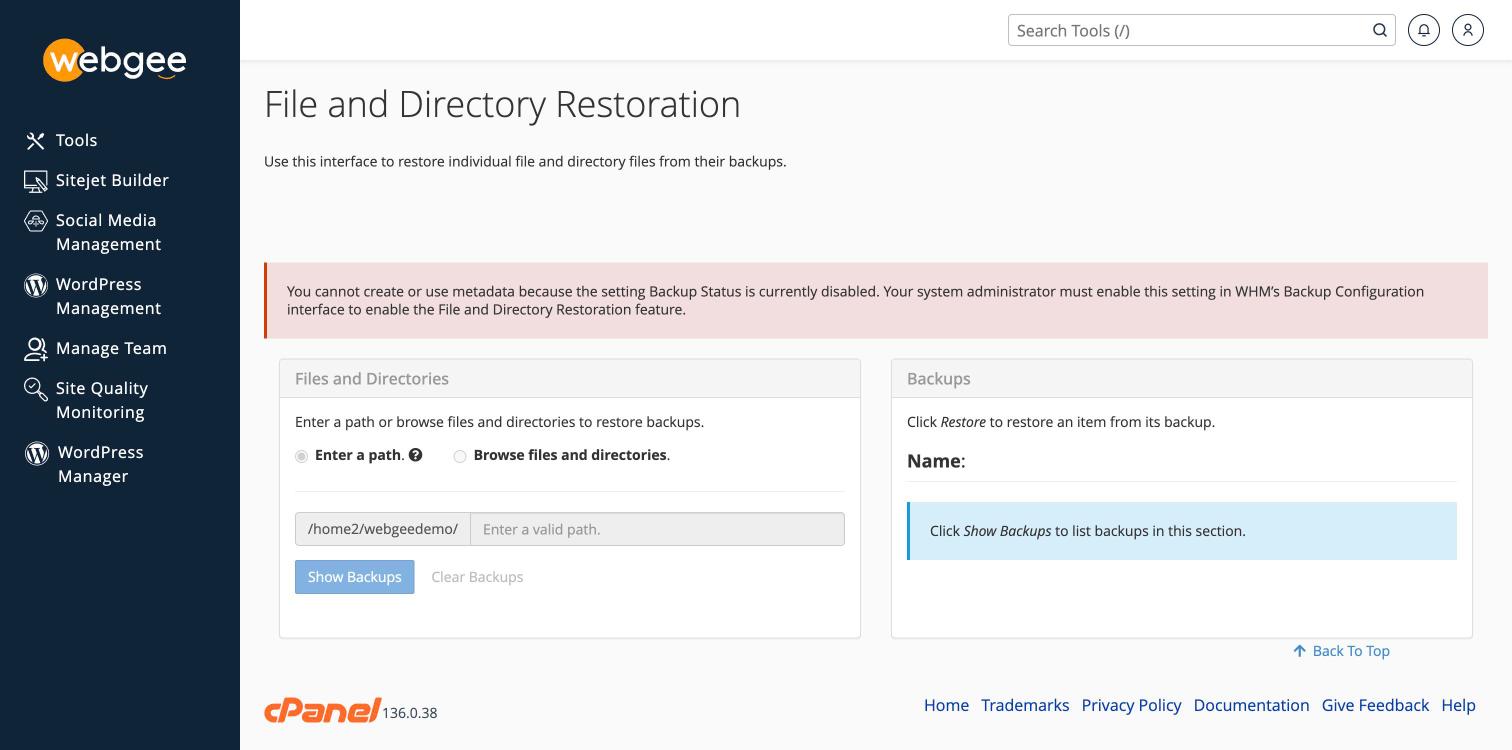
This is expected, not a fault with your account. The tool depends on cPanel's own backup system, which WebGee does not use — backups are handled by JetBackup instead, which is incremental, stored outside your disk quota, and keeps a longer history.
There is nothing you can enable to make this tool work.
Restore a file with JetBackup instead
JetBackup does the same job and more:
- In cPanel, open JetBackup 5.
- Select Home Directory — or File Manager within a backup.
- Choose the backup date.
- Select the file or folder and restore it.
Full steps are in Restore a home directory or specific files.
Related
Restore specific files or folders
Restore your home directory, a single folder or individual files from JetBackup without touching the rest of the account.
WordPress Cloud
Managed WordPress hosting on containerised OpenLiteSpeed, with its own control panel at cp.webgee.cloud — sites, staging, backups, SSL and developer tooling.