

فحص حسابك بأداة Virus Scanner
شغّل فحص ClamAV في cPanel على ملفاتك أو بريدك، واختر هدف الفحص الصحيح، واعرف ما يستطيع العثور عليه وما لا يستطيع.
تشغّل Virus Scanner فحص ClamAV على حساب استضافتك. ينطبق على الاستضافة المشتركة والموزِّعة والمميّزة على cPanel.
في cPanel، افتح Virus Scanner في قسم Advanced.
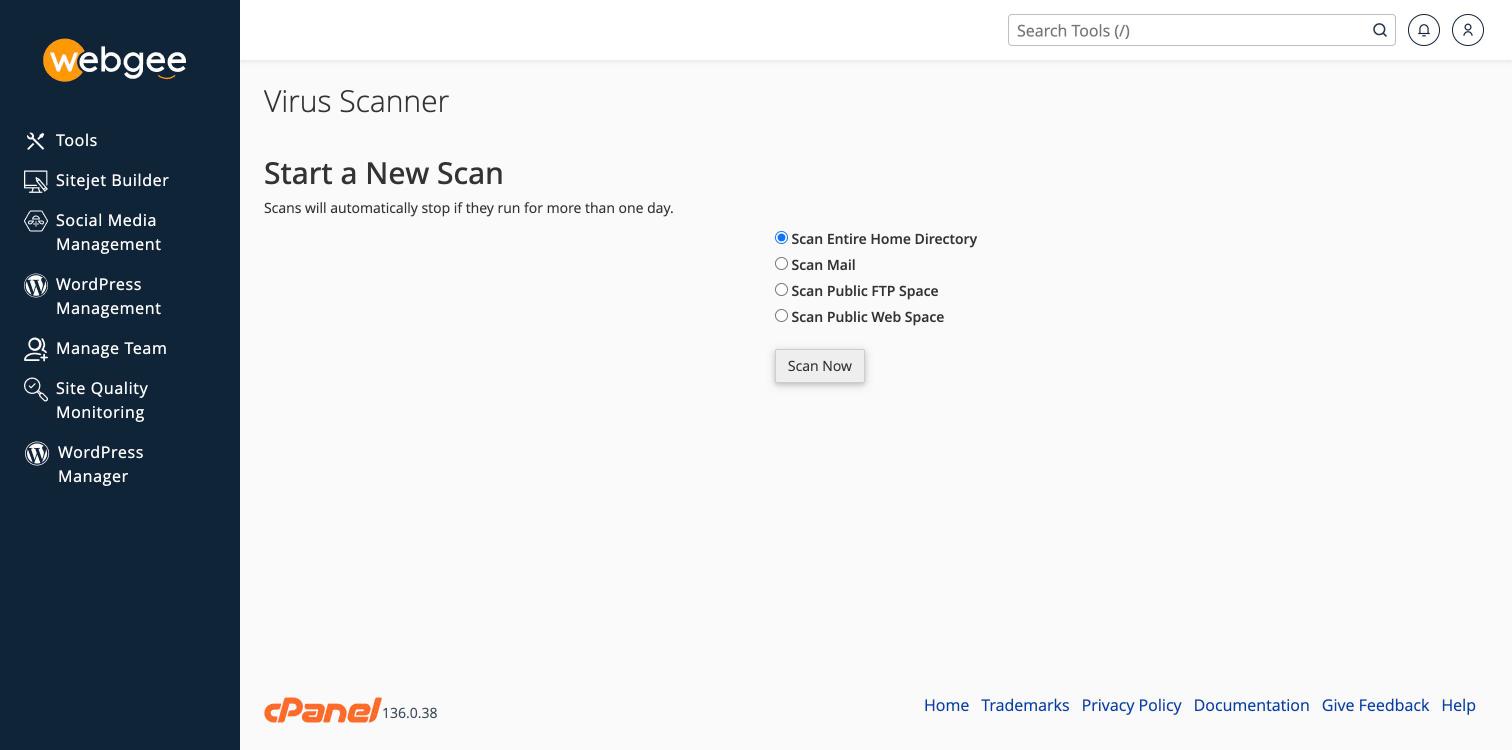
اختر ما تفحصه
| الهدف | يغطّي | استخدمه حين |
|---|---|---|
| Scan Entire Home Directory | كل ما في الحساب | لا تعرف أين المشكلة |
| Scan Mail | مخزن البريد | صناديق البريد ترسل أو تستقبل مرفقات مصابة |
| Scan Public FTP Space | public_ftp | تقبل رفعًا عبر FTP |
| Scan Public Web Space | public_html | تشتبه في الموقع نفسه |
ابدأ بـ Scan Public Web Space إن كان موقع يسيء التصرّف — فهو أسرع بكثير من الحساب كله ويغطّي حيث تقع برمجيات الويب الخبيثة فعلًا.
اختر Scan Now.
وتتوقف الفحوص تلقائيًا إن تجاوزت يومًا. وعلى حساب كبير قد يستغرق فحص المجلد الرئيسي كاملًا وقتًا طويلًا، وهو سبب آخر لتضييق الهدف.
ماذا يجد وما لا يجد
يطابق ClamAV توقيعات معروفة. وهو جيد في العثور على البرمجيات الخبيثة المعروفة والمرفقات المصابة.
النتيجة النظيفة لا تعني أن الحساب نظيف. فمعظم اختراقات ووردبريس كود PHP مموَّه مكتوب ليبدو ككود قالب عادي، والفحص بالتوقيعات يفوته ذلك عادةً. لا تعامل فحصًا نظيفًا بوصفه دليلًا.
وللاختراق الحقيقي، استخدم حماية الخادم نفسها، فهي تكتشف سلوكيًا لا بالتوقيعات وحدها:
إن عثر على شيء
لا تكتفِ بحذف الملف والتوقف. فالملف المصاب الواحد عَرَض دائمًا تقريبًا — فقد دخل المهاجم بطريقة ما، وإن ظل الطريق مفتوحًا فسيعود الملف.
امض في تنظيف البرمجيات الخبيثة من موقعك، فهي تغطّي إغلاق نقطة الدخول إلى جانب إزالة الحمولة.