

Find what is making your site slow
Use PHP X-Ray in cPanel to trace slow plugins, database queries and external calls, and identify the real bottleneck in your application.
Find out which part of your site is actually slow — a plugin, a database query, an external API call — instead of guessing. Applies to shared, reseller and Premium hosting.
Slowness is usually assumed to be a server problem. More often it is something in the application: one plugin making a blocking HTTP request, or a query without an index. PHP X-Ray traces real requests and shows you where the time goes.
Before you begin
X-Ray only collects data when Bolt-Cache is disabled and your sites are using Proxy mode. With Bolt-Cache on, the trace stays empty — this is the most common reason people think X-Ray is broken.
Start a trace
-
In cPanel, open X-Ray.
-
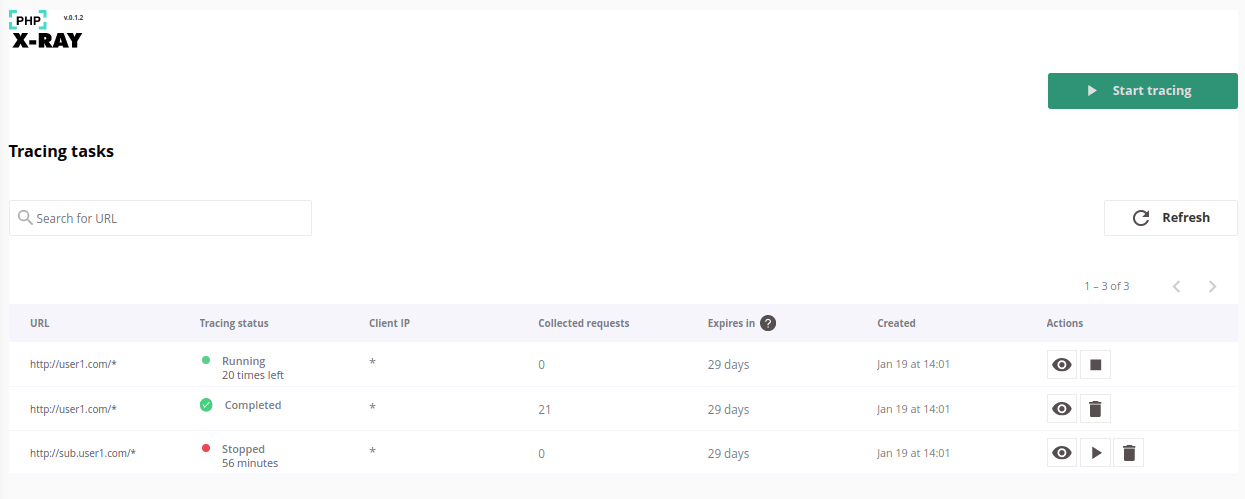
Select the domain or subdomain to trace.
-
Set the options:
Option What to use IP address Your own, to trace only your visits Requests to collect 10–20 is usually enough Timeframe Long enough for you to reproduce the slowness -
Start the trace, then visit the slow page a few times in your browser.
The Collected Requests column fills as traffic arrives.
Read the results
Open the collected trace. It breaks each request down by where time was spent.
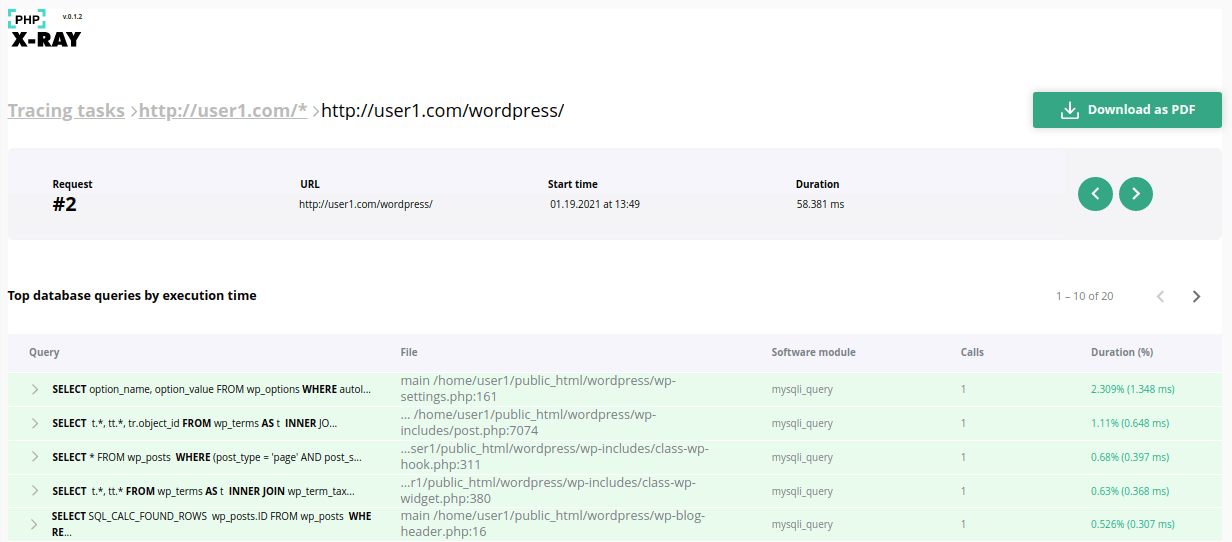
What to look for, roughly in order of how often it is the culprit:
- One slow database query repeated many times. Usually a plugin querying inside a loop. Object caching often fixes this outright — see Enable Redis object caching.
- A slow external HTTP call. A plugin phoning home to a licence server or an API. The page cannot finish until that call returns.
- One plugin dominating total time. Disable it and re-trace to confirm.
If nothing is collected
- Bolt-Cache is enabled. X-Ray cannot see cached requests. Switch to Proxy mode.
- You filtered to the wrong IP. Check your current address and re-enter it.
- The page is served from cache. Add a unique query string —
?xray=1— to bypass the cache while you test.
Related
Redirect mixed-case URLs to lowercase
Capitalised URLs get their own LiteSpeed cache entry and miss it on every visit. One Cloudflare redirect rule points every request at a single lowercase URL.
Site Quality Monitoring
Turn on uptime and health monitoring for a domain from cPanel — what it scans, how often, and what the free allowance covers.