

Transfer a domain from Hostinger to WebGee
Prepare a domain at Hostinger — auth code, transfer lock, WHOIS privacy — then place the transfer order with WebGee, and what to expect while it completes.
Moving a domain registration to WebGee takes preparation at your current registrar first, then a single order here. Applies to any domain WebGee can register.
The steps below name Hostinger's screens, but the process is the same at every registrar — only the menu names differ.
Transferring a domain does not move your website or email. They are separate services. If you are moving hosting too, request a migration from the client area — WebGee migrates existing sites and mailboxes free of charge.
Before you start
Your nameservers stay as they are. A transfer moves the registration, not the DNS. Whatever nameservers the domain uses now, it keeps — and you cannot change them while the transfer is in progress.
That ordering matters. If you are also moving hosting, point the domain at its new nameservers first, confirm the site loads, and only then start the transfer. Otherwise you are locked out of the nameserver setting for up to a week.
The domain must be at least 60 days old. ICANN's transfer policy blocks transfers within 60 days of initial registration, of a previous transfer, or of a change to the registrant details. There is no way around this.
The domain must be in its Active period — not Redemption Grace Period, not Pending Delete. An expired domain must be renewed before it can move.
You gain a year. The transfer includes a one-year renewal, added to the existing expiry date. A domain expiring 1 January 2027 will expire 1 January 2028 once transferred.
Prepare the domain at Hostinger
All four steps happen under Domains in the Hostinger portal. Select the domain to open its overview page.
1. Get the authorisation code
On the domain overview page, find Secret key and select Show. Copy the code and keep it somewhere safe — you will paste it into the WebGee order.
This code is variously called the auth code, EPP code or secret key. It is
required for .com, .net, .org, .co, .io, .me, .info, .biz,
.tech and most other gTLDs. If your registrar offers no way to retrieve it,
ask their support — they are obliged to provide it.
2. Unlock the domain
On the same page, find Transfer Lock and turn it off.
The lock exists to prevent unauthorised transfers, so it blocks authorised ones too. Changes take a few minutes to appear in public WHOIS.
3. Disable WHOIS privacy
Find WHOIS Privacy and turn it off.
Privacy services replace your details with the registrar's in WHOIS, and the gaining registrar cannot verify a transfer it cannot read. Turn it back on after the transfer completes.
4. Check the registrant email address
Select Domain Ownership in the left-hand menu and confirm the email address on the Registrant tab is one you can actually read.
This is the step that most often stalls a transfer. Approval emails are sent to the registrant address on record, and if that address is an old mailbox you no longer have, the transfer expires unapproved after a few days. Fix it before you order — but note that changing registrant details can itself start a fresh 60-day lock, so check it early.
Place the transfer order at WebGee
-
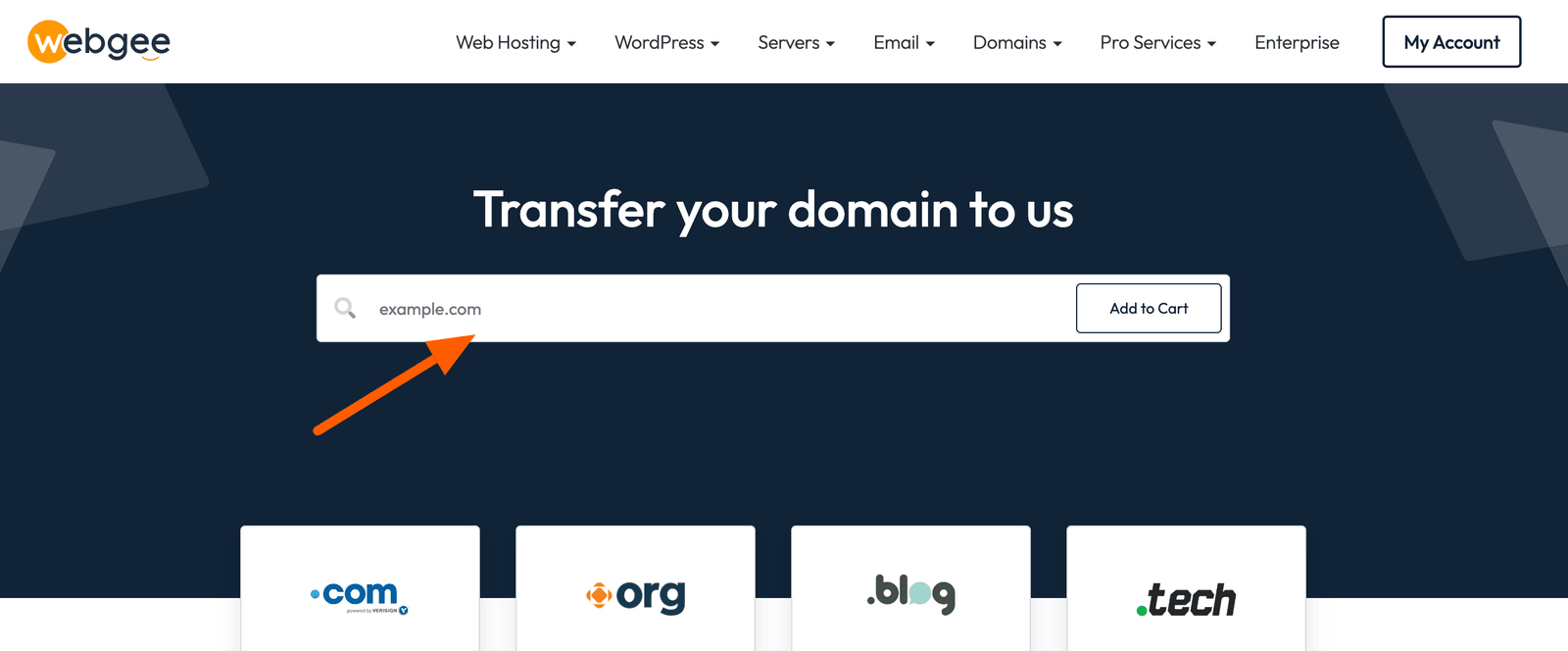
Go to the Domain Transfer page, enter the domain and select Search.
-
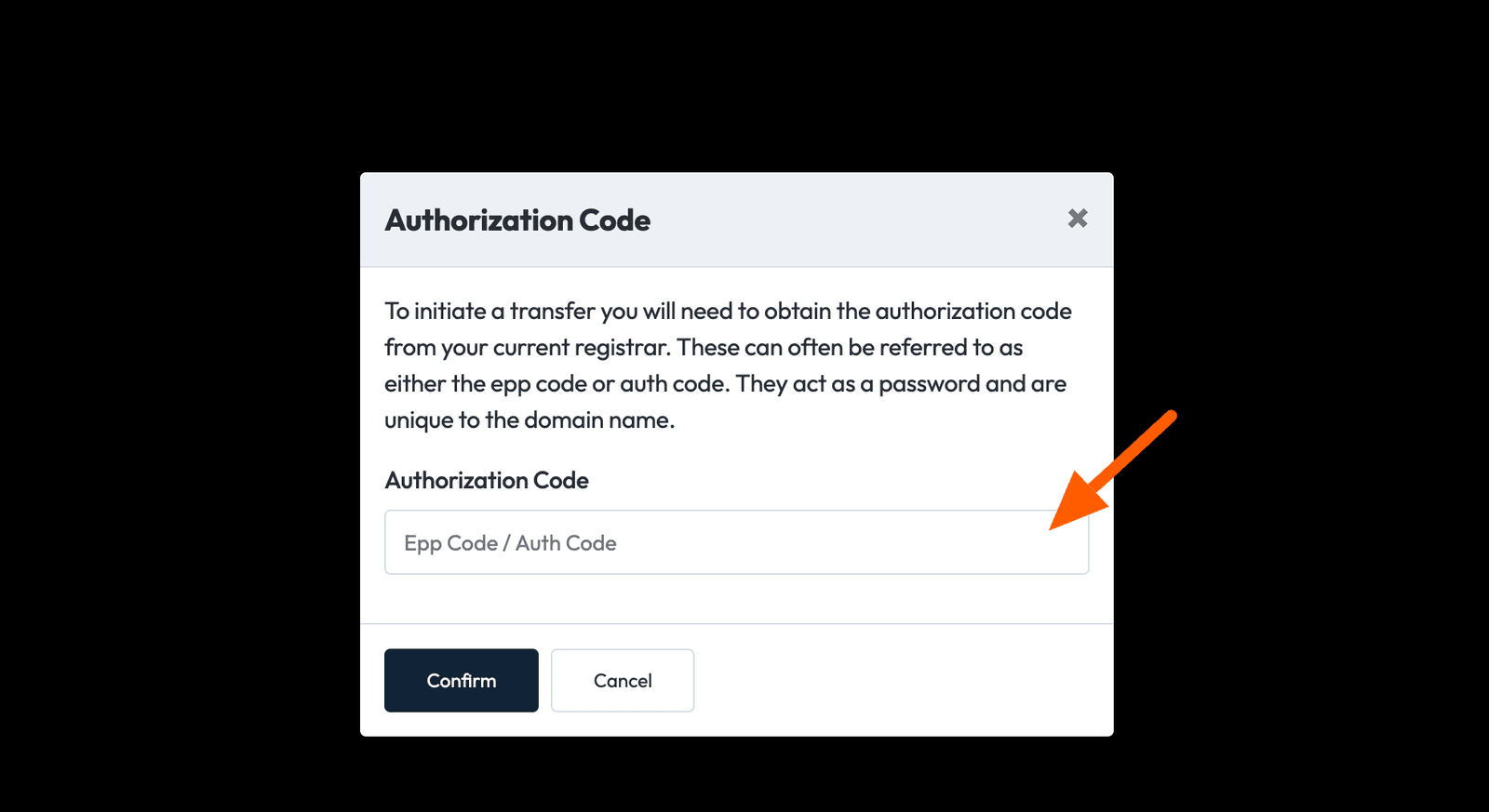
Enter the EPP / transfer code you copied earlier.
-
Select Order Now.
-
When asked whether you also need hosting, select Continue to transfer the domain only.
-
Select Checkout.
While it runs
A transfer takes up to seven days, sometimes longer depending on the TLD.
Watch for email from both registrars and act on it promptly — most transfers that fail do so because an approval email went unanswered, not because anything was wrong.
You will receive confirmation by email when it completes.
Some TLDs have extra requirements. .uk domains transfer by changing the IPS
tag rather than using an auth code, and some country-code domains require
documentation. If your extension is unusual, check before you start.
After it completes
- Turn WHOIS privacy back on if you want it.
- Re-enable the transfer lock.
- Check the nameservers are still what you expect.
- Confirm the new expiry date includes the extra year.
Related
Preview your site before pointing DNS
View a site on WebGee hosting before you change its nameservers, using the Website Preview plugin in cPanel.
Check which nameservers a domain uses
Find out where a domain's DNS is actually being served from — the first thing to check when DNS changes appear to have no effect.