

مراقبة جودة الموقع
فعّل مراقبة التشغيل والصحة لنطاق من cPanel — ماذا تفحص، وكل كم، وماذا تغطّي الحصة المجانية.
تراقب Site Quality Monitoring نطاقًا بحثًا عن الانقطاع وتفحصه بحثًا عن مشكلات تؤثر في كيفية رؤية الزوار ومحركات البحث له. ينطبق على الاستضافة المشتركة والموزِّعة والمميّزة على cPanel.
وهي معطّلة حتى تنشئ مشروعًا. فلا شيء مراقَب افتراضيًا.
ماذا تغطّي الحصة المشمولة
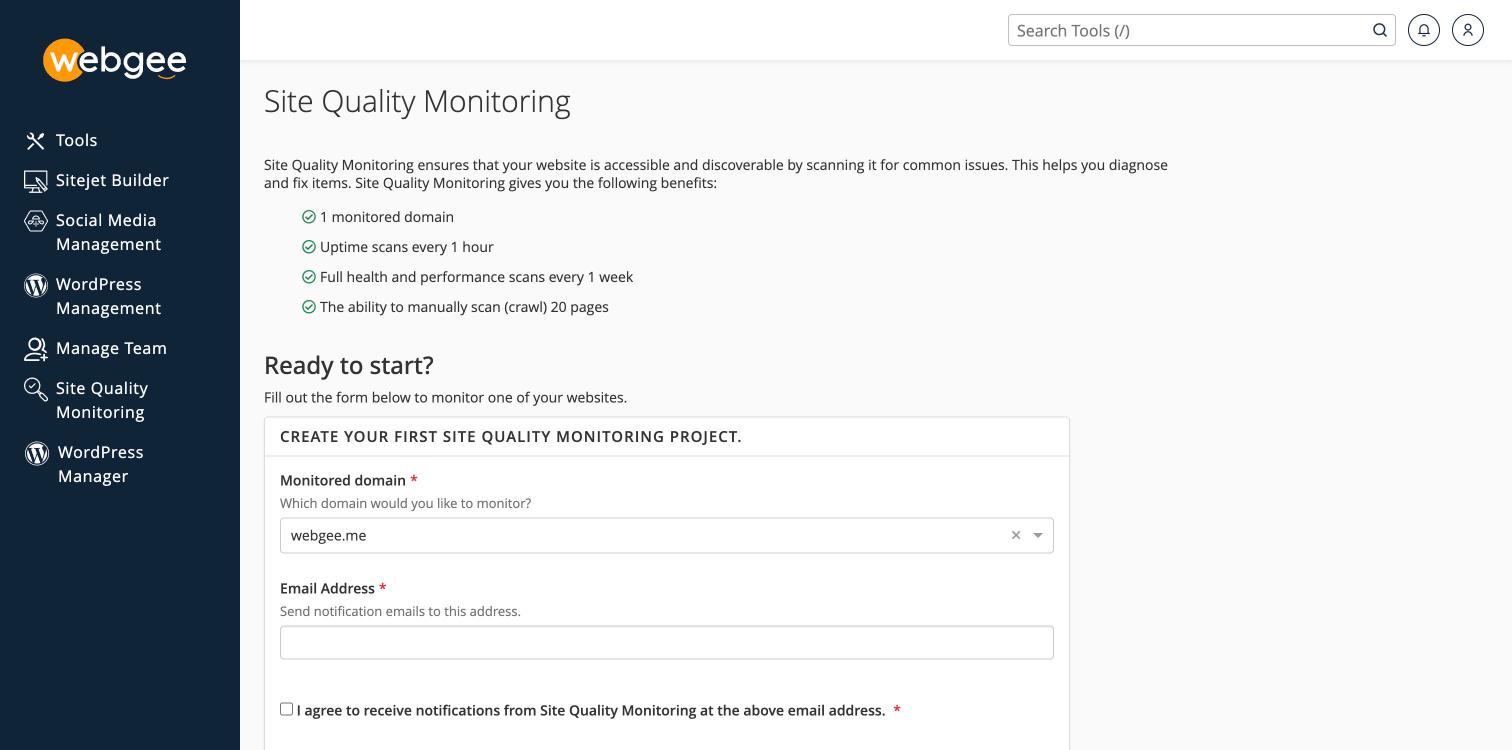
| المشمول | |
|---|---|
| النطاقات المراقَبة | 1 |
| فحوص التشغيل | كل ساعة |
| فحوص الصحة والأداء الكاملة | أسبوعيًا |
| الزحف اليدوي | حتى 20 صفحة |
وفحص التشغيل كل ساعة هو الجزء الذي يستحق الاقتناء. فهو يخبرك بأن موقعك توقف قبل أن يخبرك عميل، وهو أنفع ما تقدّمه المراقبة على الإطلاق.
أما الفحص الأسبوعي الكامل فيبحث عن المشكلات الشائعة التي تكلّفك زيارات بهدوء — الروابط المكسورة، والبيانات الوصفية الناقصة، والصفحات البطيئة، والمحتوى المختلط.
نطاق واحد مشمول. فإن كنت تستضيف عدة مواقع، فراقب الذي يهمّ تجاريًا، واعتمد على الفحص الأسبوعي وفحوصك أنت للبقية.
فعّلها
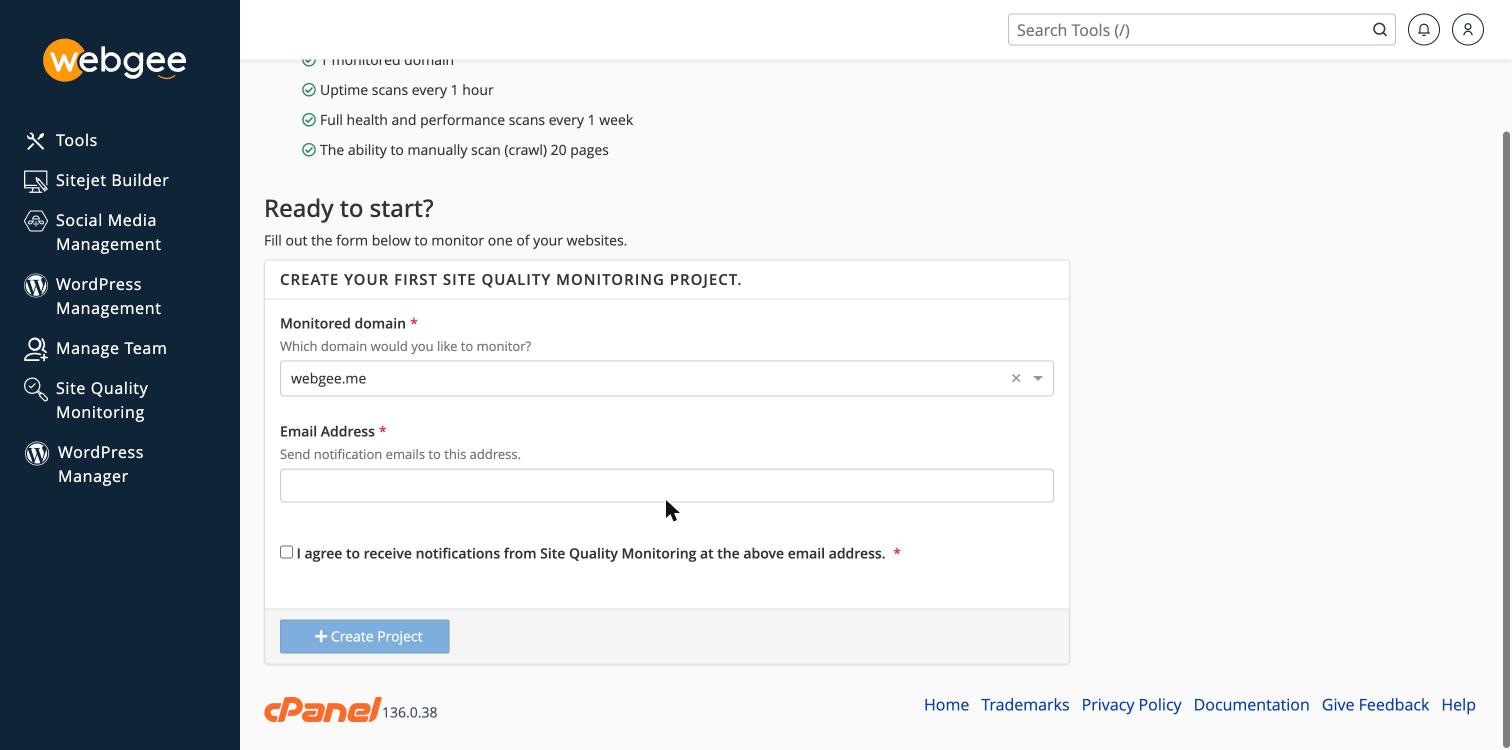
- في cPanel، اختر Site Quality Monitoring في القائمة الجانبية.
- اختر Monitored domain.
- أدخل Email Address الذي ينبغي أن يستقبل الإشعارات.
- علّم مربع الموافقة.
- اختر Create Project.
استخدم عنوانًا تقرأه فعلًا، ويفضَّل ألّا يكون مستضافًا على الحساب المراقَب. فتنبيه انقطاع يُسلَّم إلى صندوق على الخادم المتوقف لا يصلك.
بعد التشغيل
يستغرق الفحص الكامل الأول بعض الوقت؛ أما فحوص التشغيل فتبدأ فورًا.
وعامِل النتائج قائمةً تفرزها لا درجةً تُعظّمها. أصلح ما يؤثر في الزوار — الروابط المكسورة، والصفحات البطيئة، والمحتوى المختلط — قبل أي شيء لا يؤثر إلا في الرقم.
ما لا تفعله
تراقب من الخارج، فترى ما يراه الزائر. ولا تستطيع أن تخبرك لماذا الصفحة بطيئة.
ولذلك، استخدم أدوات جانب الخادم:
وإن أبلغت المراقبة عن انقطاع متقطّع، فالسبب غالبًا حدود الموارد لا عطل — راجع معالجة خطأ 503 لحد الموارد.