

تفعيل التخزين المؤقت للكائنات بـ Redis
فعّل Redis في cPanel ووجّه LiteSpeed Cache إليه، ليتوقف ووردبريس عن تكرار استعلامات قاعدة البيانات نفسها مع كل تحميل صفحة.
فعّل التخزين المؤقت للكائنات بـ Redis لموقع ووردبريس يعمل بـ LiteSpeed Cache. ينطبق على الاستضافة المشتركة والموزِّعة.
يحفظ التخزين المؤقت للكائنات نتائج استعلامات قاعدة البيانات في الذاكرة، فيتوقف ووردبريس عن سؤال قاعدة البيانات الأسئلة نفسها مع كل تحميل صفحة. وهو يُحدث أكبر فرق في المواقع كثيرة الإضافات، أو ذات الكتالوج الكبير، أو بطيئة منطقة الإدارة.
لم يعد Memcached متاحًا. فقد أُهملت الإضافة وعُطّلت عبر المنصة، فصار Redis هو الخيار المدعوم — راجع Memcached مقابل Redis.
1. فعّل Redis في cPanel
-
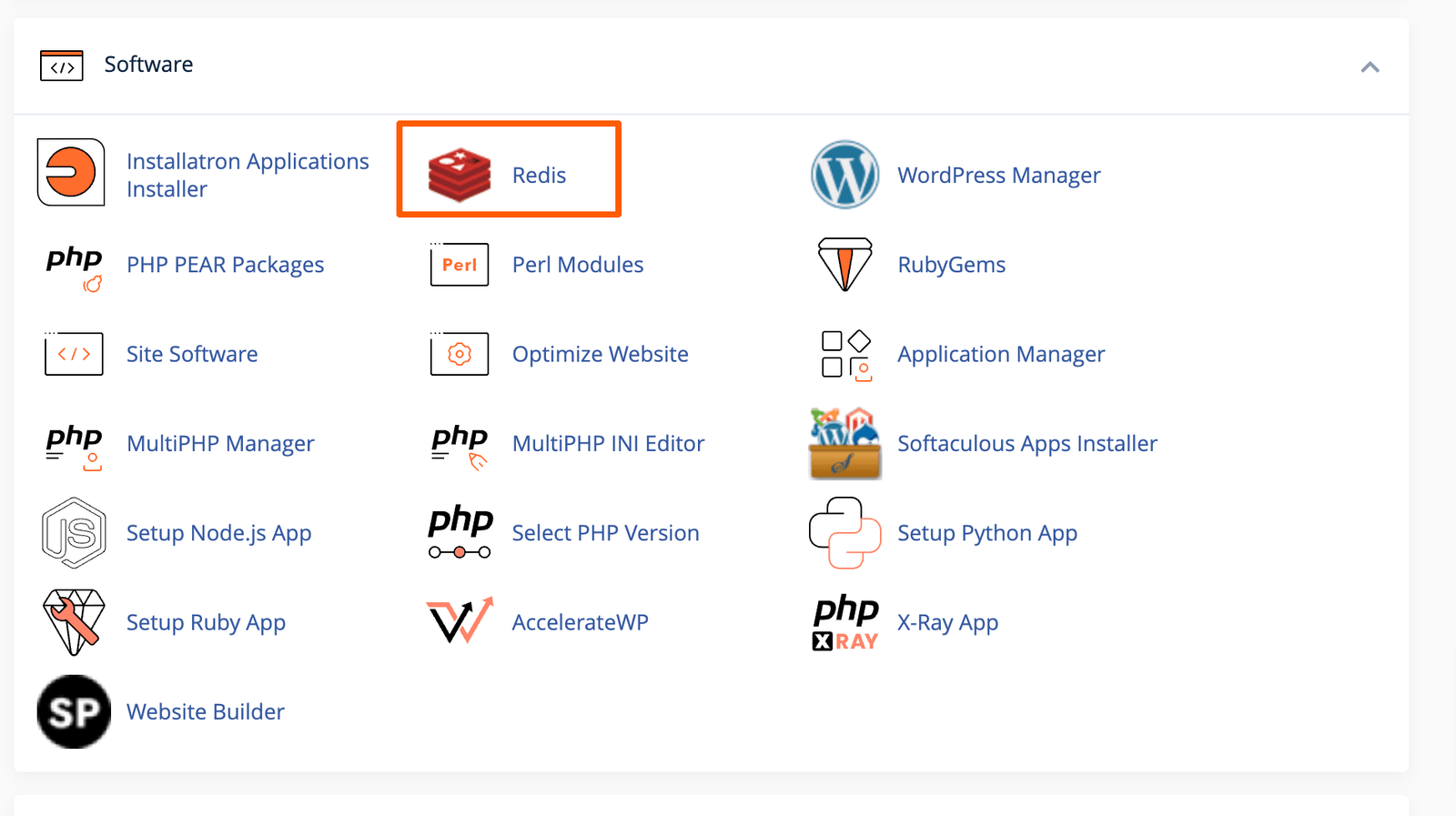
في cPanel، افتح Redis.
-
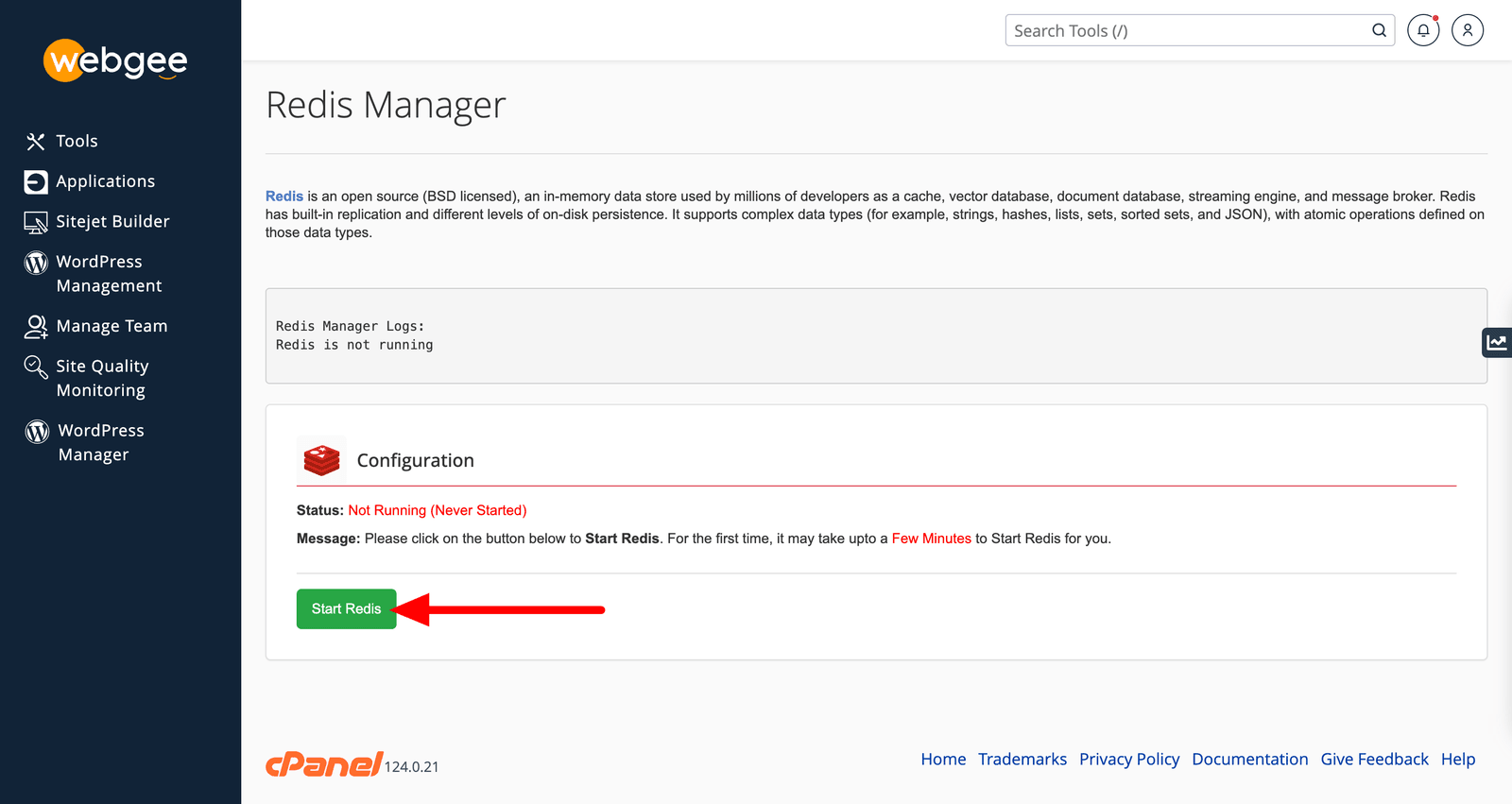
اختر Enable Redis.
-
سجّل المنفذ وكلمة المرور المعروضين. فأنت تحتاجهما في الخطوة الثالثة.
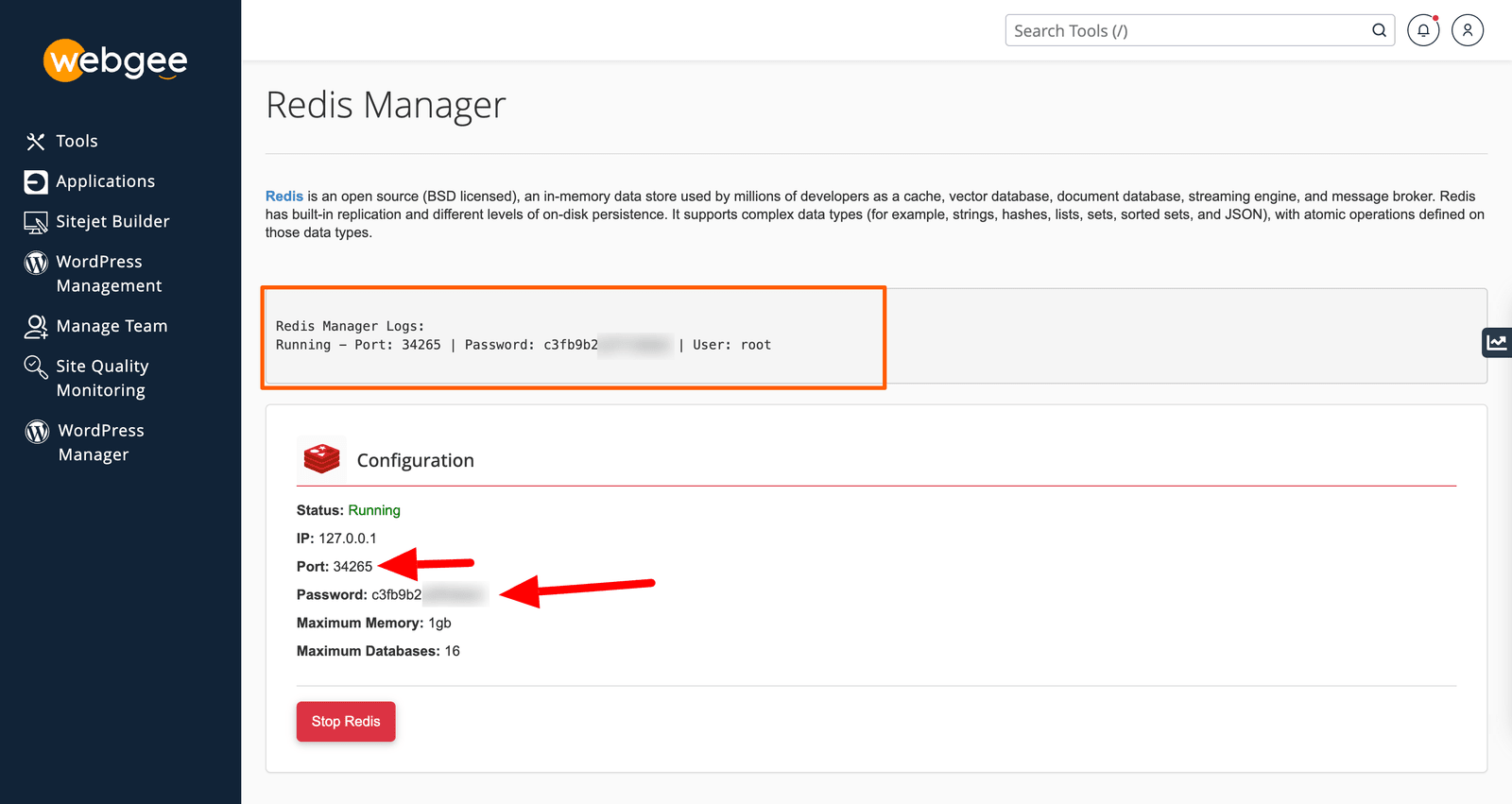
ويمكنك العودة إلى هذه الصفحة في أي وقت لرؤية هذه القيم مجددًا.
2. فعّل إضافة PHP
Redis يعمل، لكن PHP لا يستطيع مخاطبته حتى تُفعَّل الإضافة.
-
في cPanel، افتح Select PHP Version.
-
اختر Extensions.
-
علّم redis.
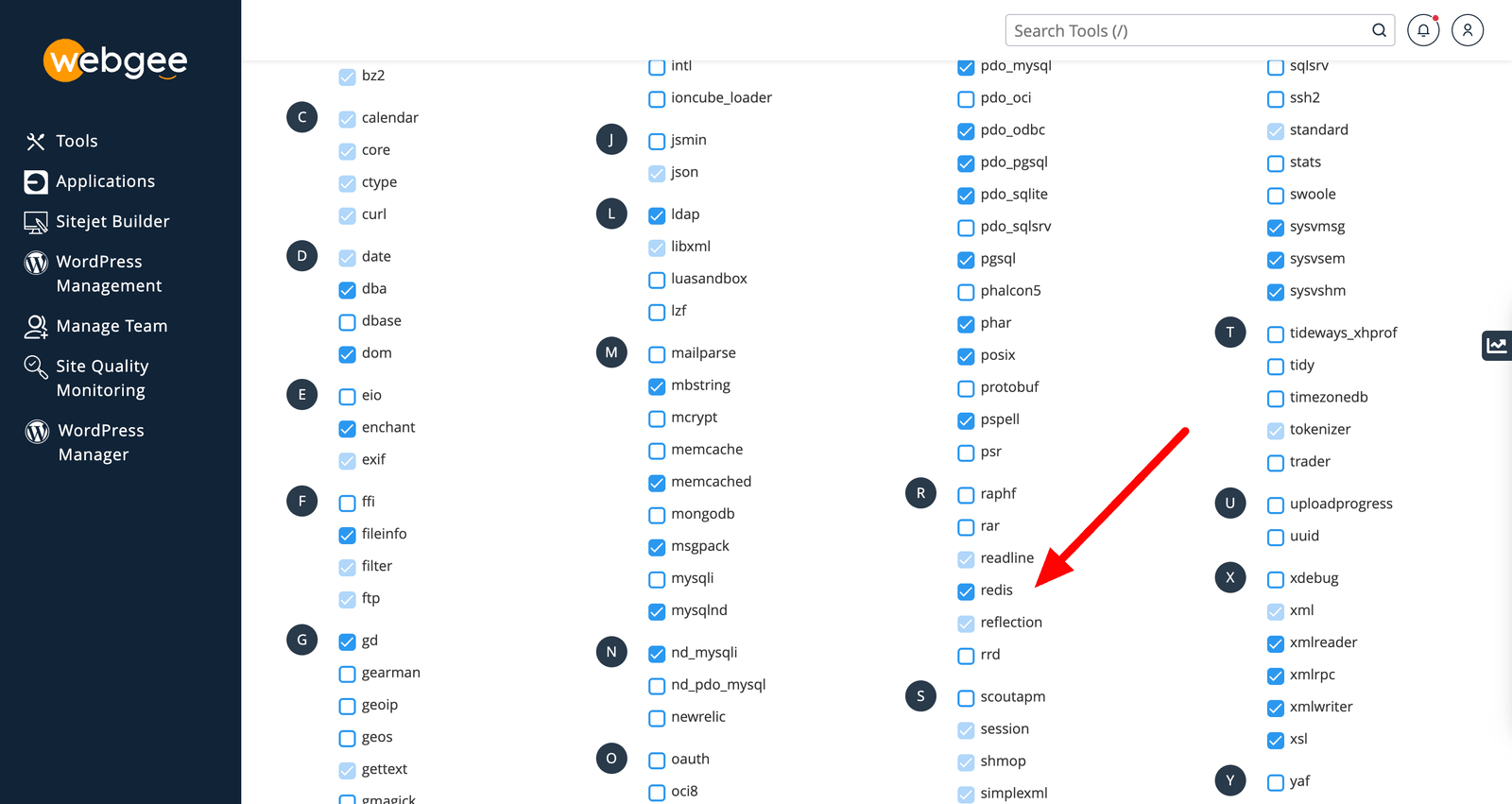
ويسري التغيير فورًا.
3. وجّه LiteSpeed Cache إلى Redis
-
في ووردبريس، انتقل إلى LiteSpeed Cache ← Cache ← Object.
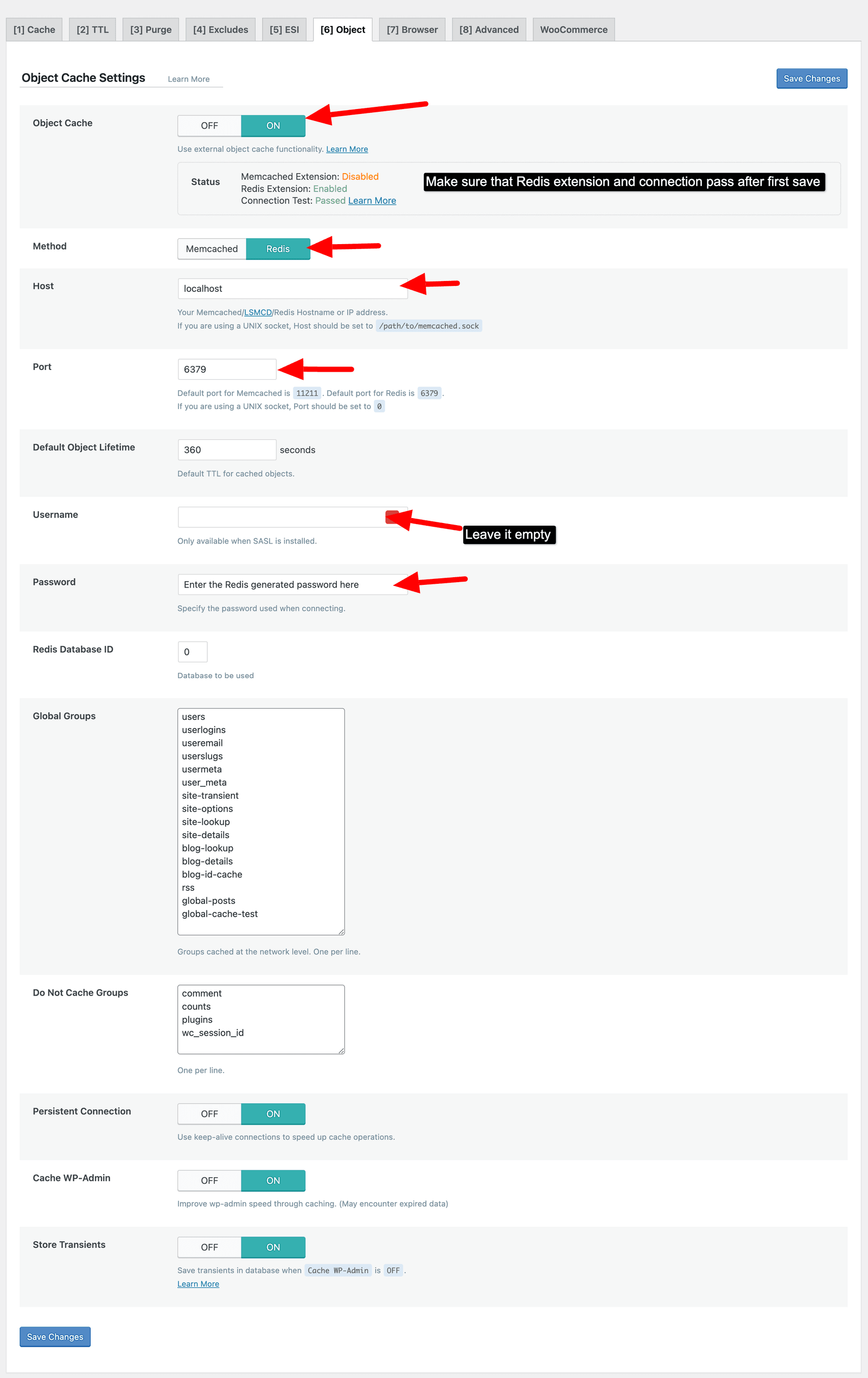
-
اضبط الآتي:
الإعداد القيمة Object Cache OnMethod RedisHost 127.0.0.1Port المنفذ من الخطوة الأولى Username اتركه فارغًا Password كلمة المرور من الخطوة الأولى -
اختر Save.
تأكّد أنه نجح
في صفحة Cache ← Object نفسها، يعرض LiteSpeed حالة الاتصال. وينبغي أن تقرأ Passed.
فإن لم تكن كذلك، امض في هذه بالترتيب:
- Connection refused — Redis لا يعمل. أعد فحص الخطوة الأولى.
- Class 'Redis' not found — إضافة PHP معطّلة. أعد فحص الخطوة الثانية.
- Authentication failed — كلمة المرور خاطئة. انسخها مجددًا من cPanel ← Redis؛ فهي تُولَّد من جديد عند تعطيل Redis وإعادة تفعيله.
إن أظهر موقعك لاحقًا خطأ OOM
لـ Redis سقف ذاكرة لكل حساب. وحين يتجاوزه موقع سترى
OOM command not allowed when used memory > 'maxmemory'. راجع
حدود ذاكرة Redis.