

الشبكة والـ DNS العكسي
اعثر على عناوين IP وبوابة خادمك، واضبط الـ DNS العكسي كي يكون بريدك قابلًا للتسليم، وغيّر محلّلات DNS التي يستخدمها.
أدر إعدادات شبكة خادمك السحابي. ينطبق على كل خوادم VPS والمخصّصة.
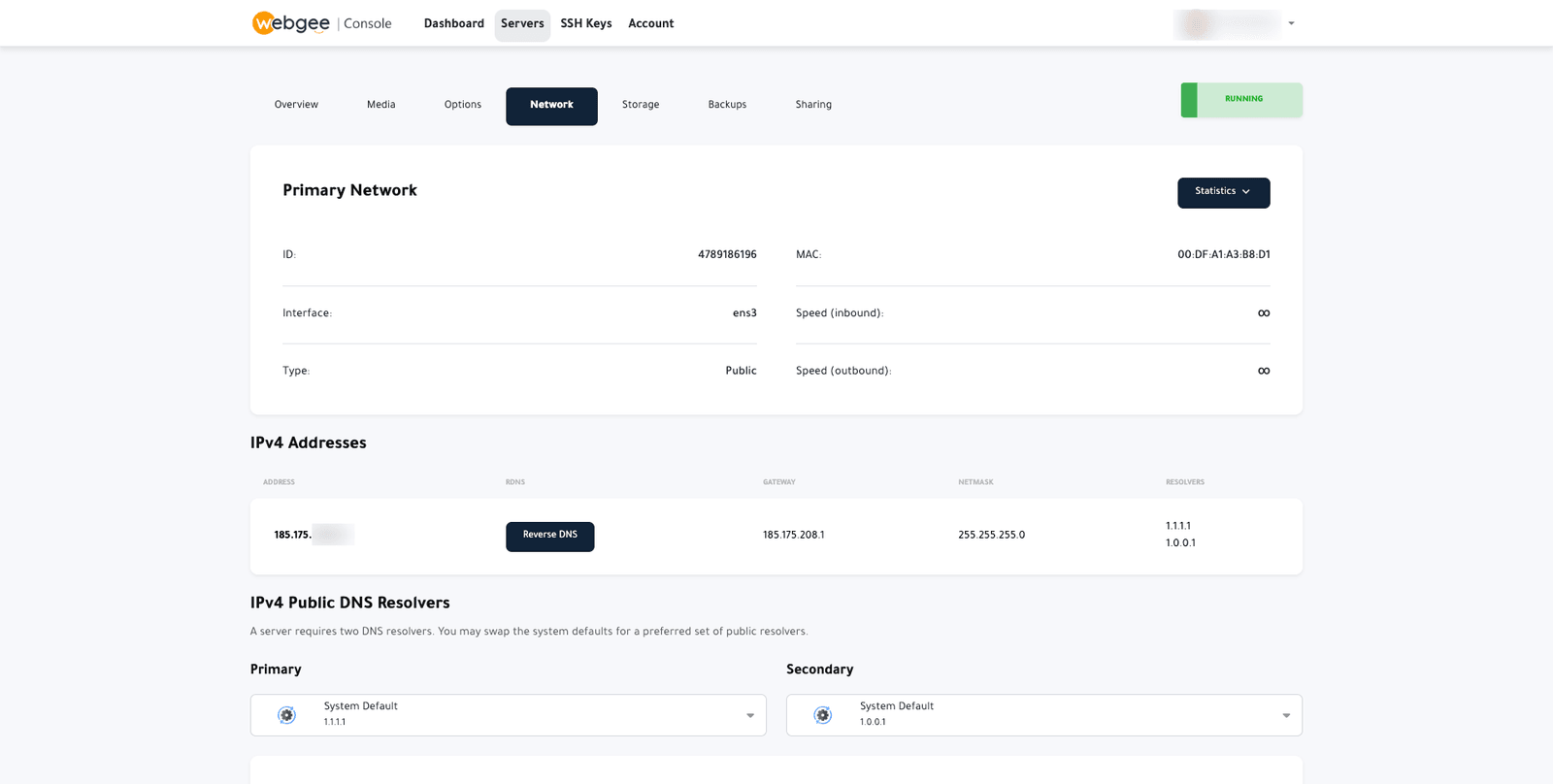
الشبكة الأساسية
التفاصيل التي يجب أن تطابقها إعدادات خادمك نفسه:
| الحقل | ما هو |
|---|---|
| الواجهة | اسم جهاز الشبكة، مثل ens3 |
| MAC | العنوان العتادي للواجهة |
| النوع | عامة أو خاصة |
| السرعة | حدود الوارد والصادر |
عناوين IPv4
يُدرَج كل عنوان مع بوابته وقناع شبكته ومحلّلاته. وأنت تحتاج الثلاثة إن ضبطت الشبكة يدويًا يومًا — بعد تثبيت نظام تشغيل يدويًا مثلًا.
الـ DNS العكسي
يربط الـ DNS العكسي عنوان IP لديك باسم مضيف. اختر Reverse DNS بجوار العنوان لضبطه.
اضبط هذا قبل إرسال أي بريد. فمعظم خوادم البريد المستقبِلة ترفض أو تعاقب بشدة البريد الآتي من عنوان بلا DNS عكسي، أو لا يطابق DNS العكسي فيه اسم مضيف الإرسال. وهو السبب الأشيع على الإطلاق لذهاب بريد خادم VPS جديد إلى اللاشيء.
اضبطه على اسم مضيف الخادم المؤهّل بالكامل — mail.example.com — وتأكّد من وجود
سجل A أمامي مطابق يشير إلى العنوان نفسه. ويجب أن يتوافق الاثنان.
محلّلات DNS
يحتاج خادمك محلّلين للبحث عن أسماء النطاقات. والافتراضيان هما 1.1.1.1 و
1.0.0.1 من Cloudflare.
غيّرهما ضمن IPv4 Public DNS Resolvers إن كان لديك سبب — محلّل يصفّي، أو DNS داخلي خاص بك. وإلا فاتركهما.
تغيير المحلّلات هنا يحدّد ما يتلقّاه خادم مُعاد بناؤه. أما على خادم يعمل،
فحدّث كذلك /etc/resolv.conf أو إعدادات شبكتك، وإلا واصل استخدام القيم
القديمة.
تأكّد أنه نجح
الـ DNS العكسي، من أي جهاز:
dig +short -x 203.0.113.10وينبغي أن يعيد اسم مضيفك. وقد يستغرق الانتشار بضع ساعات.
وتوافق الأمامي مع العكسي:
dig +short mail.example.comوينبغي أن يعيد عنوان IP نفسه الذي بحثت عنه للتو.